

Best eSIM Plans for iPhone Users Traveling to the USA
Nov
Apple has been at the forefront of eSIM innovation — and for travelers, that’s great news.
Recent iPhone models now fully support eSIM, eliminating the need for physical SIM cards and making it easier than ever to connect abroad.
In the U.S., Apple’s transition is complete: all iPhone 14 and 15 models are eSIM-only, reflecting a full shift toward digital SIM technology. For iPhone users planning a trip to the USA, choosing the right eSIM iPhone USA plan ensures stable data, simple activation, and reliable coverage anywhere you go.
iPhone Models Supporting eSIM
Almost all modern iPhones include dual SIM functionality – either one physical SIM + one eSIM or Dual eSIM support. Here’s the breakdown:
| Model | eSIM Support Type |
| iPhone XS / XS Max / XR | First generation supporting eSIM |
| iPhone 11 / 12 / 13 series | 1 physical SIM + 1 eSIM |
| iPhone 14 / 15 /16 /17 (U.S. models) | Dual eSIM, no physical SIM slot |
| iPhone SE (2nd Gen & later) | Budget-friendly eSIM option |
Quick Tip: Check compatibility on your device:
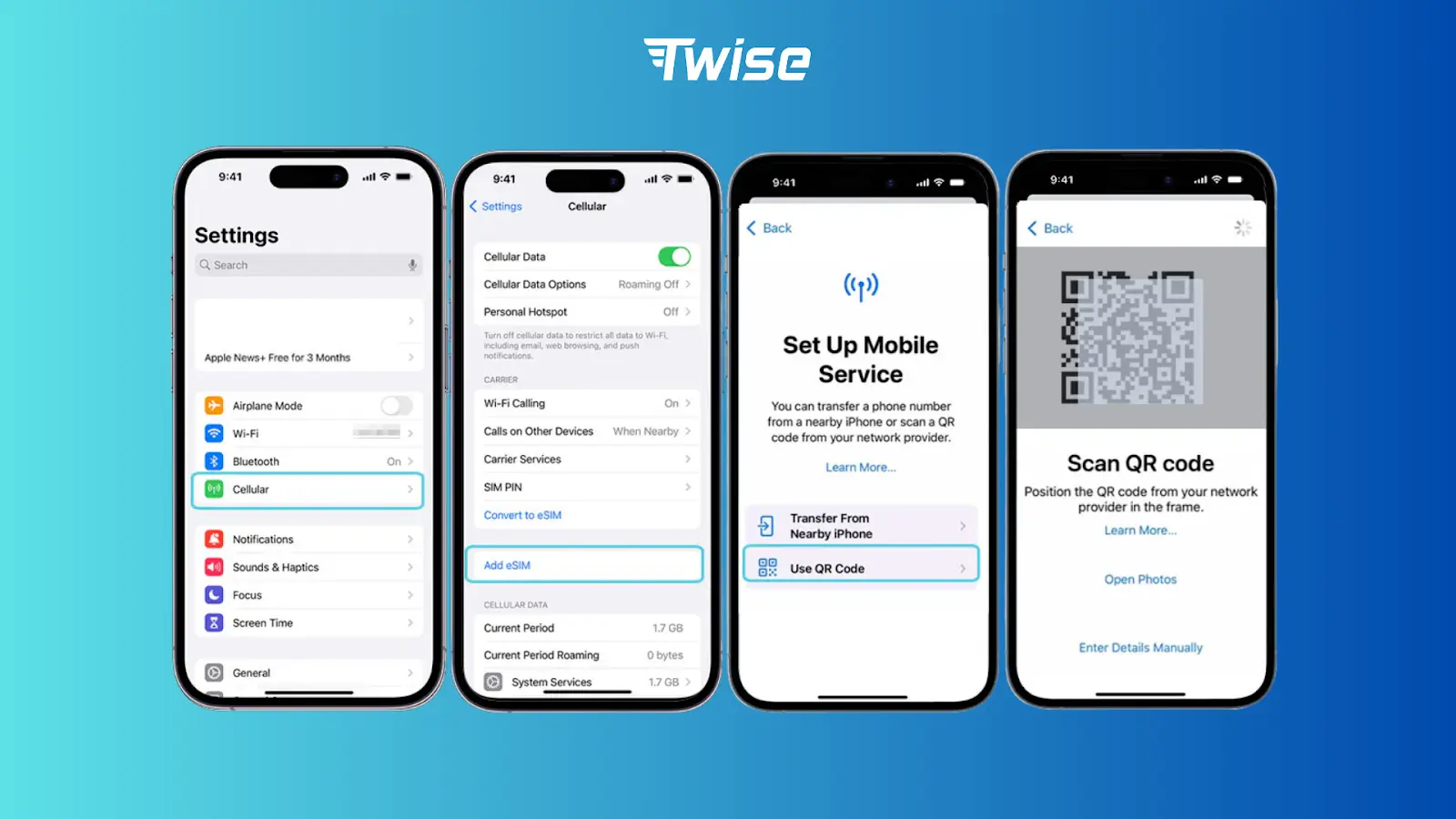
Settings → Cellular → Add eSIM.
If you see “Add eSIM” or “Add Cellular Plan,” your iPhone supports eSIM.
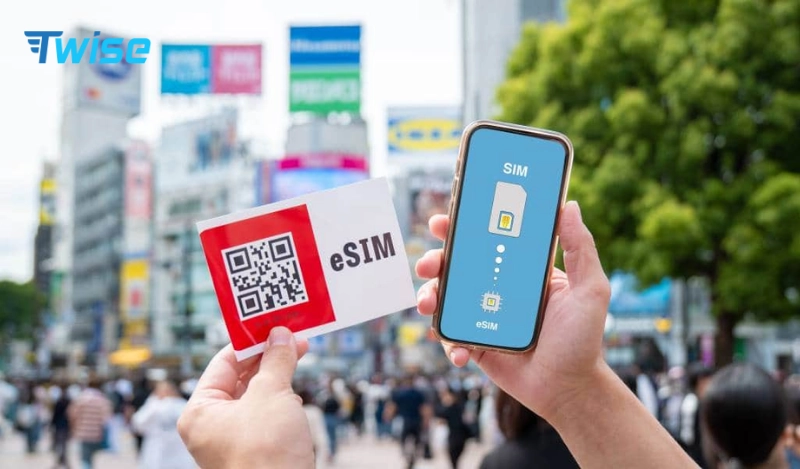
How to Activate an eSIM on iPhone
Setting up an eSIM USA iPhone connection takes just a few minutes:
- Choose your plan online – from providers like Twise.
- Receive the QR code (if data-only plans) – sent instantly to your email after purchase.
- On your iPhone, go to Settings → Cellular → Add eSIM → Use QR Code.
- Scan the QR code to install the eSIM profile.
- If it’s a data-only eSIM, enable Data Roaming and set the eSIM as your primary data line.
- Once connected, you can start browsing, using maps, and messaging immediately.
Best eSIM Plans for iPhone Users in the USA
For iPhone users, choosing the right eSIM for the USA comes down to three key factors: network speed, coverage quality, and ease of activation. Since iPhones support eSIM natively, setting up the right plan can be quick and seamless — as long as you choose the right provider.
- Twise eSIM USA is a strong choice for travelers who want flexibility and dependable support. It uses multi-carrier coverage, including AT&T and T-Mobile, to ensure stable connections across major U.S. cities and highways. Data-only eSIMs activate instantly via QR code, while local USA eSIMs are ready in about five minutes. This makes Twise ideal for travelers who want a balance of speed, coverage, and easy setup on iPhone.
- T-Mobile eSIM is well-suited for short-term visitors who want a straightforward local experience. Activation typically takes 5–10 minutes, and the plan runs directly on T-Mobile’s nationwide network. It’s a solid option if you need local service for a brief stay without long-term commitments.
- AT&T eSIM is best for users who prioritize unlimited data and consistent performance. Activation usually takes around 10 minutes, and coverage is strong in urban areas and along major routes. This option works well for heavy data users who stream frequently or rely on constant connectivity.
- Verizon eSIM is designed more for long-term local users rather than travelers. With activation times ranging from 10–15 minutes, Verizon offers excellent network quality but often requires more setup steps and is better suited for residents or extended stays.
Short summary:
| Provider | Network | Activation Time | Best For |
| Twise eSIM | Multi-carrier (AT&T, T-Mobile) | Instant (QR code) for data-only; 5 mins for local eSIM support call and data (Twise assists travelers with registration, eSIM local be used immediately after landing.) | Travelers seeking flexibility & support |
| T-Mobile eSIM | T-Mobile | 5–10 mins (hard to register if you don’t in the US) | Short-term travelers |
| AT&T eSIM | AT&T | 10 mins (hard to register if you don’t in the US) | Unlimited data users |
| Verizon eSIM | Verizon | 10–15 mins (hard to register if you don’t in the US) | Long-term local users |
Try Twise eSIM USA for easy activation, strong coverage, and competitive prepaid data plans for your iPhone.
Troubleshooting Common eSIM iPhone Issues
| Issue | Possible Cause | Fix |
| eSIM not activating | Weak Wi-Fi or outdated iOS | Update iOS & retry installation |
| “No Service” / “SOS only” | Roaming turned off | Enable Data Roaming under Cellular settings |
| Invalid QR code | Region mismatch | Verify plan is for USA region |
| Connection drops mid-trip | Plan expired or throttled | Check remaining data or refresh plan |
| Can’t delete old eSIM | System cache bug | Restart iPhone or reset network settings |
Pro tip: Always update your iOS before traveling — older versions may delay activation or cause network error.
Conclusion
For Apple fans visiting the U.S., an eSIM for iPhone USA is the smartest, most efficient way to stay connected – no more swapping SIMs or worrying about roaming charges.
Twise eSIM is ideal for:
- Fast activation directly on iPhone
- Affordable prepaid USA & global plans
- 24/7 customer support and coverage in 190+ destinations
Stay connected effortlessly – activate your Twise eSIM USA before you fly and enjoy smooth internet from the moment you land.
Related Articles:
- T-Mobile USA eSIM | Unlimited Data Plans for Travelers
- Best eSIMs for Cross-Border Travel Between the USA, Canada & Mexico
- Is AT&T eSIM USA Worth It? Best Plans and Tips for Travelers
FAQs:
- How does Twise work?
Twise provides eSIMs that let you access mobile networks without needing a physical SIM card. Simply purchase an eSIM plan from Twise’s website, install it on your device, and start using data instantly.
- How do I activate a USA eSIM from Twise?
Activation depends on the type of USA eSIM you choose:
- Local eSIMs (e.g., T-Mobile or AT&T) – These support calls and SMS within the USA. During checkout, provide your EID and IMEI. After successful activation on your selected activation date, your eSIM will be delivered to your device via push notification before 9:00 AM (GMT-7).
- Roaming eSIMs (data-only) – After completing the payment, Twise will immediately send your eSIM QR code to your email. Simply scan the QR code to install your eSIM and turn on data roaming to start using it.
- Can I recharge or top up my USA eSIM from Twise?
No, Twise does not support top-ups. However, you can easily purchase a new eSIM if you need more data or your trip is extended.
- What if my Twise eSIM isn’t working?
Twise’s customer support is available 24/7 to assist you. You can contact them through the official channels below for immediate help:
- Facebook Fanpage: Twise
- Email: [email protected]
- WhatsApp: (+1) 818-915-0777
