Boston Travel App Guide: Best Apps for Transit, Maps, Parking, and eSIM Data
Jul
A reliable Boston travel apps setup helps visitors move from Logan Airport to downtown, ride the MBTA, follow the Freedom Trail, pay for parking, and stay connected without guessing. For most travelers, the best toolkit combines MBTA Go for live transit alerts, MBTA mTicket for commuter rail and ferry tickets, Transit or Google Maps for route planning, Bluebikes for short city rides, ParkBoston for street parking, and a travel eSIM for mobile data after airport Wi-Fi ends. This guide explains which apps to download before arrival, when each app matters, and how to keep them working across Boston smoothly today.
Quick Answer: What Boston Travel Apps Should You Download?
For a short Boston trip, do not rely on one app. The strongest setup is a small app stack: one official MBTA app for live service changes, one route-planning app, one ticketing app if you use commuter rail or ferry, one airport app, one parking or rideshare app, and one reliable mobile data plan. This mix covers the moments where travelers usually lose time: leaving Logan Airport, finding the right T platform, walking through historic streets, paying for parking, or messaging a hotel.
| Travel need | Best app or setup | Why it matters |
| Live subway and bus updates | MBTA Go | Official live arrivals, vehicle tracking, and closure alerts for Greater Boston transit. |
| Route planning | Transit, Google Maps, or Apple Maps | Useful for comparing subway, bus, walking, rideshare, and biking routes. |
| Commuter Rail and ferry tickets | MBTA mTicket | Lets travelers buy, store, and activate Commuter Rail and Ferry tickets on a phone. |
| Airport arrival | FlyLogan | Helpful for airport maps, flight status, Wi-Fi access, and terminal navigation. |
| Historic walking route | Freedom Trail app or NPS App | Best for self-guided audio, maps, and context along Boston’s 2.5-mile historic trail. |
| Bike share | Bluebikes | Shows nearby bikes, docks, pass options, and ride notifications. |
| Parking | ParkBoston and PayByPhone | Use ParkBoston for City of Boston street parking and PayByPhone where supported by lots or operators. |
| City help and local alerts | BOS:311 | Useful for non-emergency city services and local issue reporting. |
| App connectivity | Travel eSIM or local US eSIM | Keeps maps, transit alerts, rideshare, hotel messages, and tickets working after airport Wi-Fi. |
Why Boston Needs More Than One Travel App
Boston is compact, walkable, and historic, but it can be confusing on a first visit. The subway is known locally as the T, commuter rail routes extend beyond the city center, historic streets are not always grid-like, and airport-to-downtown movement often happens while travelers are tired, offline, or carrying luggage. A good Boston travel app setup should therefore solve three problems at once: movement, timing, and connectivity.
Movement: choosing the right mode
Boston is not a city where every journey should be a car ride. Many visitors combine the T, walking, bike share, ferry, and rideshare in the same trip. That is why route-planning apps are useful, but they work best when paired with official apps for tickets and service alerts.
Timing: avoiding outdated schedules
A static screenshot of a route is not enough when a platform changes, a bus is delayed, or an elevator is out of service. Live arrival apps are especially valuable for visitors with luggage, families, or tight museum and restaurant reservations.
Connectivity: keeping apps useful outside Wi-Fi
Logan Airport offers free Wi-Fi across its terminals, but airport Wi-Fi is not a full-trip connectivity plan. The practical gap begins after arrival: finding pickup zones, checking rideshare prices, opening hotel messages, walking to public transport, or navigating downtown. For international travelers, a travel eSIM reduces that first-hour friction because the phone stays online once airport Wi-Fi is gone.
Best Boston Travel Apps by Use Case
1. MBTA Go: best official app for live transit information
MBTA Go is the official app for live public transit information in Greater Boston. It is strongest for checking live arrival times, seeing vehicle locations, and getting alerts about closures. Use it when you already know the route or station you need and want the most direct status update before walking to the platform.
Best for: subway, bus, Green Line branches, real-time vehicle tracking, and service alerts.
2. Transit App: best all-around Boston transit companion
Transit is useful when you want one screen to compare nearby public transport options. It is a strong companion for visitors who are still learning the city because it can help translate the MBTA system into simple next steps: walk here, take this line, transfer there, and watch the arrival countdown.
Best for: quick route decisions, live arrivals, bus-subway combinations, and travelers who prefer a simple visual interface.
3. MBTA mTicket: essential for Commuter Rail and ferry trips
MBTA mTicket is not the app most visitors need for every subway ride. Its main value is Commuter Rail and ferry ticketing. If your Boston itinerary includes Salem, Concord, Providence connections, South Shore destinations, or harbor ferry routes, download mTicket before departure so you can buy and activate tickets from your phone.
Best for: Commuter Rail, ferry, regional day trips, and travelers who want to avoid paper tickets.
4. Google Maps or Apple Maps: best for walking and mixed routes
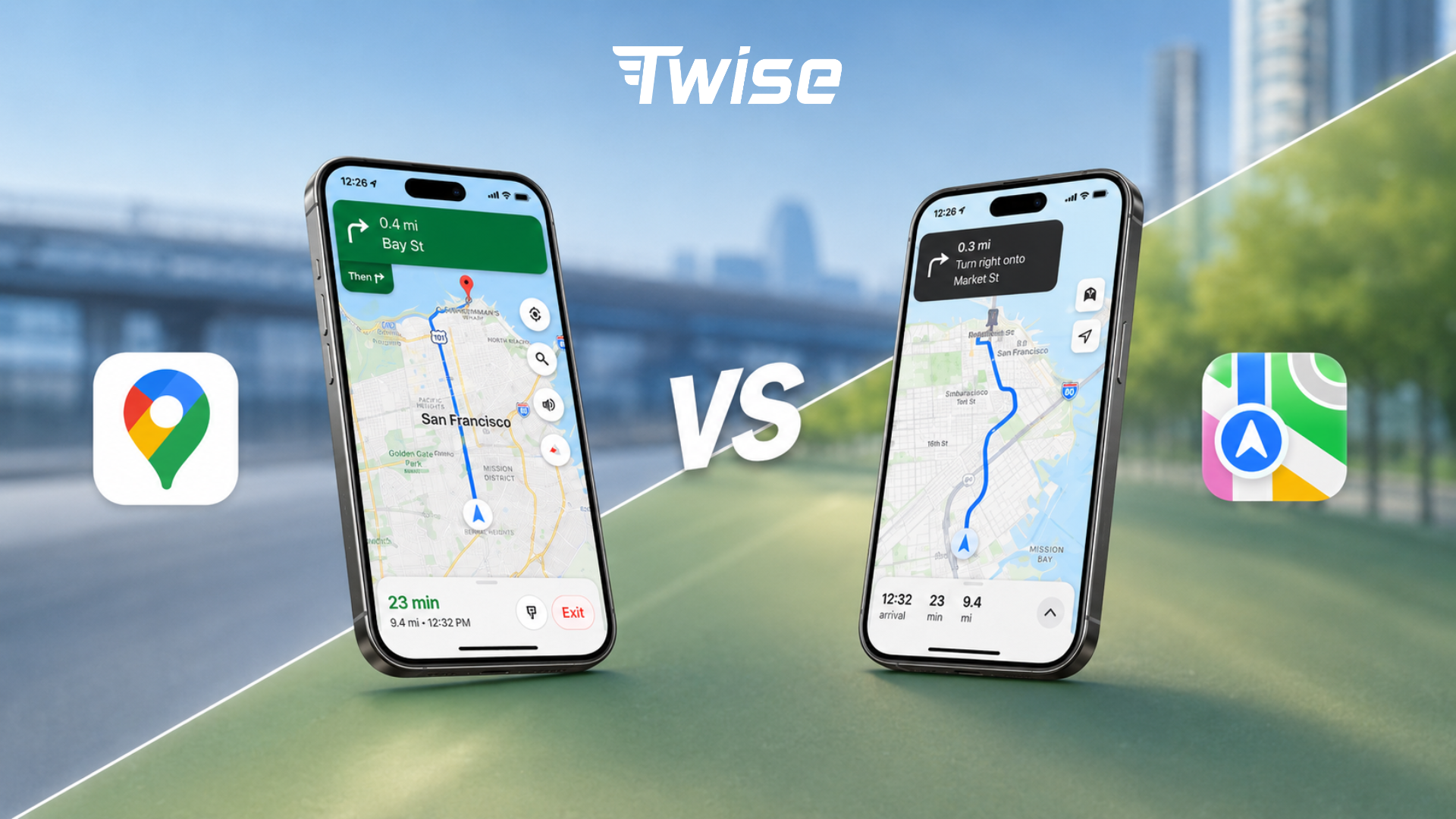
Boston is highly walkable, but its historic streets can be less intuitive than a modern grid. Google Maps and Apple Maps are useful for walking from a T station to a hotel, comparing a 12-minute walk against a short rideshare, and saving places before the trip. Download an offline map as a backup, but remember that live transit, rideshare pricing, and business updates still need mobile data.
Best for: hotel navigation, restaurant searches, walking routes, and offline backup maps.
5. Freedom Trail app or NPS App: best for historic sightseeing
The Freedom Trail is one of Boston’s most important first-time visitor routes. It connects 16 historic sites across a 2.5-mile path, but the experience is better with audio context, maps, and self-paced narration. Use the Freedom Trail Foundation app, the NPS App, or a reputable self-guided tour app and download the tour before you start walking.
Best for: Boston Common, Faneuil Hall, Paul Revere House area, Old North Church, Charlestown, and history-focused walking days.
6. Bluebikes: best for short urban rides
Bluebikes works well when the distance is too far to walk but too short for rideshare. The app helps visitors find nearby bikes and docks, purchase passes, unlock bikes, and receive ride notifications. It is especially useful around the Charles River, Cambridge, Back Bay, South End, and waterfront areas when weather and traffic are favorable.
Best for: short rides, scenic routes, and travelers comfortable biking in a city.
7. ParkBoston and PayByPhone: best for drivers
Driving in Boston can be expensive and stressful, so parking apps matter. ParkBoston is the key app for City of Boston parking zones, letting drivers find a zone, pay, receive alerts, and add time from the phone. PayByPhone may be useful for supported commuter lots, private operators, or nearby cities that use it. Always match the app to the sign at the parking location rather than assuming one app works everywhere.
Best for: travelers renting a car, road trips through New England, and visitors staying outside the city center.
8. BOS:311: useful city app for visitors
BOS:311 is mainly built for residents, but it can still help visitors access non-emergency city information. Travelers may use it to find the right city service, understand local alerts, or report issues they encounter in public spaces. It is not a core navigation app, but it is a useful backup when a question is city-service related rather than travel-service related.
Best for: non-emergency city help, public-space issues, and local service information.
9. FlyLogan: best for airport-specific navigation
FlyLogan is useful before and immediately after landing at Boston Logan International Airport. Use it for airport maps, flight status, Wi-Fi features, and terminal-specific information. Once you leave the terminal area, switch to maps, transit, rideshare, or your hotel app for the city portion of the journey.
Best for: terminal maps, flight updates, airport Wi-Fi, and first-step arrival planning.
10. Uber and Lyft: best for late nights and luggage-heavy trips
Rideshare apps are not always the cheapest way to move around Boston, but they are useful late at night, in bad weather, with heavy luggage, or when public transit transfers are inconvenient. Keep both Uber and Lyft installed so you can compare wait times and prices. International visitors should make sure the app can verify the account before the trip, especially if SMS confirmation is required.
Best for: airport transfers, late-night returns, families, and luggage-heavy movement.
The Mobile Data Layer: Why Apps Fail When Your Phone Is Offline
A Boston travel app list is only useful if the apps actually load when you need them. Many travel problems happen during small transition moments: leaving Logan Airport, looking for the Silver Line, calling a hotel, opening a rideshare code, refreshing an MBTA alert, or checking a restaurant reservation. These tasks do not use much data, but they require a live connection.
For most short trips, a data-only eSIM is enough because maps, transit apps, hotel apps, WhatsApp, iMessage, email, browser searches, and ride-hailing all work over mobile data. A local US eSIM becomes more useful when the traveler needs a US phone number for calls, SMS verification, restaurant bookings, hotel contact, or local business coordination.
| Criteria | Data-only eSIM | Local US eSIM |
| US phone number | No | Yes |
| Calls and SMS in the US | No | Yes, depending on the plan |
| Best for | Maps, MBTA apps, hotel apps, WhatsApp, browsing, ride-hailing | SMS verification, hotel calls, restaurant calls, local contacts |
| Setup speed | Fast QR or app-based activation | May require more attention to carrier setup and device compatibility |
| Best trip type | Short city break or simple tourist trip | Longer stay, business travel, student trip, or repeated local contact |
Recommended Boston App Setup Before Landing

- Download MBTA Go, MBTA mTicket, Transit or Google Maps, FlyLogan, your hotel app, and your rideshare apps before your flight.
- Save your hotel address, airport pickup point, and first-day restaurant or meeting location in your maps app.
- Download an offline Boston map as a backup, but do not depend on offline mode for live transit, rideshare, or hotel messaging.
- Install and activate your travel eSIM while connected to Wi-Fi, ideally before departure or while still inside Logan Airport.
- After landing, confirm that your phone shows a US carrier signal and open one data-dependent app, such as maps or rideshare, before leaving the terminal.
- Keep a small power bank because live navigation, audio tours, photos, and rideshare can drain battery quickly on a full sightseeing day.
Boston Travel App Stacks for Different Travelers
| Traveler type | Recommended app stack |
| First-time tourist | MBTA Go, Transit, Google Maps, Freedom Trail app, FlyLogan, Uber or Lyft, travel eSIM |
| Family trip | Google Maps, MBTA Go, rideshare apps, hotel app, weather app, local US eSIM if calls or SMS verification may be needed |
| Business traveler | Google Maps, MBTA Go, rideshare apps, calendar app, hotel app, local US eSIM for calls and SMS |
| Day tripper from Boston | MBTA mTicket, Google Maps, Transit, travel eSIM, destination-specific app if visiting Salem, Cambridge, or coastal towns |
| Driver or road trip visitor | Google Maps or Apple Maps, ParkBoston, PayByPhone where supported, rideshare backup, travel eSIM with hotspot support |
| History-focused traveler | Freedom Trail app, NPS App, Google Maps, MBTA Go, Bluebikes, travel eSIM |
Where to Add the Twise CTA
[Banner CTA after this section] Need Boston travel apps to work after airport Wi-Fi? Compare Twise USA eSIM options for data-only travel plans and local T-Mobile/AT&T eSIMs with calls and SMS.
Suggested anchor text: Boston travel eSIM, USA eSIM for Boston, or local US eSIM with calls and SMS.
Suggested CTA copy: Keep Boston travel apps working from Logan Airport to downtown. Choose a Twise USA eSIM before you fly.
FAQs About Boston Travel Apps