



eSIM or Pocket Wi-Fi Korea: Which Is Better?
Aug
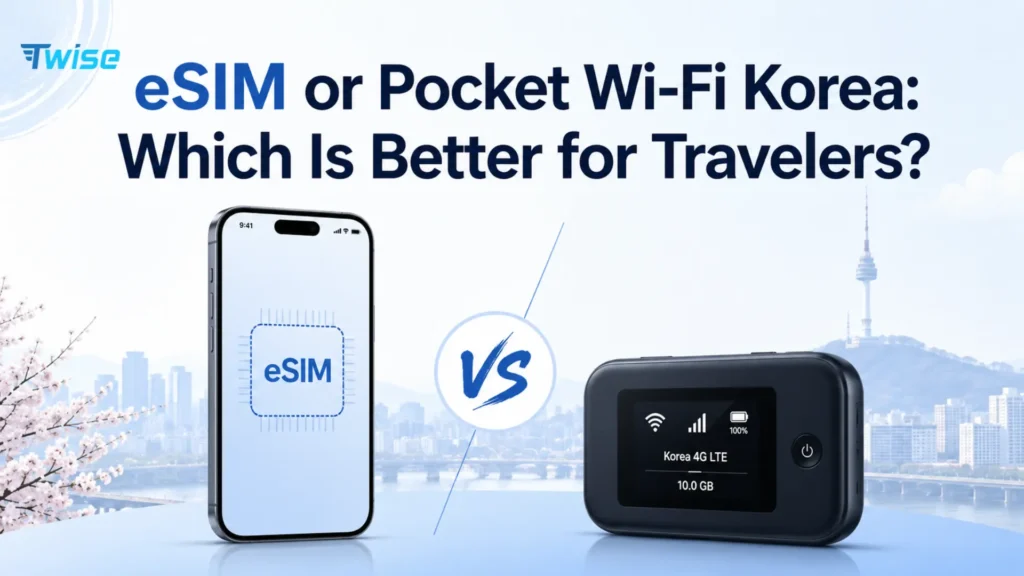
An eSIM is usually better when you need independent mobile data without carrying rental equipment. Pocket Wi-Fi can be better when a group stays together and wants to share one connection across several phones, tablets, or laptops.
Group size alone shouldn’t decide it, though. Consider whether travelers will separate during the day, whether their phones actually support eSIM, how many devices need internet, and who’s responsible for carrying and charging the router.
Twise offers an SK Telecom-powered, data-only Korea eSIM: no calls or SMS, hotspot supported, built for smartphone use. If you want to see current options before deciding, compare Korea eSIM plans alongside the pocket Wi-Fi breakdown below.
Korea’s Mobile Networks at a Glance
Both eSIM or pocket WiFi Korea routers ultimately run on one of South Korea’s three national mobile operators: SK Telecom (SKT), KT, and LG U+. Neither the eSIM format nor the router hardware creates coverage on its own — the underlying network does.
| Network | Known for | Relevance to this comparison |
| SK Telecom | Broad populated-area coverage, strong overall network scores | Twise’s Korea eSIM runs on SKT |
| KT | Competitive 5G speed, tourist data and voice-enabled products | Common network for pocket Wi-Fi rentals |
| LG U+ | Strong 5G availability, tourist SIM and eSIM services | Also widely used for pocket Wi-Fi rental fleets |
Whichever product you choose, the network behind it matters more for real-world performance than whether the data reaches your phone through an eSIM profile or a shared router.
eSIM vs Pocket Wi-Fi Korea at a Glance
| Factor | Korea eSIM | Pocket Wi-Fi |
| Best for | Independent travelers and compatible phones | Groups staying together and multi-device use |
| Equipment | No additional device | Separate router and charger |
| Setup | Digital installation | Airport pickup and Wi-Fi connection |
| Return required | No | Yes |
| Device compatibility | Requires unlocked, compatible phone | Works with any Wi-Fi-enabled device |
| Independent connection | Yes | No — users must stay near the router |
| Multiple devices | Through phone hotspot | Designed for several devices |
| Battery responsibility | Phone battery | Router and phone batteries |
| Local number | Not on Twise’s data-only plan | No |
| Calls and SMS | Internet apps only | Internet apps only |
| Loss risk | No rental hardware | Loss or damage charges may apply |
| Best backup | Airport or hotel Wi-Fi | Power bank or a secondary data line |
What Is a Korea eSIM?
A Korea eSIM is a digital SIM profile installed directly on a compatible phone, giving it mobile data access on a Korean network without a physical SIM card.
How an eSIM Connects to SK Telecom
Twise supplies the digital profile and manages the plan; SK Telecom provides the underlying network access the phone actually connects to.
What Twise’s Korea eSIM Includes
- Mobile data
- A daily or total high-speed allowance
- Continued, managed data according to the live plan terms after that allowance
- Hotspot support
Current Twise product pages describe daily high-speed data followed by unlimited 4G at a reduced speed once the allowance is used — reconfirm the live terms before purchase, since plan details can change.
What It Does Not Include
- A Korean 010 number
- Cellular calls
- SMS
- Local SMS verification messages
- Tablet or router use, unless specifically supported by the plan
Main eSIM Advantages
No rental counter to visit, independent access for each traveler, and no extra hardware to carry, charge, or return.
Main eSIM Limitations
Device compatibility, carrier lock status, reliance on the phone’s own battery, and product-specific activation rules that vary by provider.
For full details on what’s included, Twise SKT Korea eSIM options list current data allowances and hotspot terms.
What Is Pocket Wi-Fi in Korea?
Pocket Wi-Fi is a portable mobile router that connects to a Korean cellular network and creates a private Wi-Fi network that nearby devices can join.
How Many Devices Can Connect?
It depends on the router. LG U+ currently allows up to ten simultaneous connections, though it notes that performance can vary with device count and overall bandwidth use.
Pickup, Deposit and Return
Typical rental workflow involves presenting a reservation, passport, and payment card at a counter, checking the device and accessories, settling any rental balance, and returning the router at the agreed location and time — usually another counter, sometimes a drop box.
Main Pocket Wi-Fi Advantages
Works with older or carrier-locked phones, tablets, and laptops, and lets a group share one connection instead of buying several separate plans.
Main Pocket Wi-Fi Limitations
Requires charging a second device, keeping everyone within range, handling potential loss or damage charges, managing a deposit, and returning the unit before departure.
Which Is Cheaper in Korea?
Cost for One Traveler
A single eSIM plan is usually simpler and often cheaper than a full router rental for one person, since there’s no deposit or return logistics involved.
Cost for a Couple
Sharing one router can cost less than two separate eSIMs if the couple stays together most of the day. Independent eSIMs make more sense if they plan to split up for shopping, sightseeing, or different schedules.
Cost for a Family or Group
Compare both the total group cost and the cost per independently connected traveler — a shared router might look cheaper as a lump sum but leaves everyone tethered to one device and one person’s schedule.
Costs Often Missing From Pocket Wi-Fi Prices
- Deposit authorization on a card
- Extension fees for extra days
- Loss or damage charges
- Late return penalties
- The time cost of a return trip to a counter
- A power bank, since router battery life is limited
LG U+ currently lists a daily rental example around KRW 4,400 with a refundable debit-card deposit and separate loss or damage conditions, while KT currently lists roughly KRW 4,400 per day or KRW 55,000 for a monthly router plan. Confirm current pricing directly, since these figures shift over time.
Costs Often Missing From eSIM Prices
- Extra plans for other group members who each need their own data
- Replacement data if an allowance runs out early
- Accidental home roaming charges from incorrect settings
- Faster battery drain from hotspot use
Which Is Better When Your Group Separates?
Friends with different plans: if some people are shopping while others hit a concert or head back to the hotel, each person needs independent navigation and messaging — a shared router can’t be in two places at once.
Parents and teenagers: each person may need their own maps and messaging, especially once teens want to explore on their own schedule.
Tour groups staying together: a single router works well here, since the group moves as one unit for most of the day.
Couples who rarely separate: either option can work — the deciding factor becomes device compatibility and total cost rather than independence.
Decision rule: choose pocket Wi-Fi when the group stays together. Choose individual eSIMs when travelers need independent navigation and communication.
Which Option Works Better for Korea Travel Apps?
Naver Map and Kakao Map: both connections support navigation, but pocket Wi-Fi users need to stay near the router for it to keep working. Naver Map provides local walking, driving, and public-transport information more reliably than most international map apps.
Papago translation: either connection supports online translation — download offline language packs as a backup regardless of which option you choose.
k.ride and taxi coordination: independent access matters here if travelers are requesting separate taxis or heading in different directions.
KTX, bus and tour tickets: save screenshots before underground journeys or crowded departure halls where signal can be inconsistent either way.
Hotel and driver messages: whoever is receiving booking confirmations and driver messages should have an independent connection, not rely on staying near a shared router.
Payments and banking verification: neither product provides Korean SMS. Keep your home line configured carefully for verification codes, or use authenticator-app alternatives where your bank supports them.
Airport Arrival: Which Option Is Easier?
Arriving With a Twise eSIM
- Connect to airport Wi-Fi
- Follow the product-specific QR installation rule
- Select the eSIM for data
- Enable travel-line roaming when instructed
- Disable home-line roaming and cellular-data switching
- Test Naver Map before leaving the terminal
Collecting Pocket Wi-Fi
- Locate the correct counter and terminal
- Present the reservation, passport, and payment card
- Check the device and accessories before leaving the counter
- Connect every group member’s device
- Confirm the return location and time
LG U+ provides pickup at Incheon, Gimpo, and Gimhae airports, while Incheon’s official directory lists telecom and Wi-Fi counters with varying opening hours by terminal.
Late-Night Arrival
Digital eSIM setup works regardless of the hour, while pocket Wi-Fi pickup depends on counter hours — some are 24-hour, others limited, so check before booking a late flight.
Early-Morning Departure
Pocket Wi-Fi requires returning the router before security or a terminal transfer, adding a step to an already tight morning — an eSIM has no equivalent obligation.
Battery, Charging and Reliability
eSIM battery use: normal phone use draws standard battery, with noticeably faster drain if you’re actively using hotspot tethering.
Pocket Wi-Fi battery use: the router needs its own charging and may enter power-saving mode if the battery runs low, temporarily reducing speed or connectivity.
What happens when one device dies? If a phone with an eSIM dies, that traveler loses connectivity individually. If a shared router dies, the entire group loses connection at once — a meaningful difference for group planning.
Power bank planning: carry a charged power bank for long city days, regional train rides, and Jeju road trips, regardless of which option you choose.
eSIM or Pocket Wi-Fi for Different Korea Trips
| Traveler type | Better starting option | Reason |
| Solo visitor | eSIM | Independent connection without rental equipment |
| Couple staying together | Either | Compare cost, device compatibility and separation |
| Friends with different plans | Individual eSIMs | Everyone retains navigation and messages |
| Family staying together | Pocket Wi-Fi | Shared connection can reduce total cost |
| Family likely to separate | Individual eSIMs or mixed setup | Avoid dependence on one router |
| Remote worker | eSIM with hotspot or pocket Wi-Fi | Compare laptop use, speed and battery |
| Older or locked phones | Pocket Wi-Fi | No eSIM compatibility required |
| Several tablets and laptops | Pocket Wi-Fi | Designed for multiple Wi-Fi devices |
| Traveler needing Korean SMS | Neither | Choose a local voice/SMS plan instead |
| Long stay | Local SIM/eSIM | Renewable service and Korean number options |
Seoul-only trip: either option works well; independence matters most if the group plans to split up.
Seoul and Busan by KTX: independent eSIMs avoid everyone needing to sit together on the train just to stay connected.
Jeju road trip: a shared router works if everyone’s traveling in one car; independent eSIMs make more sense with multiple vehicles.
Group concert or festival trip: individual eSIMs help if the group separates once inside a venue.
Business and remote-work visit: compare eSIM hotspot performance against a router’s sustained speed for video calls and file transfers.
Coverage and Speed: Does the Device Type Matter?
Neither eSIM technology nor the router itself creates mobile coverage — performance depends primarily on the Korean carrier, the specific plan, and location.
SKT-powered Twise eSIM: a solid major-network data option, without a claim of universal superiority over every alternative.
Pocket Wi-Fi network and speed policy: check which carrier the rental router uses, the daily high-speed allowance, and what speed applies once that allowance is used.
Subway, KTX and indoor areas: both eSIM and pocket Wi-Fi can experience temporary network changes or weaker service underground.
Jeju and regional routes: download offline maps and accommodation details in advance regardless of which connectivity option you’re using.
What to Do When Your Connection Fails
When the eSIM Does Not Connect
Confirm the eSIM is the active data line, enable roaming for the travel profile, toggle Airplane Mode, restart the phone, check the supplied APN, and avoid deleting the profile before contacting support.
When Pocket Wi-Fi Does Not Connect
Restart the router, re-enter its Wi-Fi password, check mobile signal and battery level, reconnect the phone to the router’s network, and switch Wi-Fi bands if supported. LG U+ recommends restarting the router, rechecking Wi-Fi credentials, and switching between 2.4GHz and 5GHz when performance slows.
When the Group Separates
Fall back on public Wi-Fi, a secondary eSIM, or home roaming only when genuinely necessary.
If a phone number is what you actually need rather than a second connectivity option, review SKT eSIM options for Korea tourists to see when a voice-enabled plan makes more sense than either data-only choice.
Smart Backups for Korea
- Saved hotel addresses in Korean and English
- Screenshots of transport and tour tickets
- Downloaded map areas
- Offline translation resources
- Airport Wi-Fi
- Hotel Wi-Fi
- A charged power bank
- A secondary connection for groups that may separate
- Home roaming, configured only as an emergency fallback

FAQs
More useful tips for your Korea journey
Korea Unlimited Data eSIM: Is It Worth It for Tourists?
SKT eSIM Korea for Tourists: Coverage, Setup, Data Plans & Alternatives
Korea Travel eSIM Guide: Local Carrier vs Travel eSIM for Tourists
