

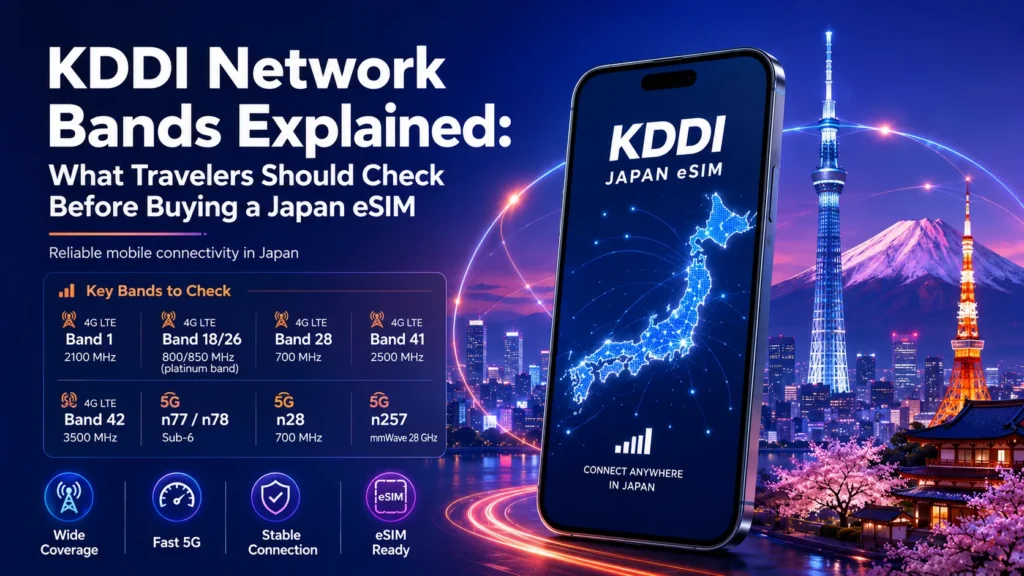
KDDI Network Bands Explained: What Travelers Should Check Before Buying a Japan eSIM
Sep
If you are buying a Japan eSIM that connects through KDDI (au), eSIM support alone is not enough. Your phone should also be carrier-unlocked and support the important LTE/5G frequencies used by KDDI Network Bands.
Recent iPhones, Samsung Galaxy flagships and Google Pixel phones generally offer broad compatibility. Older devices, carrier-specific phones and regional Android variants require more careful checking, especially for LTE Band 18/26 at 800 MHz.
Already checked your phone? Compare Japan eSIM plans.
What Are Network Bands and Why Do They Matter?
Mobile carriers use different frequency ranges, called bands, to provide LTE and 5G service. Your phone’s modem must support the relevant frequencies to connect properly.
eSIM support and network-band support are not the same thing.
eSIM support means your phone can download and store a digital SIM profile. Network-band support means its hardware can communicate with frequencies used by KDDI.
A phone may therefore install an eSIM successfully but still have limited network compatibility.
Twise Note: If a Japan eSIM does not connect, the cause may be carrier lock, regional device compatibility, the wrong mobile-data line, disabled Data Roaming, APN settings or network selection—not necessarily the eSIM itself.
KDDI (au) Network Bands: What Travelers Should Know
KDDI uses several LTE and 5G frequency layers. The following are the most useful ones for international travelers to understand.
| Network | Band | Frequency | Why it matters |
| LTE/4G | B1 | 2.0/2.1 GHz | Widely supported general LTE layer |
| LTE/4G | B18/B26 | 800 MHz | Important lower-frequency KDDI compatibility layer |
| LTE/4G | B3 | 1.7/1.8 GHz | Additional LTE capacity |
| LTE/4G | B11 | 1.5 GHz | Secondary KDDI LTE layer |
| LTE/4G | B41 | 2.5 GHz | Higher-capacity LTE |
| 5G | n77 | Sub-6 GHz | Relevant KDDI 5G band |
| 5G | n78 | Sub-6 GHz | Common Japanese 5G layer |
| 5G | n257 | 28 GHz | mmWave; device and location dependent |
Why B18/B26 matters
B18/B26 is particularly useful to check because it operates around 800 MHz. Lower-frequency spectrum generally provides better propagation than higher frequencies and can help with connectivity indoors, underground or away from dense urban cells.
However, B18/B26 does not guarantee coverage everywhere. Actual performance also depends on location, terrain, network deployment, congestion, device design and the selected eSIM.
What about 5G?
For normal travel use, n77 and n78 are more relevant than n257 mmWave.
n257 can provide high-capacity 5G in supported locations, but travelers should not treat mmWave support as a basic requirement for using a KDDI-based Japan eSIM.
Device Compatibility: Which Phones Work Best With KDDI?
Apple iPhone
Recent unlocked iPhones generally provide strong KDDI compatibility.
iPhone XS, XS Max and XR introduced widespread eSIM support, while the iPhone 12 generation and newer adds 5G support including n77/n78. Recent models also commonly support LTE B1, B3, B18 and B26.
Always verify the exact regional model.
Samsung Galaxy
Recent Galaxy S-series and Z Fold/Flip models generally support broad LTE and 5G ranges.
Regional differences matter, though. A US carrier Galaxy, European model and Asian-market model may not have identical band support.
Check the exact device variant, especially for B18/B26.
Google Pixel
Recent Pixel phones generally have strong compatibility with KDDI frequencies, including LTE B1, B3, B18, B26 and B41 on applicable models, plus n77/n78 on newer devices.
Older Pixel generations and regional versions should be checked more carefully.
Xiaomi, OPPO, Vivo and OnePlus
Check the exact model and regional version.
Global versions may support KDDI well, while some China-market devices can have different LTE bands or eSIM capabilities. B18/B26 is particularly important to verify.
eSIM Compatibility and KDDI Network Compatibility Are Not the Same
Think of eSIM support as the digital key and network compatibility as the radio connection behind it.
A phone can successfully:
- Scan the QR code,
- Download the eSIM,
- Display it under Cellular or SIM Manager,
but still have limited connectivity if it lacks useful KDDI frequencies.
You therefore need:
eSIM support + suitable network bands + carrier-unlocked status.
How to Check If Your Phone Works With a KDDI-Based Japan eSIM
1. Find your exact model number
Do not check only “iPhone 14” or “Galaxy S23.” Regional versions can support different frequencies.
2. Confirm eSIM support
Look for Add eSIM or Add Cellular Plan, then verify the exact model using the manufacturer’s specifications.
3. Check carrier-unlocked status
A locked phone may reject a travel eSIM even if its hardware is compatible.
On iPhone:
Settings → General → About → Carrier Lock
4. Check B18/B26
For a KDDI-connected eSIM, look especially for:
LTE Band 18 or Band 26
Support for B1 and B3 is also useful.
5. Decide whether you need 5G
LTE is generally enough for maps, messaging, translation, train searches, email and normal browsing.
5G is more useful for heavy streaming, large uploads, remote work or hotspot use.
6. Check the actual eSIM plan
Confirm:
- data-only or voice/SMS,
- network,
- 4G/5G support,
- hotspot rules,
- validity,
- data or fair-use policy,
- Japanese phone-number availability,
- installation and activation timing.
Product-specific terms should always override general network information.
Do Travelers Really Need 5G for a Japan eSIM?
No. Most travelers do not strictly need 5G.
LTE is usually sufficient for everyday travel apps.
| Traveler activity | Is 5G essential? | What matters more |
| Maps and navigation | No | Stable connection |
| Translation | No | Reliable data |
| LINE / WhatsApp | No | LTE connectivity |
| Hotel/train bookings | No | Stable connection |
| Social media | Helpful | Data allowance |
| Streaming | Helpful | Data and speed policy |
| Remote work | Helpful | Hotspot and reliability |
| Short trip | Usually no | Easy setup and validity |
A compatible LTE phone with the right plan can be more useful than a 5G device paired with unsuitable data or validity.
Common Compatibility Mistakes Travelers Make
1. Forgetting carrier lock
A phone may support eSIM technically but still be locked to its original carrier.
2. Not checking B18/B26
Imported or regional Android devices can support common bands such as B1 and B3 while lacking B18/B26.
3. Assuming 5G is required
LTE is sufficient for most everyday tourist activities.
4. Confusing data-only eSIM with a +81 phone number
A KDDI-connected eSIM can still be data-only.
That means it may not include:
- a Japanese +81 number,
- cellular calls,
- incoming SMS,
- outgoing SMS.
Internet-based apps such as LINE, WhatsApp and FaceTime can still use mobile data.
5. Forgetting Data Roaming or APN settings
If the eSIM installs but has no data, check:
- whether the eSIM line is enabled,
- whether it is selected for mobile data,
- Data Roaming,
- APN instructions,
- automatic network selection,
- activation status,
- whether the phone needs restarting.
Twise Support Insight: “No Service” does not automatically mean a band problem. Carrier lock, eSIM configuration, roaming settings and APN issues should also be checked.
What to Check Before Buying a KDDI-Connected Japan eSIM
- Exact phone model and region.
- eSIM support.
- Carrier-unlocked status.
- LTE B18/B26 support.
- Additional bands such as B1 and B3.
- n77/n78 if 5G matters.
- Hotspot requirements.
- Data-only vs. Japanese phone-number needs.
- Data allowance, validity and fair-use policy.
- Installation and activation timing.
When a KDDI-Based Japan eSIM Is a Good Fit
A KDDI-connected eSIM can suit travelers with an unlocked, compatible phone who primarily need mobile data for navigation, translation, train information, bookings, messaging and everyday browsing in Japan.
It can also suit heavier users looking for larger data allowances or 5G-capable options.
However, the carrier name alone should not decide your purchase. Also compare device compatibility, data, validity, hotspot rules and phone-number requirements.
Twise Japan eSIM Options for Travelers
Twise offers Japan eSIM options with different networks, data structures and validity periods, including KDDI-based data plans.
Light users
Smaller daily or fixed-data plans can suit travelers mainly using maps, messaging, translation and occasional browsing.
Heavy data users
Higher-data or unlimited options may suit travelers who stream, upload content, work remotely or use mobile data throughout the day.
Short trips
Prioritize validity and activation timing rather than buying more data than your itinerary requires.
Long stays
Compare total validity, data policy and renewal conditions.
Always check the current product page because network, activation and plan rules can differ.
Final Check Before Buying a Japan eSIM
Before purchasing, confirm your exact phone model, eSIM capability, carrier-unlocked status and KDDI network compatibility.
Pay particular attention to B18/B26, while B1 and B3 are also useful LTE bands. If you want 5G, check n77/n78; mmWave n257 should not be a deal-breaker for normal tourist use.
Then compare the actual plan’s data, validity, hotspot support, activation rules and phone-number features.

FAQs About KDDI Network Bands and Japan eSIM Compatibility
More Helpful Tips For Your Japan Journey
SoftBank Network Bands Explained: What Travelers Should Check Before Buying a Japan eSIM
Rakuten Network Bands Explained: What Travelers Should Check Before Buying a Japan eSIM
Docomo Network Bands Explained: What Travelers Should Check Before Buying a Japan eSIM
IIJmio Network Bands Explained: Japan eSIM Compatibility
