

Best Apps for Travel in Europe: Maps, Trains, Translation, Payments & eSIM Setup
The best apps for travel in Europe should cover specific tasks rather than fill your phone with duplicate tools. Use Google Maps for broad navigation, Citymapper for supported city transit, Trainline or Omio for cross-border transport, Eurail Rail Planner for pass trips, translation apps for local language, and Wise or Revolut for payments. WhatsApp, hotel apps, ticket storage, and mobile data become critical during delays, late arrivals, and border crossings. This guide explains which apps deserve setup before departure, what works offline, and how to keep the entire stack working outside airport, hotel, or café Wi-Fi during real European journeys.
Quick Answer: What Apps Should You Download Before Traveling to Europe?
The best apps for travel in Europe include Google Maps for navigation, Citymapper for major-city public transport, Trainline or Omio for trains and buses, Eurail Rail Planner for rail-pass trips, Google Translate or DeepL for language, Wise or Revolut for payments, WhatsApp for communication, and a Europe eSIM for mobile data.
The essential Europe travel app stack
| Need | Recommended apps |
| Maps and walking | Google Maps |
| City public transport | Citymapper / local transit apps |
| Trains and buses | Trainline / Omio |
| Rail pass travel | Eurail/Interrail Rail Planner |
| Translation | Google Translate / DeepL |
| Payments | Wise / Revolut / bank app |
| Messaging | |
| Accommodation | Booking.com / Hostelworld / hotel app |
| Activities | GetYourGuide / Klook / official attraction apps |
| Dining | Google Maps / TheFork |
| Ride-hailing | Bolt / Uber / FreeNow / Cabify |
| Mobile data | Twise eSIM setup |
Download before arrival, not at the airport
Airport Wi-Fi may be slow, crowded, or limited by a registration portal. Ticket, payment, and banking apps can request email, SMS, or identity verification, while the first train or bus route may be needed immediately. Install the core stack, sign in, add payment methods, and save the first hotel address before flying.
The practical rule
If an app involves tickets, payment, login, maps, translation, or an account that may require verification, set it up before departure. Country-specific food, parking, or local-service apps can wait until the route actually requires them.
Maps and City Navigation: Google Maps, Citymapper and Local Apps
Google Maps as the broad travel base
- Walking routes between stations, hotels, attractions, and restaurants.
- Hotel location and saved destination lists.
- Opening hours, recent photos, and nearby services.
- Offline maps for arrival cities and road trips.
- Nearby pharmacies, ATMs, supermarkets, and public transport stops.
- Public transport guidance in many cities, especially for simple journeys.
Citymapper for major-city transport
The official Citymapper cities page shows extensive coverage across European cities and regions. Citymapper is strongest when travelers need multimodal journey comparison, public-transport directions, live information, and clearer choices between metro, bus, tram, rail, walking, cycling, and selected mobility services.
- London, Paris, Rome, Madrid, Barcelona, Berlin, Amsterdam, and Milan.
- Large systems where several metro, rail, tram, and bus operators overlap.
- Trips where the best station entrance, transfer, or transport mode is not obvious.
Local transit apps when needed
A city or national transport app may be better for buying passes, validating mobile tickets, receiving official strike or disruption notices, and managing refunds. Download it when the city requires app-based ticketing or when a route depends on local commuter rail rather than ordinary tourist navigation.
When Google Maps is enough
Google Maps is enough for straightforward walking, restaurant discovery, hotel routes, nearby services, and basic public transport in many destinations. It is a strong default for a short city break with few ticketing or disruption risks.
When Google Maps is not enough
Use Citymapper, an official transit app, or a rail tool when you need exact local ticketing, real-time disruptions, platform or gate changes, pass-specific routing, complex transfers, or support during a strike. Confirm final platform information on official departure boards.
Train, Bus and Cross-Border Travel Apps: Trainline, Omio, FlixBus and Eurail
Use Trainline or Omio to compare and book trains and buses across Europe. Use Eurail/Interrail Rail Planner if traveling with a rail pass, and use official rail apps when you need disruption updates, seat changes, or local ticket control.

Trainline for train and bus-heavy trips
The official Trainline site lets travelers compare prices, routes, and timetables across hundreds of train and bus companies in many European countries. It is practical for rail-heavy routes, mobile tickets, operator comparison, and a consistent English-language booking interface across borders.
- Rail-heavy trips with several operators.
- Country-hopping itineraries where ticket systems change.
- Travelers who want mobile tickets and booking records in one app.
- Comparing departure times and fares before opening an official operator app.
Omio for comparing trains, buses, flights and ferries
Omio is useful when the real decision is not only which train to take, but whether a bus, flight, or ferry is faster, cheaper, or more practical. Compare total duration, station or airport location, baggage, transfer time, and arrival hour instead of choosing the lowest displayed fare.
FlixBus for budget intercity travel
FlixBus can be useful for low-cost city-to-city routes, overnight buses, and destinations with weak rail links. Check the exact boarding stop, luggage rules, expected arrival time, seat-reservation options, and whether the stop is central or on the edge of the city.
Eurail/Interrail Rail Planner for pass users
The official Eurail Rail Planner page confirms that the app works offline as a trip planner and timetable. Mobile-pass users can plan journeys, manage pass travel, identify reservation requirements, and present the pass for inspection. Online access is still needed for some seat reservations and live information.
Aggregator vs official rail app
| Need | Best approach |
| Compare routes quickly | Trainline / Omio |
| Use rail pass | Eurail/Interrail Rail Planner |
| Manage national disruption | Official rail app |
| Buy local metro pass | Local transit app |
| Store all trip tickets | Aggregator + offline backup |
| Check exact platform | Official operator or station source where available |
Translation Apps for Europe: Menus, Signs, Stations and Hotel Messages
Google Translate for everyday travel
- Restaurant menus and handwritten specials.
- Street signs and temporary transport notices.
- Food labels and allergy information.
- Ticket machines and parking instructions.
- Pharmacy needs and simple symptom descriptions.
- Short face-to-face conversations.
DeepL for more natural written messages
DeepL is useful for longer hotel messages, restaurant requests, support chats, apartment access questions, and polite written explanations. Review names, addresses, dates, and numbers separately because a natural translation can still change an operational detail.
Camera translation vs text translation
Use camera translation for signs, menus, labels, and ticket machines. Use typed or copied text for hotel messages, reservation questions, refunds, accessibility requests, and dietary explanations. Short sentences usually produce more reliable results than a long paragraph.
Offline language preparation
Download key language packs before departure where available. Save phrases for allergies, hotel access, late arrival, lost tickets, and asking for the correct platform. Offline translation is a backup; live data generally improves camera recognition and conversation tools.
Where translation matters most
Translation becomes most valuable during train disruptions, pharmacy visits, small restaurants, apartment check-in, ticket-machine errors, local buses, border towns, and rural stays where English support is less predictable.
Payment and Money Apps: Wise, Revolut, Splitwise and Your Bank App
Wise or Revolut for multi-currency spending
Wise and Revolut are two best apps for travel in Europe regarding holding or exchanging currencies, monitor spending, receive transaction notifications, and manage a travel card in-app. Check weekend or fair-use exchange limits, ATM allowances, card delivery, supported countries, and fees before assuming one app is always cheapest.
Bank app for card controls and alerts
Keep the home bank app available to freeze or unfreeze cards, approve transactions, review balances, and respond to fraud alerts. Make sure the login method still works abroad and that one-time codes can reach the phone when needed.
Splitwise or Tricount for group trips
Shared-expense apps reduce arguments over hotels, groceries, train tickets, taxis, and restaurant bills. Agree on a base currency, record expenses as they happen, and settle periodically rather than discovering a complex balance at the end.
Local currency rule
When a card terminal or ATM offers conversion into your home currency, choosing the local currency usually lets your own card provider perform the conversion. Review the rate and fee policy, but avoid accepting a convenient-looking home-currency amount without understanding the markup.
Cash still matters in some places
Markets, rural businesses, small cafés, public toilets, lockers, tips, and temporary card outages can still require cash. Carry a practical amount, keep a backup card separately, and avoid withdrawing more than you are comfortable carrying.
Communication Apps: WhatsApp, Email and Hotel Messaging
WhatsApp for Europe travel communication
WhatsApp is widely used by hotels, apartment hosts, tour guides, restaurants, drivers, and travelers. It supports text, location sharing, images, and app-based calls, but it still consumes Wi-Fi or mobile data. Home-carrier roaming charges can apply when the phone uses roaming data.
Email and booking-app messages
Keep hotel, transport, attraction, and airline confirmations accessible through email and the booking platform. Download critical messages and attachments so a delayed login does not prevent check-in or ticket inspection.
Keep your home SIM available for OTP when needed
Banking, accommodation, and transport services may send verification codes to the home number. Keep the line available when necessary, but turn off its data roaming if you are avoiding charges and understand the carrier’s SMS and call pricing.
Message before arrival
Confirm late check-in, apartment access, luggage storage, airport transfer, room entry codes, parking, or a tour meeting point before leaving home. A written conversation provides an address and instructions that can be saved offline.
Accommodation, Tours and Ticket Apps
Booking.com, Hostelworld and hotel apps
Use accommodation platforms for availability, recent reviews, cancellation terms, property messages, and check-in details. Hostelworld is particularly useful for social and dorm-focused travel, while hotel-chain apps may provide digital keys, member rates, or direct service messages.
GetYourGuide and Klook
These platforms can help compare attraction tickets, walking tours, day trips, and skip-the-line options. Confirm the meeting point, operator, included transport, cancellation policy, guide language, and whether the ticket must be exchanged for a physical voucher.
Official attraction apps
Official museum, monument, stadium, or transport apps may be better for timed entry, official audio guides, local passes, live capacity, or ticket changes. Use them when the attraction controls entry directly or the reseller instructions are unclear.
Keep tickets offline
Save PDFs, screenshots, wallet passes, and booking references before entering a station or attraction. Check whether the ticket contains a rotating code that requires the live app, because a screenshot may not work for every provider.
Avoid ticket confusion
Know whether each ticket lives inside an app, email, PDF, QR code, national wallet, or physical collection point. Rename files by date and route, and keep the traveler name, train number, entrance time, and booking reference visible.
Food, Restaurants and Local Discovery Apps
Google Maps for easiest discovery
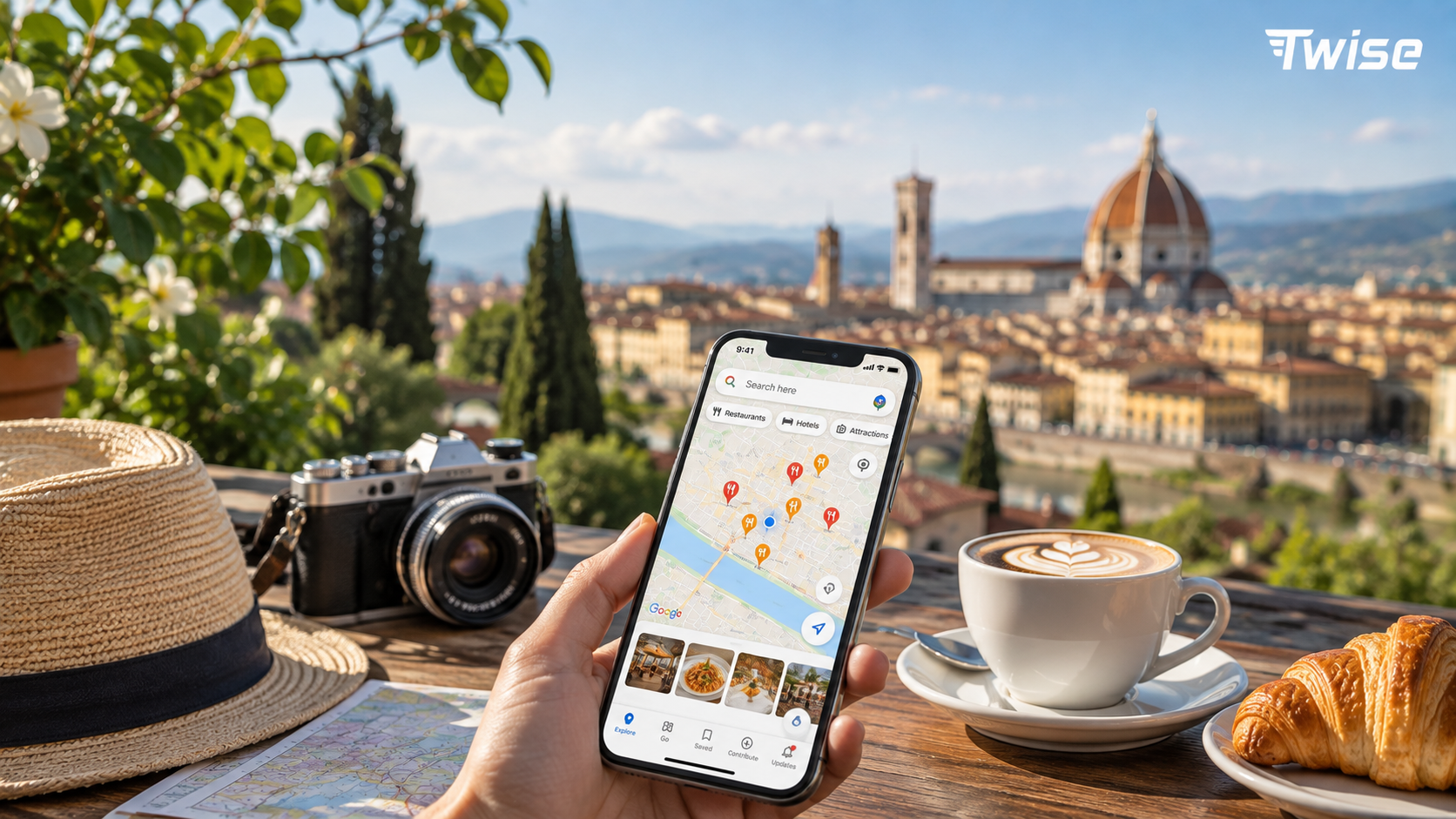
Google Maps is the easiest starting point for nearby restaurants, photographs, opening hours, recent reviews, price clues, and route planning. Verify recent opening information, because kitchens may close before the venue and seasonal schedules can differ from the listing.
TheFork for reservations and discounts
TheFork is useful in many European markets for reservations, availability, and selected promotions. Check whether a discount applies to the full menu, specific times, or food only, and make sure the correct restaurant branch is selected.
Local food apps by country
Some countries and cities have stronger local restaurant, reservation, takeaway, or delivery platforms. Download them only when the route requires them, especially if a local phone number, card, or language is needed.
Translation plus food apps
A translation app may be more valuable than installing another restaurant directory. Use it to read allergens, fixed menus, service charges, daily specials, and regional dishes that global reviews do not explain.
Dining friction to prepare for
- Kitchens that close between lunch and dinner.
- Popular restaurants that accept reservations only.
- Country-specific service-charge and tipping expectations.
- Menus available only in the local language.
- Card minimums, cash-only businesses, or split-bill limits.
Ride-Hailing, Taxi, Luggage and Convenience Apps
Bolt, Uber, FreeNow and Cabify
Availability changes by country, city, and local regulation. Install more than one service for a multi-country trip, but do not assume the cheapest app in one city operates in the next. Official taxis and public transport remain essential backups.
When ride-hailing matters
- Late arrival after ordinary public transport becomes limited.
- Heavy luggage or a traveler with reduced mobility.
- Rain, heat, or a difficult uphill route.
- Airport transfers where several people can share the fare.
- Transport strikes or unexpected station closures.
- Early flights before the first convenient train or bus.
Luggage storage apps
Bounce, LuggageHero, and similar services can help after checkout or before check-in. Compare opening hours, bag-size limits, insurance terms, cancellation rules, and whether the storage point is actually convenient for the next station or attraction.
Public toilet and small convenience apps
Flush and local toilet maps can be surprisingly useful during long walking days. City parking, toll, bike-share, locker, laundry, and water-refill apps may also help, but install them only when a real route problem appears.
Practical backup
Always save the hotel address offline, keep enough cash or card access for a taxi, note an official taxi rank, and download the first airport or station route. The backup matters most when an account, payment method, or pickup pin fails.
Offline Prep vs Live Mobile Data: What Works Without Internet?
| App/task | Offline useful? | Live data needed for |
| Google Maps | Partly | Rerouting, live search, and transit changes |
| Citymapper | Limited | Live departures and disruptions |
| Eurail Rail Planner | Yes for timetable/planning | Reservations and updates |
| Trainline/Omio tickets | Ticket may be saved | Changes, delay, and recovery |
| Translation apps | Partly | Better camera and conversation translation |
| Wise/Revolut | Limited | Alerts, exchange, and card controls |
| No | Messages and calls | |
| Ride-hailing | No | Booking and driver chat |
| Hotel apps | Limited | Messages and check-in changes |
Offline preparation is backup
Download maps, save tickets, screenshot hotel addresses, store booking PDFs, and keep essential phone numbers offline. This protects the trip when coverage drops, but it does not show a cancelled train, changed gate, new pickup point, or urgent message.
Live data keeps the trip current
Use mobile data for delays, rerouting, messages, ride-hailing, ticket recovery, payment alerts, translation, and emergency searches. These tasks usually happen between hotels and stations, where dependable Wi-Fi is least likely.
Where Twise eSIM Fits: Keeping Europe Travel Apps Working
Apps need internet at the worst moments
- Arriving at an airport and locating the correct rail or bus connection.
- Finding a platform after a last-minute change.
- Opening or recovering a digital ticket.
- Crossing a border and changing language, operator, or currency.
- Messaging a hotel about late arrival or access.
- Calling a ride during bad weather or a transport disruption.
- Translating a menu, pharmacy request, or station notice.
- Verifying a card transaction or banking login.
Twise eSIM as the connectivity layer
A Twise eSIM can help travelers stay connected for maps, trains, translation, payments, hotel messages, ride-hailing, and travel apps without relying only on airport, hotel, or café Wi-Fi. Choose coverage based on every country in the itinerary, including stopovers and non-EU destinations.
Pair eSIM with Wi-Fi and offline downloads
Use trusted accommodation Wi-Fi for app updates, streaming, large maps, photo backup, and video calls. Use mobile data for live travel tasks. Save tickets and hotel addresses offline so a temporary signal gap does not stop the trip.
Roaming-fee prevention
Set the travel eSIM as the mobile-data line, turn off data roaming on the home SIM if you are avoiding fees, disable automatic data switching, and monitor data use. Follow the product’s setup guide because some travel eSIMs require roaming on their own line.
Europe App Setup by Trip Type
| Trip type | Best app setup |
| One-city break | Google Maps, Citymapper, WhatsApp, payment app, eSIM |
| Multi-country rail trip | Trainline/Omio, Eurail Planner, Google Maps, eSIM |
| Backpacker trip | Hostelworld, FlixBus, Omio, Google Maps, eSIM |
| Family trip | Booking.com, Google Maps, WhatsApp, larger data plan |
| Food trip | Google Maps, TheFork, Translate, payment app |
| Road trip | Google Maps, parking/toll apps, eSIM, offline maps |
| Cruise/shore trip | Offline maps, eSIM/roaming check, tour app |
| Digital nomad trip | Accommodation Wi-Fi, eSIM backup, banking apps |
Why app setup changes by trip type
A rail traveler needs ticket reliability and operator updates. A city traveler needs local transit and walking support. A family needs messaging and payment backups. A budget traveler needs fare comparison, while a road traveler needs maps, parking, toll, fuel, and hotel access between cities.
First 90 Minutes in Europe: Arrival App Checklist
Before leaving airport Wi-Fi
- Confirm the eSIM or mobile data works with Wi-Fi turned off.
- Load the airport-to-hotel route.
- Save the hotel address and access instructions.
- Open the train or bus ticket.
- Test WhatsApp, email, or the booking message channel.
- Confirm the payment card is active.
- Install or open a ride-hailing fallback.
- Download the arrival-city offline map.
If data fails
Stay on airport Wi-Fi while checking the selected data line, roaming requirement, APN, or provider instructions. Contact support, use an official taxi or transport counter, or ask the hotel for directions. Do not leave the terminal without an accessible address and fallback route.
Avoid arrival mistakes
Do not wait until a station gate to download a ticket, create a transport account, or activate mobile data. Arrival is the worst time to discover a phone is carrier-locked, a bank blocks the payment, or the apartment code exists only in an unread email.
Cross-Border Travel Day Checklist
Before crossing countries
- Open the ticket app and save the document offline.
- Confirm the operator, station, platform source, and departure time.
- Keep passport or required identification accessible.
- Check the destination currency and payment backup.
- Confirm eSIM or roaming coverage for the next country.
- Review hotel check-in time and access method.
- Download an offline map for the arrival city.
- Install the local transit app if ticketing requires it.
- Enable train, bus, or airline delay notifications.
Why cross-border days are different
Language, currency, local transport apps, rail operators, ticket rules, and mobile networks can change in one day. A route that starts with one app may end inside another operator’s system. Save the complete journey, not only the first ticket.
Apps You Can Skip or Delay
Skip if your trip is short
A short one-city trip rarely needs multiple itinerary planners, restaurant platforms, social apps, and regional transport tools. Too many notifications and logins make the core stack harder to find when the traveler is tired.
Delay until needed
Download country-specific parking, food delivery, bike-share, toll, laundry, or ticket apps only when the itinerary requires them. Check whether the service needs a local phone number or domestic payment card before spending time on setup.
Keep the core stack clean
Maps, intercity transport, local transit where needed, translation, payment, messaging, accommodation, ticket storage, and mobile data deserve priority. Put the core apps on one home-screen folder for fast access.
15-Minute Europe App Setup Checklist Before Departure
- Install Google Maps and download offline maps for arrival cities.
- Install Citymapper if visiting supported major cities.
- Install Trainline or Omio for intercity comparison.
- Install Eurail Rail Planner if using a rail pass.
- Install Google Translate or DeepL and download useful language packs.
- Install Wise, Revolut, or the relevant bank app.
- Install WhatsApp and confirm the account works.
- Install accommodation and hotel apps.
- Save train, flight, attraction, and hotel tickets offline.
- Add payment cards and verify login methods.
- Check that the phone supports eSIM and is carrier-unlocked.
- Install the travel eSIM if the activation timing allows.
- Turn off unwanted roaming on the home SIM.
- Save hotel addresses and access instructions.
- Pack a charged power bank and cable.
Final Decision Guide: Which Europe Travel Apps Do You Really Need?
Minimum app stack for most travelers
Start with Google Maps, a translation app, WhatsApp, a bank or payment app, an accommodation app, an intercity travel eSIM, and the transport tool that matches the route. This covers navigation, communication, payment control, bookings, and connectivity without overloading the phone.
Add these for train-heavy trips
Add Trainline, Omio, Eurail Rail Planner for pass travel, and national rail apps for disruption or ticket management. Keep reservations and platform information available offline.
Add these for city-heavy trips
Add Citymapper where supported, official local transit apps, TheFork where useful, and the ride-hailing services available in each city. Save the hotel and first station route before every transfer.
Add these for budget trips
Add FlixBus, Hostelworld, Omio, Splitwise or Tricount, and offline maps. Compare full travel time, luggage, and station location rather than choosing only the lowest fare.
Add Twise eSIM if…
You want maps, tickets, messages, translation, payments, and transport apps to work outside Wi-Fi. Pair mobile data with offline tickets and maps so connectivity improves the trip without becoming a single point of failure.

FAQs About the Best Apps for Travel in Europe
