



Korea eSIM Incheon Airport: Buy Before or on Arrival?
Aug
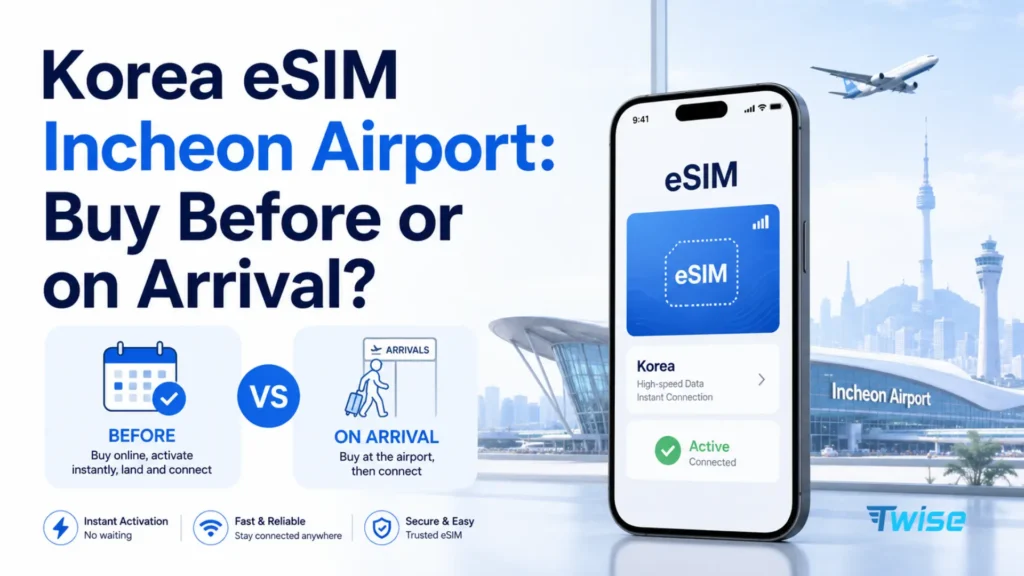
Buying a Korea eSIM before departure is usually more convenient when you mainly need mobile data, because the plan is already chosen by the time you land. But the timing rules matter: Twise’s local SKT eSIM can be purchased in advance, but should only be scanned after you’ve actually arrived in Korea. Waiting for an Incheon Airport telecom counter can make more sense when you want hands-on setup help, need regular Korean calls or SMS, or haven’t picked a product yet.
Data only? Buying before arrival is usually simpler. Need a local number or in-person support? Compare the airport carrier counters instead.
This guide walks through both paths and, more importantly, what to actually do with your connection between baggage claim and the ride into Seoul. You can compare Korea eSIM plans before your flight to see what fits your itinerary.
Korea’s Mobile Networks at a Glance
Every eSIM or SIM you can buy — online or at an Incheon counter — runs on one of Korea’s three network operators.
| Carrier | Known for | Where you’ll encounter it |
| SK Telecom (SKT) | Largest network, strong nationwide and indoor coverage | Twise’s data-only eSIM, SKT airport counters |
| KT | Broad coverage, tourist voice/SMS products | KT airport counters, some travel eSIMs |
| LG U+ | Wide coverage, common budget option | LG U+ airport counters, pocket Wi-Fi rentals |
View all South Korea eSIM Plans
The carrier behind your plan matters more for coverage than whether you bought it online or at a counter — all three operate the same underlying towers across the country.
Buy Before Arrival or at Incheon Airport? Quick Comparison
| Factor | Buy eSIM Before Arrival | Buy at Incheon Airport |
| Plan research | Done before the trip | Decide after landing |
| Telecom counter visit | Usually unnecessary | Required for walk-up purchase |
| Setup help | Online support | Staff available in person |
| Local-number options | Product-dependent | Easier to compare local-carrier options |
| Passport check | Product-dependent | May be required for selected services |
| Late arrival | Plan already purchased | Depends on the exact counter’s hours |
| Data-only travelers | Very convenient | Often an unnecessary extra step |
| eSIM-incompatible phone | Not suitable | Physical SIM or pocket Wi-Fi alternatives available |
| First-time technical user | Requires self-setup | Counter assistance may be preferable |
Four Ways to Get Connected at Incheon Airport
Buy a Travel eSIM Online
Best for straightforward data needs — install the profile before you fly, then activate it once you land, following the specific product’s timing rules.
Buy a Korean Carrier eSIM Online
Useful when you specifically want an SKT, KT, or LG U+ product rather than a third-party travel eSIM brand.
Pre-Book an Airport Product
A middle option: reserve online in advance, but still complete pickup or verification at the counter once you arrive.
Buy Directly From an Airport Counter
Best for travelers who want hands-on help or haven’t decided on a product yet.
Twise Korea eSIM Options Before Your Flight
Twise’s current shop lists several product types for South Korea.
| Twise Option | Best Suited To |
| Daily data | Travelers wanting a defined allowance each day |
| Fixed data | Light or controlled users |
| Unlimited 4G | Heavier users who value ongoing data |
| Local SKT unlimited 5G/4G | Travelers wanting SK Telecom-powered, data-only connectivity |
View all South Korea eSIM Plans
If your trip runs on maps, translation, and messaging rather than a Korean phone number, the South Korea Local eSIM SKT option is worth a look before you compare anything else.
Twise SKT Is Data-Only
There’s no normal cellular voice or SMS on this line. Internet-based calls through apps like WhatsApp or KakaoTalk still work fine.
Important SKT QR Rule
You can purchase before travel if you want it settled early, but scan the QR code only after you’ve arrived in Korea. Scanning too early can cause activation issues with the current product structure.
Who Should Choose Fixed or Daily Data Instead?
If you’ll lean heavily on hotel Wi-Fi and only need data for short stretches outside, a fixed or daily allowance is often cheaper than an unlimited plan you won’t fully use.
What You Need Mobile Data for Immediately After Landing
Finding the AREX or Airport Bus
Incheon connects travelers onward through airport rail (AREX), buses, and taxis. Checking the current schedule and platform on your phone saves time in a crowded arrivals hall.
Opening Naver Map
Use it to confirm your hotel route, find the right station exit, and check nearby transport options the moment you’re through customs.
Contacting the Hotel or Driver
Booking-app messaging, KakaoTalk, WhatsApp, or email all work over a data-only connection — no Korean number required.
Translation
Papago handles most traveler-to-driver or traveler-to-staff communication needs at this stage of the trip.
Calling a Taxi
k.ride is built for international travelers and supports registering an overseas card, which makes it a common first choice straight out of the terminal.
Opening Tickets and Reservations
Keep your train, tour, hotel, and airport-transfer confirmations accessible — screenshot them as a backup in case your connection is briefly unstable.
Buying a Korea eSIM Before Arrival: Advantages and Limits
You Can Compare Plans Without Airport Pressure
Researching data allowances and pricing at home, without a queue behind you, usually leads to a better decision.
Your Purchase Is Already Complete
One less task to handle after a long flight.
You Can Check Compatibility Before Flying
Confirm your phone is unlocked and eSIM-capable while you still have time to sort out an alternative if it isn’t.
You Still Need to Follow the Activation Rule
Using Twise SKT as the example: buy anytime, but scan only once you’re in Korea. Installing too early is one of the most common avoidable setup mistakes.
You Need a Backup for Setup
Incheon Airport’s free Wi-Fi is exactly the kind of connection you need to install and activate your eSIM smoothly on arrival.
When Buying at Incheon Airport Is Better
You Need Hands-On Setup Assistance
If you’d rather have someone walk you through activation in person, a counter removes the guesswork.
Your Phone Does Not Support eSIM
A physical tourist SIM or pocket Wi-Fi rental may be more practical for older or incompatible devices.
You Need Korean Calls or SMS
Selected local-carrier tourist products at the counters provide voice and SMS service that most data-only travel eSIMs don’t.
You Are Unsure Whether Your Phone Is Unlocked
Airport staff can often help identify what’s actually possible with your specific device.
Your Pre-Purchased eSIM Failed
A counter gives you a working fallback without having to troubleshoot alone in the arrivals hall.
Where Are Telecom Counters at Incheon Airport?
Terminal 1
Current official listings include 24-hour KT, LG U+, and SK Telecom arrival centers near Arrival Hall F, along with other counters that keep more limited hours.
Terminal 2
Current listings include:
- KT 24H, near Exit 4
- LG U+ 24H, near Exit 4
- SK Telecom 24H, near Exit 7
Why You Should Still Check Before Flying
Counter locations, opening hours, and service arrangements can change. Confirm current details shortly before your trip rather than relying on older listings.
Do You Need a Korean Phone Number?
Most tourists using maps, translation, messaging, and transport information do not need a Korean number. Travelers who need regular local calls, SMS, or certain Korea-specific services should compare a voice-enabled carrier product instead.
What Twise Data-Only Can Do
- Naver Map
- Papago
- Web browsing
- Booking apps
- Messaging apps
- Internet calls
- Transport apps
What It Cannot Do
- Normal cellular calls
- Cellular SMS
- Receive Korean SMS on that line
- Provide a Korean 010 number
When an Airport Carrier Plan May Be Better
If your requirements center on ordinary Korean calls or SMS, an airport counter product built for that purpose will serve you better than a data-only eSIM.
How to Set Up Twise SKT After Landing at Incheon
- Connect to Incheon Airport’s free Wi-Fi.
- Open your Twise setup instructions.
- Scan the QR code now that you’re actually in Korea.
- Label the line “Korea Data” so it’s easy to identify.
- Select it as your active cellular data line.
- Follow the required roaming settings, and keep your home line’s data roaming turned off.
- Test the connection before you leave the terminal — open Naver Map or your hotel’s website.
Which Korea Data Plan Fits Your Trip After Incheon?
| Traveler Behavior | Better Starting Plan |
| Maps, messages, and hotel Wi-Fi | Fixed data |
| Regular daily maps and social use | Daily allowance |
| Heavy social or media use | Unlimited-style plan |
| Frequent streaming | Unlimited option with verified speed terms |
| SKT preference | Local SKT plan |
| Korean number needed | Local carrier voice/SMS option |
| Family sharing several devices | Compare pocket Wi-Fi |
3-Day Seoul Trip
A fixed or daily plan is usually enough if you’re staying close to your hotel and relying on it for downtime.
7-Day Seoul + Busan Trip
Daily or unlimited data suits the added navigation and transport-app use across two cities.
Jeju Road Trip
An unlimited-style plan supports the extra map use on regional driving routes, where you’ll rely on your phone more than usual.
2–4 Week Multi-City Trip
Longer trips benefit from unlimited data or a plan structure that won’t require mid-trip top-ups. Review Korea travel eSIM options built for extended stays before you go.
Online eSIM vs. Airport SIM vs. Pocket Wi-Fi
| Option | Best For | Main Trade-Off |
| Online travel eSIM | Data-focused solo travelers | Usually no Korean number |
| Local carrier eSIM | Local-network features | Product and verification rules |
| Airport physical SIM | Phones without suitable eSIM support | Counter visit and SIM swap |
| Pocket Wi-Fi | Groups sharing several devices | Extra hardware, battery, and return |
| Home roaming | Short trips with roaming included | Can get expensive depending on carrier |
View all South Korea eSIM Plans
If you’re traveling beyond Korea on this trip, it’s worth checking travel eSIMs for other destinations rather than buying a separate product for each country.
What to Do if Your eSIM Does Not Work at Incheon
- Stay connected to airport Wi-Fi while you troubleshoot.
- Check which SIM is currently selected for data.
- Confirm the travel line is actually enabled.
- Check the data roaming setting for the travel eSIM.
- Toggle Airplane Mode on and off.
- Restart the phone.
- Do not delete the eSIM immediately — reissue isn’t always guaranteed.
- Contact Twise support for help.
- Use an airport carrier counter as your backup if you need to get online right away.
Smart Backups Before Leaving Incheon
Save offline before you leave the terminal:
- Hotel address in English and Korean
- Airport transportation details
- Driver contact information
- Important booking confirmations
- Train or bus tickets
- Map screenshots
- Emergency contact details
Also keep:
- Airport Wi-Fi as your setup fallback
- A charged power bank
- Home roaming disabled unless deliberately needed
- An airport carrier counter in mind as a last-mile backup
No single connection should be your only access to essential trip information.

FAQs
Yes, most travel eSIMs, including Twise’s, can be purchased before your flight.
It depends on the product. Twise’s SKT eSIM can be purchased in advance but should only be scanned once you’re in Korea.
Pricing varies by provider and product, so compare current rates rather than assuming one channel is always cheaper.
An eSIM suits solo or independent travelers; pocket Wi-Fi suits groups staying together who want to share one connection.
More useful tips for your journey to South Korea
Best Korea eSIM Providers: SKT, LG U+, Travel eSIMs & Unlimited Data Compared
eSIM or Pocket Wi-Fi Korea: Which Is Better for Travelers?
Cheapest eSIM South Korea: Price vs Data vs Network Tradeoffs
