

 Tiếng Việt
A South America eSIM helps you stay connected while moving across different countries, cities, airports, bus routes, hotels, tours, and remote travel areas. Instead of buying a new SIM card in every destination, you can use one regional eSIM for supported countries and keep mobile data ready for maps, ride apps, hotel messages, translation, booking access, banking verification, and family updates.
South America Mobile Data: What Travelers Should Know
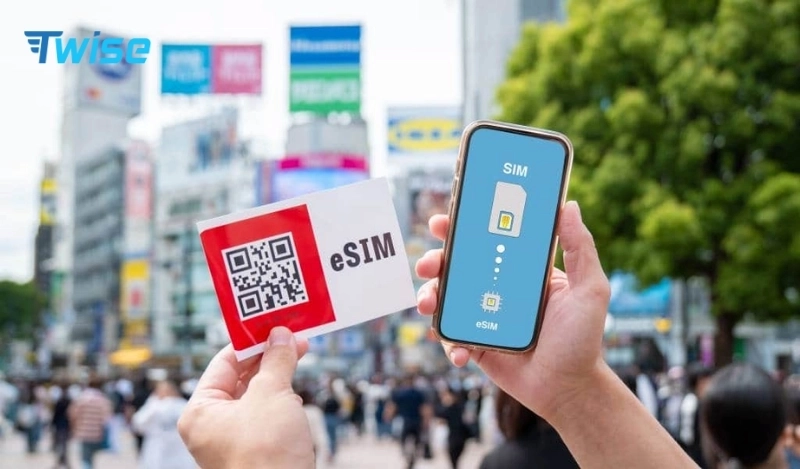
South America is different from a single-country trip. Many travelers combine Argentina, Chile, Peru, Brazil, Colombia, Uruguay, Ecuador, or other nearby destinations in one itinerary. That means your mobile data needs may change quickly: airport arrival in one country, bus or flight transfer to another, hotel check-in in a new city, ride coordination, Spanish or Portuguese translation, ticket access, and tour communication.
A regional eSIM is useful for these connected moments, especially when your trip crosses borders. But it should not be treated as a guarantee of coverage everywhere. South America includes large cities, mountains, deserts, islands, beaches, forests, rural roads, and remote tour areas. Signal can vary by country, local network, terrain, building, and route.
Before traveling outside major cities, save offline maps, hotel addresses, driver details, tour pickup points, travel insurance, and emergency contacts.
Twise South America eSIM Plans: Which One Fits Your Trip?
Twise currently shows two main South America regional plan types: a daily data plan and a standard fixed data plan. The current South America category page shows two products, while the product pages list a South America daily plan and a South America standard data plan.
Option 1: Twise South America Daily Data Plan
Choose the South America daily data plan if you want a set amount of high-speed data each day. This is useful if your travel style is predictable: maps in the morning, WhatsApp during the day, hotel messages, ride coordination, translation, and light browsing.
Best for: short South America trips, steady daily users, travelers who mostly use hotel Wi-Fi, city-to-city sightseeing, messaging, maps, and light travel apps.
The current daily product page lists coverage for Argentina, Chile, Costa Rica, Ecuador, El Salvador, French Guiana, Peru, and Uruguay. Check the product coverage list before buying because country coverage may differ between South America plans.
Option 2: Twise South America Standard Data Plan
Choose the South America standard data plan if you prefer one data pool for the whole trip instead of a daily allowance. This is better if your data use changes from day to day. For example, you may use more data on airport days, long bus days, tour days, remote work days, or border-crossing days, then less when you are mainly on hotel Wi-Fi.
Best for: longer South America trips, flexible data users, travelers with uneven usage, remote workers, hotspot users, and travelers who do not want a daily reset.
The current standard data product page lists coverage for Argentina, Brazil, Chile, Colombia, Ecuador, El Salvador, French Guiana, Martinique, Nicaragua, Panama, Peru, and Uruguay. Check the live product page before buying because coverage should match your actual route.
South America eSIM Plan Comparison at a Glance
| Plan type | Best for | Data style | Calls/SMS | Hotspot | Main watch-out |
| South America Daily Data Plan | Steady daily data use | 500MB–3GB per day | No | Yes | Slows to 128Kbps after daily allowance |
| South America Standard Data Plan | Flexible or uneven data use | 3GB–10GB total data | No | Yes | Choose enough data before buying |
| Local SIM card | Local number, calls, SMS, long stay | Local mobile plan | Usually yes | Depends on provider | Requires local purchase/setup |
| Home roaming | Emergency backup | Uses home carrier plan | Usually yes | Depends on carrier | Can be expensive if not included |
Buy Top South America eSIM Here
Daily Plan vs Standard Data Plan: Which Should You Choose?
Choose the daily data plan if your usage is similar every day. It works well if you need mobile data for maps, messages, hotel check-in, ride apps, translation, and light browsing. It is easier to manage because each new day gives you a fresh high-speed allowance.
Choose the standard data plan if your travel days are uneven. This is common in South America because some days involve airports, buses, border crossings, tours, or remote work, while other days are mostly hotel Wi-Fi and light messaging. A fixed data pool gives you more flexibility across the whole trip.
Detailed Guide to Purchasing and Using eSIM South America
Setting up your South America eSIM is quick and user-friendly. Follow these steps to find out how to place a South America eSIM from Twise:
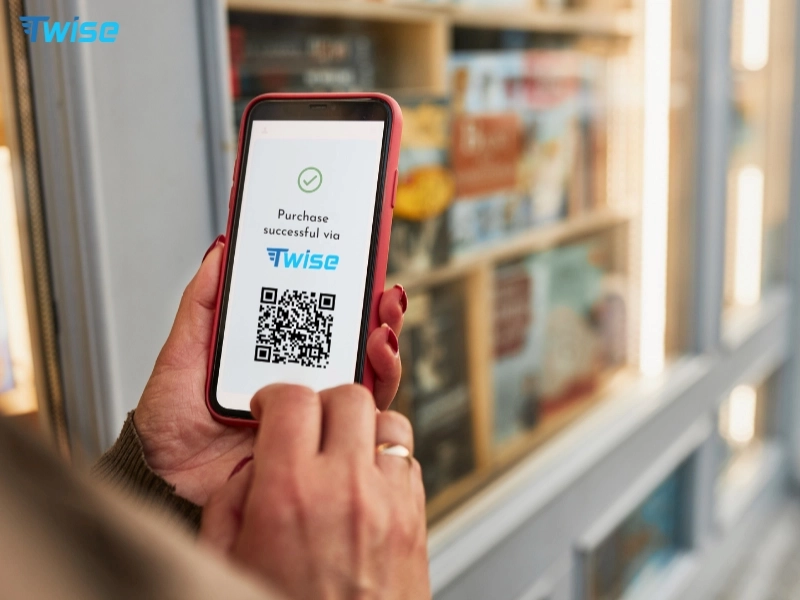
3.1 Online Purchase Process at Twise
The process includes:
- Visit the Twise website
- Select your preferred plan
- Enter your email address carefully
- Complete payment through a secure gateway
Within less than one minute, you will receive:
- QR code
- Installation instructions
3.2 Installation on iPhone and Android Devices
For iPhone
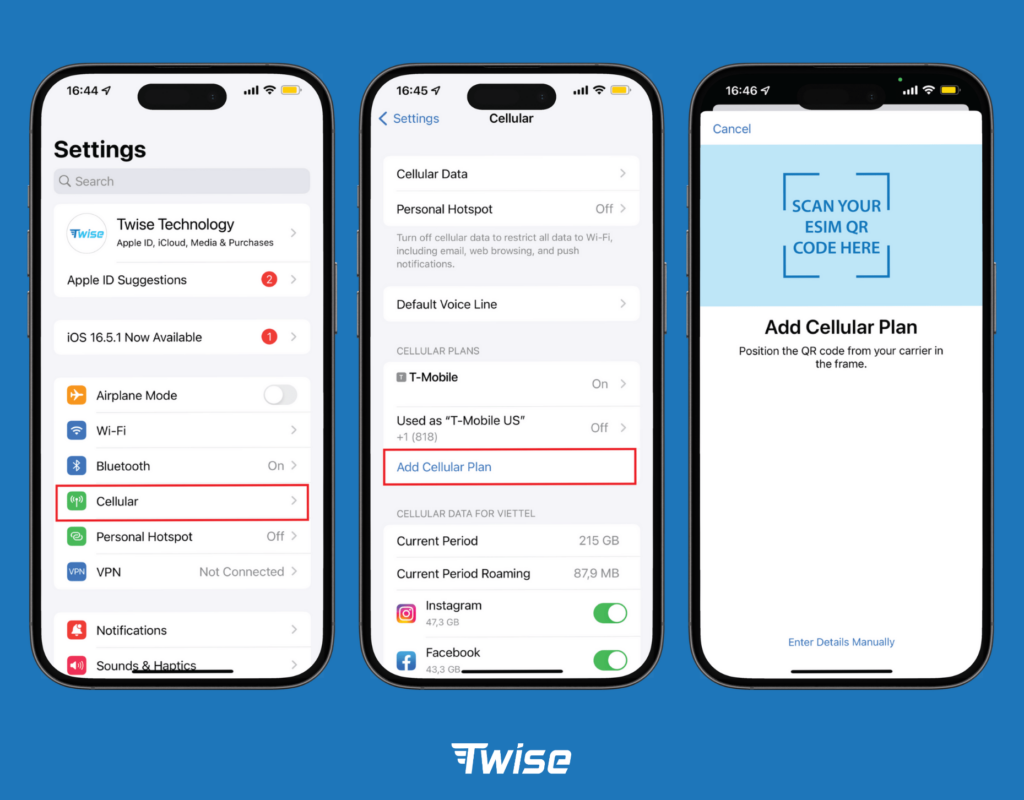
Activating your eSIM on an iPhone is quick and straightforward. Follow these steps:
- Go to Settings
- Select Cellular
- Tap Add eSIM
- Scan the QR code
For detailed instructions with visual guidance, please refer to our install eSIM on iPhone: a step by step guide.
For Android
The setup process is simple for Android users. These steps:
- Open Settings
- Go to Connections
- Select SIM Manager
- Tap Add Mobile Plan
- Scan the QR code
For more detailed instructions and device-specific steps, please refer to our install eSIM on Android step by step guide.

Important Note
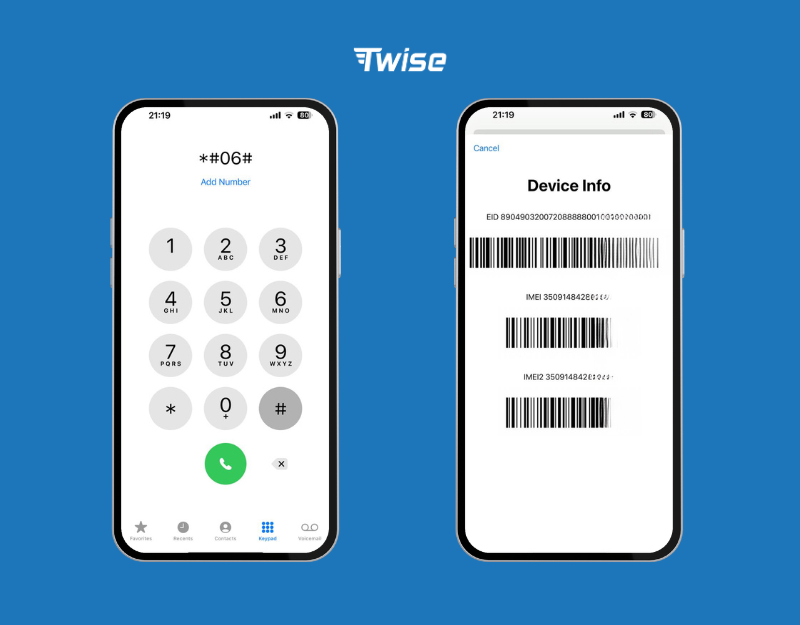
Before purchasing, make sure your device supports eSIM technology. Confirm your device supports eSIM:
Dial: *#06#
If an EID number appears, your device is compatible.
Most modern models from Apple, Samsung, and Google support eSIM technology.
Where Mobile Data Helps During a South America Trip
Airport arrival
Mobile data helps when you land in a new country and need to check your hotel address, ride-hailing options, airport transfer, public transport route, WhatsApp messages, or booking confirmation. This matters especially if you arrive late at night or need to coordinate with a driver or host.
City navigation
In cities such as Buenos Aires, Santiago, Lima, Bogotá, São Paulo, Rio de Janeiro, Montevideo, or Quito, mobile data helps with maps, restaurant search, public transport, ride apps, neighborhood directions, opening hours, and safety checks.
Hotel and tour communication
Many South America trips involve hotels, hostels, apartment hosts, tour operators, drivers, guides, and pickup points. Mobile data helps you receive schedule changes, location pins, meeting instructions, and last-minute updates.
Translation and local search
Travelers may need Spanish or Portuguese translation for menus, transport instructions, pharmacy searches, ticket counters, signs, and local messages. Translation apps are much easier to use with mobile data, especially outside hotels.
Buses, flights, ferries, and border crossings
South America travel often involves long-distance buses, regional flights, ferries, and border crossings. Data helps you check delays, gates, tickets, baggage updates, terminal changes, and alternative routes.
Payment and banking verification
Some travelers need mobile data for bank alerts, card controls, payment verification, booking apps, fraud checks, and emergency account access. Keeping your home SIM active while using your eSIM for data can help if your bank sends OTPs to your original number.
Remote routes and low-signal areas
South America includes remote travel areas such as Patagonia, the Andes, the Atacama Desert, the Amazon region, highland routes, islands, national parks, and rural roads. A regional eSIM can help in supported coverage areas, but signal may still be limited. Download offline maps, save hotel addresses, screenshot tickets, and confirm pickup points before leaving city Wi-Fi.
Practical Tips for Using Your South America eSIM
1. Check your full route before buying
Do not choose a South America eSIM only because it says “regional.” Check whether every country in your itinerary is included. Coverage can differ between the daily plan and the standard data plan.
2. Choose daily or standard data by usage style
Choose daily data if your use is steady each day. Choose standard data if your use changes by travel day, especially for long transport days, tours, hotspot use, or remote work.
3. Install before departure on stable Wi-Fi
Install your eSIM before travel if the plan instructions allow it. You need Wi-Fi to download the eSIM profile. Keep your QR code and order email saved offline in case you need them later.
4. Use the eSIM as your mobile data line
After arrival, set the Twise eSIM as your mobile data line. Keep your home SIM available for calls, SMS, banking OTPs, or emergency contact if needed.
5. Turn on data roaming for the eSIM if required
Many travel eSIMs need data roaming turned on for the eSIM line to connect to partner networks. Keep data roaming off for your home SIM unless your home carrier includes affordable roaming in South America.
6. Remember that South America Twise plans are data-only
The South America daily and standard data product pages state that the plans are data-only and do not support regular cellular voice or SMS. Internet-based calls and messages can still work through apps when mobile data is available.
7. Prepare offline backups
Save offline maps, hotel addresses, airport transfer details, bus tickets, tour pickup points, emergency contacts, insurance documents, and key phrases in Spanish or Portuguese. This is especially important for mountains, deserts, rural routes, national parks, and long-distance travel.
Which South America eSIM Plan Should You Choose?
Choose the South America daily data plan if your trip is short, your data use is steady, and you want a fresh high-speed allowance each day for maps, messages, hotel coordination, translation, and light browsing.
Choose the South America standard data plan if you want one flexible data pool for the full trip, especially if your route includes heavy travel days, hotspot use, remote work, city-to-city movement, or uneven data needs.
Choose a local SIM card instead if you are staying in one country for a long time, need a local phone number, need regular calls or SMS, or want local carrier support.
Use home roaming only if your carrier includes affordable South America roaming or as an emergency backup, because international roaming can become expensive when not included in your home plan.
Pre-Departure Checklist for South America Travelers
Before you fly, check that your phone supports eSIM and is carrier-unlocked. Review your full route and confirm every country is supported by the plan you choose. Install your eSIM on stable Wi-Fi if allowed. Save your QR code and order email. Download offline maps, translation apps, airline apps, hotel apps, ride apps, and bus or tour apps where relevant. Screenshot your hotel addresses, transfer details, tickets, insurance, passport copy, and emergency contacts. Turn off data roaming on your home SIM if you want to avoid roaming fees.
FAQs
Yes. The South America daily and standard data product pages state that the eSIM is data-only and does not include regular cellular calls or SMS. Internet-based calls can work through apps when mobile data is available.
Choose daily data if your use is predictable each day. Choose fixed or standard data if some days are much heavier than others, such as airport days, bus days, tour days, hotspot days, or remote work days.
Yes, if your phone supports eSIM and is carrier-unlocked. Buying before arrival helps you prepare mobile data for airport arrival, hotel messages, transport apps, maps, booking access, translation, and family updates.
