

 Tiếng Việt
An Africa eSIM provides mobile data in selected African countries without requiring a new physical SIM at every border. Twise offers Africa eSIM plans that are country-specific or regional and data-only, rather than one local Africa-wide service. The right option depends on the countries, local network partners, route, and data use. Coverage is usually more practical in cities and populated areas and may disappear in reserves, deserts, or remote road sections, so offline preparation remains essential.
Africa’s Mobile Network Landscape at a Glance
There’s no single African mobile network — each country runs its own operators, licenses, and roaming agreements, which is exactly why a regional eSIM’s country list matters more than its name.
Pan-African operator groups like MTN, Airtel, and Vodacom operate across multiple markets, but none of them cover every country on the continent. Airtel Africa currently operates in 14 African countries, which illustrates why checking country-level availability matters even with a large operator group behind a plan.
Safaricom and the Kenyan market: Safaricom has a strong national footprint, reporting 97.3% 4G population coverage in FY2024 — but population coverage describes where people live, not reserve interiors or remote game-drive routes.
North African network markets — Egypt, Morocco, Algeria, and Tunisia — each run separate operator ecosystems, so a plan covering one doesn’t imply anything about network quality in another.
Why Twise must show the local partner: the partner network determines which networks appear for manual selection and how the connection is likely to perform along a specific route.
Why 4G should be the practical expectation: 5G is expanding across the continent, with commercial launches present in 29 markets by September 2025, but availability remains uneven — 4G is still the more reliable baseline for most itineraries.
Which African Countries Does the eSIM Cover?
“Africa” isn’t a standardized coverage zone — every provider draws its own regional boundaries, so a plan’s name can be misleading without checking the actual country list.
Twise Africa 3 Countries plans: worth double-checking directly, since the current listing shows a naming inconsistency where the “3 Countries” product actually covers four destinations. Confirm the live list before buying rather than trusting the plan name.
Twise Africa 6 Countries plans currently cover Algeria, Egypt, Ghana, Réunion, South Africa, and Tunisia.
Asia–Africa and wider regional plans can be a better fit for travelers combining an African leg with stops elsewhere — but only once every destination is confirmed on the current coverage list.
Country-specific Twise options are currently visible for Algeria, Egypt, Kenya, Nigeria, and South Africa, and often give a cleaner match to a single-country trip.
If one destination is missing from a regional plan, the options are a separate country profile, a wider global plan, a local carrier service, or home-carrier roaming.
What Is the Best eSIM for Africa?
One-country trips: A country-specific plan is usually easier to compare by partner network and route than a regional bundle.
North Africa travel: Only use a regional plan once every destination on the itinerary is verified as included.
East African safari itineraries: Prioritize whether Kenya, Tanzania, Uganda, or Rwanda are actually on the list, along with the real partner network — not just headline data.
Southern Africa road trips: Country coverage, route maps, validity, and offline preparation matter more than plan size.
Business travel: Prioritize hotspot support, app access, partner transparency, and responsive support.
Heavy data use: Choose a larger fixed plan, but confirm it stays useful in each location on the route.
Local calls and SMS: A local operator plan fits better than a Twise data-only profile.
| Traveler need | Usually the better option | Main reason | Check first |
| One country | Country-specific eSIM | Better destination fit | Partner network |
| Several included countries | Regional eSIM | One profile across borders | Full country list |
| Safari trip | Route-appropriate partner | Coverage matters more than data size | Lodge and reserve advice |
| Business trip | Larger fixed plan | Hotspot and app access | Local network |
| Heavy streaming | Large or unlimited option | Higher data demand | Fair-use terms |
| Local calls and SMS | Local prepaid plan | National number | Registration |
| Long stay | Renewable local plan | Top-ups and direct support | ID process |
| Unsupported country | Separate or global plan | Regional product cannot connect | Exact inclusion |
Travelers visiting only one country may get a clearer network match from destination-specific options such as Kenya eSIM plans or South Africa eSIM plans.
Twise Africa eSIM Plans: What Do You Actually Get?
Daily-data plans offer 500MB–3GB per day, reset daily, and drop to 128Kbps once the allowance is used.
Standard fixed-data plans range from 1GB–50GB or 3GB–50GB depending on the product.
Data-only service means no cellular calls, SMS, or local African number.
Internet calling through WhatsApp, FaceTime, and similar apps works when the connection is usable.
Hotspot support is available on the reviewed products, though laptops can consume data quickly.
QR installation windows currently run 90 days for the Africa 3 Countries plans and 180 days for the Africa 6 Countries plans.
Activation and UTC timing: the reviewed plans begin once activated in a supported country and use UTC-based timing for resets and expiry.
No renewal is available — if the trip extends or data runs out early, a separate plan or local option is needed.
Smartphone-only: direct installation on tablets isn’t recommended.
Each product card should ideally show the exact supported countries and correct country count, the local partner per country, daily or total allowance, available network generation, activation trigger, reset time in local time, the 128Kbps policy, hotspot conditions, QR installation window, renewal rule, and device restriction.
Compare Africa eSIM plans by itinerary and partner network — not only by gigabytes.
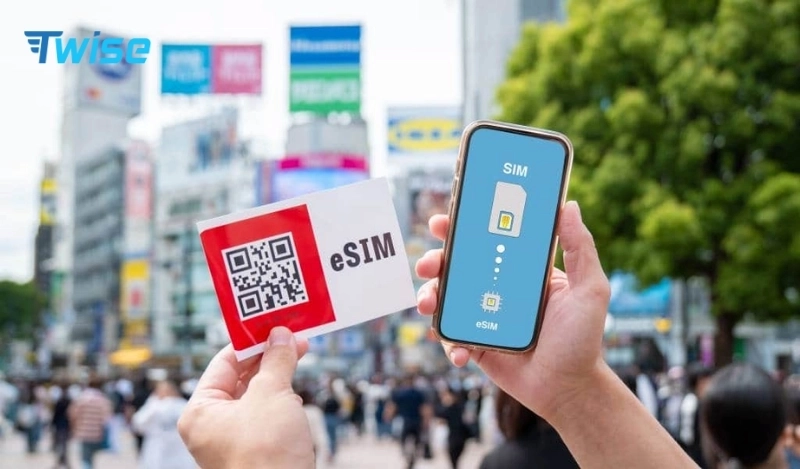
Regional Africa eSIM vs Country-Specific eSIM
A regional plan earns its keep when several included destinations are visited within one validity period — fewer profile swaps, one line to manage. A country-specific plan is often the safer bet for a one-country stay, a destination with its own dedicated partner, or higher local data needs.
Multiple country profiles can sometimes be the more reliable choice, too: a single regional profile can fail to include a destination or the best available partner, while separate country plans give more control over each leg.
Worth knowing before a multi-country trip: a phone can store several eSIM profiles, but most allow only a limited number of lines to stay active at the same time — check your device’s limit before planning to juggle more than two or three profiles.
| Factor | Regional eSIM | Country-specific eSIM |
| Main advantage | Fewer profile changes | Better destination matching |
| Best for | Several included countries | One country |
| Network choice | Depends on regional contract | May be easier to verify |
| Price | Can cost more per GB | Often more focused |
| Border switching | Usually automatic | Requires line change |
| Missing-country risk | Higher if list is not checked | Lower for the named destination |
| Local number | Usually no | Travel version usually no |
Africa eSIM Coverage in Real Travel Situations
Major airports and cities — Cairo, Nairobi, Johannesburg, Cape Town, Accra, Lagos — offer practical arrival connectivity, but only when that specific country is included in the selected product.
City centers and indoor locations can still see weaker signal inside thick-walled buildings, basements, and some hotel rooms.
Intercity roads are a different story from the cities they connect — urban coverage doesn’t guarantee service for the whole journey between towns.
Safari reserves and national parks vary by zone: entrances, lodges, and camps often have some signal or Wi-Fi, while interior game-drive routes frequently don’t.
Desert travel across Sahara or Namib routes can mean long stretches with no service at all.
Mountains and highland routes see the same terrain-driven interruptions common to hilly or forested regions anywhere.
Beaches and islands — coastal resorts are usually reasonably covered, but ferries and offshore excursions are a separate consideration.
Border crossings typically bring a temporary signal gap while the phone re-registers with the new country’s partner network.
| Travel situation | Reasonable expectation | Smart backup |
| Major airport | Good place to complete registration | Airport Wi-Fi |
| City centre | Usually stronger network availability | Hotel Wi-Fi |
| Urban building interior | Indoor signal can weaken | Move outdoors |
| Intercity highway | Variable between towns | Offline map |
| Safari lodge | Service or Wi-Fi may be available | Save operator contacts |
| Game-drive route | No continuous assumption | Follow the guide’s plan |
| Desert road | Long no-service sections possible | Dedicated safety preparation |
| Mountain area | Terrain can block signal | Download the route |
| Ferry or offshore trip | Terrestrial coverage may disappear | Save tickets and contacts |
| Border crossing | Temporary network loss | Keep arrival details offline |
Using an eSIM on Safari
Mobile data earns its place on safari for driver messages, permit confirmations, lodge details, weather updates, and last-minute itinerary changes — not for constant connectivity during game drives.
Before leaving the city, save offline maps, lodge coordinates, the tour company’s contact, travel-insurance details, permits and vouchers, the operator’s emergency instructions, and any relevant language or translation files.
Lodge Wi-Fi isn’t guaranteed broadband — expect variable speed, shared capacity, and dependence on local electricity supply.
Don’t treat an eSIM as an emergency beacon. Follow the safari operator’s actual remote communication and safety procedures instead.
Battery management during game drives matters more than most travelers expect — use low-power mode, disable cloud backup, and carry a power bank.
Reconnecting after returning to a covered area is usually as simple as toggling Airplane Mode to prompt fresh network registration.
What Happens When You Cross an African Border?
Confirm the next country is actually included in your plan before changing any network setting. Allow a few minutes for the profile to register with the new partner network, and let automatic network selection try first — manual selection should only be used with an approved partner. If the connection seems stuck, refresh with Airplane Mode before restarting or touching advanced settings.
Keep roaming enabled for the Twise line when required, and keep the home SIM’s roaming data disabled throughout. Don’t delete the eSIM at the border — it’s likely just registering, not failing. Save immigration and transfer details offline in advance, since border crossings are exactly when you don’t want to be searching for a document over a shaky connection.
Calls, SMS, WhatsApp, and Local Phone Numbers
Does Twise include an African phone number? No — the reviewed Africa products are data-only.
Which calls remain available? Internet-based calls work through apps like WhatsApp or FaceTime when coverage and speed are sufficient.
When a local number is useful: calling a safari lodge, contacting a driver, reaching a restaurant or hotel, domestic customer service, receiving local callbacks, or any service that requires a local number specifically.
Keeping the home SIM active: leave it on for SMS, but disable its data roaming to avoid unexpected charges.
Can travelers receive OTPs? Home-line OTPs depend on the home carrier’s own roaming terms — a data-only Twise profile cannot receive ordinary cellular SMS.
When to choose a local SIM: standard calls, SMS, or local mobile-money onboarding all point toward a domestic plan instead.
How Much Data Do You Need in Africa?
| Travel style | Planning range | Typical use |
| Light city traveler | 500MB–1GB per day | Maps, messages, bookings |
| Standard traveler | 1–2GB per day | Social media, navigation, app calls |
| Heavy user | 3GB+ per day | Video, uploads, hotspot |
| Safari itinerary | Smaller allowance with sufficient validity | Data mainly at camps and towns |
| Business traveler | Larger fixed plan | Files, calls, tethering |
| Multi-country trip | 10GB–30GB depending on length | Repeated maps, transport, bookings |
| Remote worker | 30GB–50GB or suitable local alternative | Video meetings, cloud services |
Safari travelers often end up using less data than expected, simply because long stretches of the day are spent outside coverage entirely. Overland travelers tend to use more, since they’re repeatedly checking routes, accommodation, border requirements, and weather.
A larger allowance can’t fix a coverage gap — data volume and radio coverage are separate constraints, and no plan size restores signal where the local partner network doesn’t reach. Hotspot use is worth watching too: laptop updates and cloud synchronization can eat through a daily or fixed allowance surprisingly fast.
How to Install and Activate an Africa eSIM
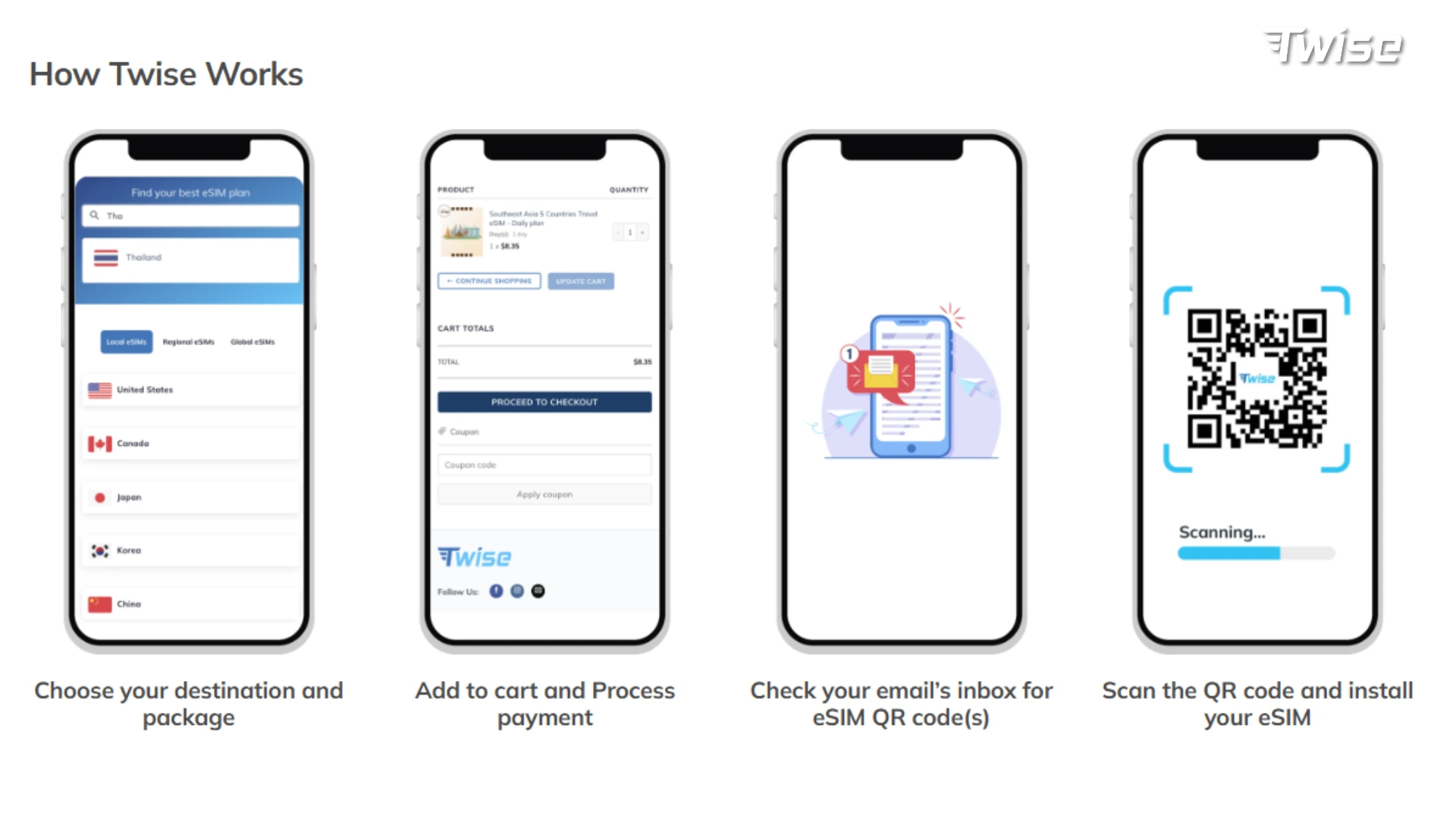
- Confirm the exact country list rather than relying on the plan’s name alone.
- Check compatibility and carrier-lock status for the exact phone model and regional variant. Before purchasing, check whether your phone supports eSIM and confirm that it is carrier-unlocked.
- Confirm the QR installation window — 90 or 180 days depending on the product.
- Save the order details offline: QR code, order number, APN, and support contact. See how to order a Twise eSIM for the ordering steps, since ordering and activation are separate actions.
- Install using reliable Wi-Fi, following the exact product instructions — installation alone doesn’t start the validity clock.
- Configure dual-SIM settings: select Twise for mobile data, enable roaming on that line when required, disable roaming on the home SIM, disable automatic data switching, and label both lines clearly.
- Translate the UTC reset and expiry into the destination’s local time before relying on it.
- Don’t delete the profile while troubleshooting — the original QR may not be reusable.
What to Do After Landing
Five-minute airport sequence: disable Airplane Mode, enable the Twise profile, select it for mobile data, enable roaming when required, keep the home line’s roaming off, wait a few minutes, then test a lightweight map or webpage. Keep airport Wi-Fi active until the profile is confirmed working.
Open essential services first: accommodation address, airport transfer, driver message, map, booking confirmation, payment verification, translation, tour-company contact.
Download the next route before leaving the city or airport region.
Pause automatic uploads — photo backup, app updates, and large downloads can wait for trusted Wi-Fi.
What to Do When the Africa eSIM Has No Signal
Start by confirming the country is actually included in the plan — this is the first troubleshooting step, before anything else. Then check which line is handling data, since the phone may default back to the home SIM. You can check your roaming data usage to confirm which line the usage is actually coming from.
Confirm data roaming is enabled, since regional travel profiles normally need it. Refresh the connection with Airplane Mode and restart if needed, and stick to automatic network selection unless Twise names an approved partner for manual choice. Verify the APN against the order settings.
If the eSIM worked fine in a city but stopped inside a reserve, the profile is probably still configured correctly — that’s a coverage gap, not a setup failure. Also check whether the allowance has simply dropped to 128Kbps; slow loading can look like no signal but is actually throttling. Review the Twise eSIM refund policy before deleting a profile that fails to connect, and if you contact support, have the order number, phone model, current country and location, screenshots, APN, visible networks, whether it worked previously, and remaining data (when known) ready to share.
When a Local African SIM Is Better
- You need a local number — choose a domestic eSIM or physical SIM with calls and SMS.
- You’re staying in one country for several weeks — a renewable local account may offer better value and flexibility.
- You need local mobile-money or number-dependent services — a data-only roaming profile may not satisfy registration requirements.
- Your regional plan excludes one destination — use a separate country product or local service instead.
- Your guide recommends a specific network — route-level local knowledge often beats broad provider rankings.
- You need high-volume hotspot use — a large local bundle may suit better.
- Your phone doesn’t support eSIM — use a physical SIM, home roaming, or pocket Wi-Fi.
Single-country travelers researching North Africa can compare Egypt eSIM plans or Algeria eSIM plans against a regional option, and anyone continuing on to the Serengeti or Zanzibar can also check Tanzania eSIM options once the terms are confirmed current. If none of the country or regional products fit the full itinerary, it’s worth browsing other Twise travel eSIM options before settling on a plan.

FAQs
Country-specific options currently cover Algeria, Egypt, Kenya, Nigeria, and South Africa, alongside regional 3-, 6-, and 10-country products — always check the live list before buying.
Regional plans work well for several included destinations in one trip; country-specific plans usually give a clearer network match for single-country travel.
Not through the eSIM directly — internet-calling apps work over data instead.
Yes, switching to a data-only eSIM doesn’t require changing your registered WhatsApp number.
Confirm country inclusion, check the active data line, verify roaming and APN settings, and distinguish a coverage gap from a configuration issue before contacting support.
More useful tips for your Africa journey:
Why Does My iPhone Say SOS? Causes, Fixes & Travel eSIM Tips
How Much Does a Travel Hotspot Cost? Pocket Wi-Fi vs Phone Hotspot vs eSIM
