

Best Apps for Travel in South Korea: Maps, Translation, Transport & Internet Setup
Jul
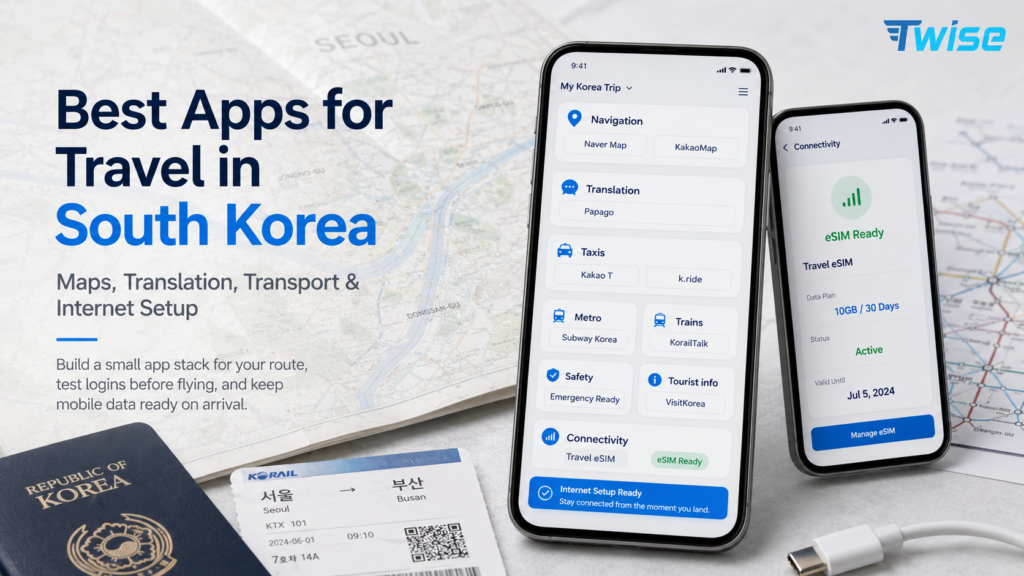
The best apps for travel in South Korea are Naver Map or KakaoMap for navigation, Papago for Korean translation, Kakao T or k.ride for taxis, Subway Korea for metro routes, KorailTalk for KTX trains, Emergency Ready for safety alerts, and VisitKorea for official tourist information. Download them before departure, then make sure a travel eSIM or another mobile-data option is ready for arrival.
The practical strategy is not to install every app available. Build a small stack for your route, test logins and payments before flying, save important Korean-language details, and keep offline screenshots as backup.
Quick Answer: What Apps Should You Download Before Traveling to South Korea?
For a first trip, prioritize the apps that solve live operational problems: finding the correct entrance, reading Korean text, reaching a taxi pickup point, checking the final subway connection, opening a KTX ticket, receiving a weather alert, and messaging your hotel. The table below is the most practical starting stack.
The essential Korea travel app stack
| Need | Recommended app |
| Maps and navigation | Naver Map, KakaoMap |
| Translation | Papago |
| Taxi | Kakao T, k.ride |
| Subway | Subway Korea, Naver Map |
| KTX / trains | KorailTalk, Korail website |
| Messaging | KakaoTalk |
| Restaurants | Naver Map, KakaoMap, Catchtable Global |
| Safety alerts | Emergency Ready |
| Official tourism | VisitKorea |
| Payment / travel money | WOWPASS, NAMANE, Wise/Revolut/bank app |
| Mobile data | Twise eSIM setup |
Download before arrival, not after landing
Airport Wi-Fi is a useful backup, not an ideal setup environment. At Incheon, Gimpo, Gimhae, or another arrival airport, you may already be managing immigration, luggage, transport decisions, low battery, and a hotel check-in deadline. An app may also request an email code, identity verification, card authorization, or permissions that take longer than expected.
Install the core apps at home on stable Wi-Fi. Open each one at least once, change the language, allow location access where appropriate, and search for your hotel. A traveler who has already saved the Korean hotel name and airport route can leave the terminal more confidently than someone downloading five apps beside the baggage carousel.
The practical rule
If an app needs login, payment, card setup, offline downloads, account verification, or a saved booking, complete that step before the flight. Apps that work without an account can still be installed and tested in advance. Keep your app-store password available and update the phone operating system several days before travel, not on departure morning.
Why South Korea Needs Local Apps, Not Only Google Maps
The issue is not that Google Maps becomes completely useless in Korea. It is that travelers need more than global place discovery. They need accurate walking routes, local transit timing, subway exits, Korean business names, small entrances, bus-stop details, and taxi-ready destination data. Local map platforms are designed around those tasks.
Google Maps can still help, but it should not be your only map
Does Google Maps work in South Korea?
Google Maps can help with saved places and broad searches in South Korea, but tourists should use Naver Map or KakaoMap for local navigation, walking routes, public transit, subway exits, and Korean place names. Local map apps are more reliable for day-to-day travel in Korea.
Google Maps is still valuable for organizing a trip before departure. Its saved lists, familiar interface, photos, and international reviews make it convenient for broad research. It can also help you understand the general relationship between neighborhoods such as Hongdae, Myeongdong, Insadong, Gangnam, and Seongsu.
The limitation appears when a broad pin is not enough. A café may have several branches, a hotel entrance may face a side street, or the shortest-looking walking route may not reflect the most useful station exit. That is where a local app should take over.
Why Naver Map and KakaoMap matter
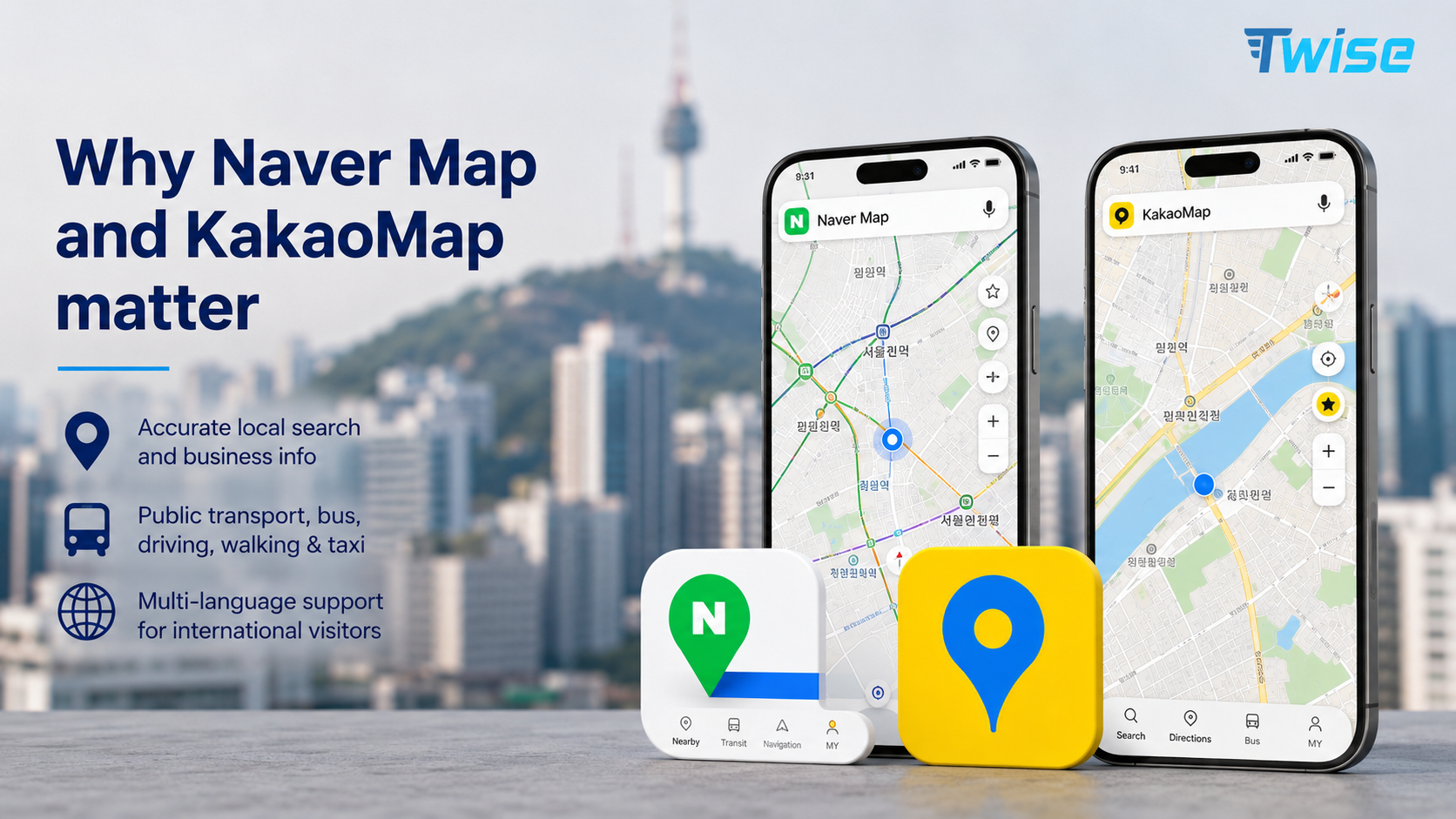
South Korea’s official tourism guidance recommends local navigation tools such as Naver Map and KakaoMap. VISITKOREA explains that Naver Map offers routes, public-transport details, bus information, local listings, and multilingual support. The practical benefit is that the same place record can support walking, subway, bus, driving, and taxi decisions.
Naver Map is usually the easier first choice for international visitors. KakaoMap is an excellent second reference, particularly when a Korean business name, local search result, or Kakao-linked service appears more clearly there.
Best use of Google Maps in Korea
- Build pre-trip lists of attractions, restaurants, hotels, and neighborhoods.
- Review photos and comments from international visitors.
- Understand broad city orientation and approximate travel distances.
- Cross-check English attraction names before searching in a Korean app.
Best use of local maps
- Follow walking routes and choose the correct subway exit.
- Check bus routes, stops, transfer timing, and estimated arrival information.
- Search Korean business names, addresses, and branch locations.
- Set taxi destinations and show a driver the exact location.
- Compare route timing when subway, bus, walking, and taxi are all possible.
- Read local reviews and verify opening information closer to the travel date.
Naver Map vs KakaoMap: Which Map App Should Travelers Use?
Start with Naver Map, then keep KakaoMap as a backup. The two apps overlap, but search results, place records, language display, reviews, and route preferences can differ. Using both is especially helpful for small cafés, guesthouses, clinics, restaurants inside complexes, and businesses that have recently moved or changed names.
Naver Map for first-time travelers
Naver Map is the best default for most first-time visitors because it combines navigation, public transit, place search, bookmarks, and local business information in one interface. It is useful when a day includes several transport modes, such as walking from a hotel to a bus, transferring to the subway, and finishing with another short walk.
- English-supported travel use and multilingual place information.
- Public transit routes and estimated travel time.
- Walking directions and subway-exit planning.
- Bookmarks for hotels, restaurants, cafés, and attractions.
- Korean address lookup and copyable place names.
KakaoMap as a strong backup
KakaoMap is a strong alternative for travelers using KakaoTalk or Kakao T, and it can return useful local results when an English search fails elsewhere. The app is also helpful for comparing routes and checking how a destination appears inside the Kakao ecosystem.
Travelers who read some Korean may find KakaoMap particularly useful for local-language searches and community information. Even without Korean fluency, copying a place name from a hotel message or Papago can improve search accuracy.
Use both when search results differ
When one app cannot find a place, do not assume the place is closed. Try the exact Korean name, paste the road address, search the phone number, or switch apps. This matters for basement restaurants, businesses inside department stores, rural guesthouses, temporary pop-ups, and venues whose English name is stylized differently across platforms.
Korean search tip
Save the Korean name and address from the hotel website, booking confirmation, restaurant’s Instagram bio, Catchtable listing, or a Papago translation. Keep both the text and a screenshot. A clean Korean address is more useful to a taxi driver than a long English explanation, and a map pin is safer than assuming two branches with similar names are interchangeable.
Naver vs KakaoMap decision table
| Need | Better starting point |
| First-time tourist navigation | Naver Map |
| Korean local ecosystem | KakaoMap |
| Subway/bus routes | Naver Map + subway app |
| Taxi destination support | KakaoMap / Kakao T |
| Restaurant/café search | Try both |
| Saved itinerary | Naver bookmarks |
| Backup routing | Use both |
Papago and Translation Apps: Reading Menus, Signs and Addresses
Papago is the most useful Korean translation app for most tourists because it supports the situations travelers repeatedly encounter: a photographed menu, handwritten notice, medicine label, hotel instruction, ticket machine, short voice exchange, or Korean address. General-purpose translation tools remain useful backups, but Papago should be installed first.
Why Papago is essential in Korea
Papago is built by Naver and is widely used for Korean-language translation. VISITKOREA lists Papago among its helpful travel resources and highlights text, image, voice, handwriting, and webpage translation. That combination is more practical than relying on typed translation alone.
Best Papago uses for travelers
- Photograph restaurant menus, allergen notices, and ordering instructions.
- Translate street signs, building directories, and temporary closure notices.
- Copy hotel check-in instructions and guesthouse messages.
- Read subway notices, ticket-machine prompts, and medicine labels.
- Show a taxi driver a short Korean sentence with the destination.
- Translate Airbnb or tour-guide messages without writing long, complex sentences.
Camera translation vs text translation
Use camera or image translation when the original text cannot be copied, such as a printed menu or sign. Frame the text closely, avoid glare, and photograph one section at a time. Use text translation when accuracy matters more: copy the Korean wording from a booking message, translate it, then reverse-translate your reply to check whether the meaning remained simple and polite.
Offline preparation
Download any available language resources, save essential phrases, and screenshot your hotel name, address, and check-in instructions. Keep a note containing your name, hotel phone number, allergies, and emergency contact. Offline preparation will not replace live translation, but it protects the most important information if coverage drops or the app fails to load.
Translation friction
Machine translation can miss honorifics, implied subjects, and context. Use short sentences with one request at a time. “I have a reservation at 7:00 PM” is easier to translate than a long explanation about why your train was delayed. For allergies, medical needs, or legal issues, confirm meaning with staff or a professional interpreter rather than depending only on an app.
Taxi and Ride-Hailing Apps: Kakao T, k.ride and Uber Taxi

Taxis are useful after the last subway, with luggage, during heavy rain, or when a destination is inconvenient by public transport. The main challenge is not finding a taxi app; it is making sure account registration, payment, pickup location, and the destination pin work before you are standing on a crowded curb.
Kakao T for local taxi hailing
Kakao T is the dominant local mobility platform. It can be effective for regular taxi requests and precise destination handling, especially when the destination comes from KakaoMap. Foreign-user registration and payment options have improved, but the exact setup experience can still depend on phone number, app version, card, and account region.
Test the app before travel. Add a payment method if accepted, learn whether pay-to-driver is available, and search for your hotel. Do not wait until a late-night arrival to discover that a verification code or card authorization is blocking the account.
k.ride for foreign travelers
k.ride is Kakao Mobility’s global platform for foreign travelers. It is designed to reduce language, account, and payment friction, with multilingual destination search, translated communication, international payment support, and estimated fares. It is a sensible first taxi app for visitors who do not want to build a full Kakao account.
Uber Taxi as backup in major areas
Uber Taxi can work as a backup in major cities, particularly if your existing Uber account and payment card already function. Coverage and vehicle availability may be less consistent than the Kakao options, so keep at least one local or tourist-focused app ready. Hotel staff can also call a taxi when app supply is poor or the pickup point is confusing.
What to prepare before calling a taxi
- Hotel name and full address in Korean.
- A destination pin opened in Naver Map or KakaoMap.
- Mobile data active before leaving the building.
- A tested payment method plus a card or cash backup.
- Papago ready for a short driver message.
- A screenshot of the pickup entrance, landmark, or terminal door number.
Taxi app friction table
| Problem | Backup |
| Card not accepted in app | Choose pay-to-driver if available or use k.ride/regular taxi |
| Driver calls in Korean | Use Papago or message hotel |
| Pickup point unclear | Move to landmark, entrance, or hotel |
| App asks for verification | Try tourist-friendly app or hotel assistance |
| No taxis available | Use subway/bus route or hotel desk |
Subway, Bus and Train Apps: Getting Around Seoul, Busan and Beyond
Urban metro travel and intercity rail are different planning problems. A subway app helps with station order, transfer time, exits, and the last train. Korail tools handle reserved KTX and national-train journeys. Naver Map connects the gaps with walking and bus segments.
Subway Korea or metro apps
A dedicated subway app is useful in Seoul, Busan, Daegu, Daejeon, and Gwangju because the network can be viewed without the visual clutter of a full street map. Use it to compare transfer stations, estimate travel time, identify the correct direction, and check which carriage or exit may reduce walking.
Screenshot the final route if you are traveling late. Last-train times and service changes matter more than the route that looks shortest at midday.
Naver Map for buses and mixed transit
Naver Map is strongest when a trip combines modes: walk to a bus, transfer to a subway, then walk through a large station or neighborhood. It can also help with live bus arrival information and locating the correct stop on the correct side of a wide road. Recheck the stop name before boarding because nearby stops may serve different directions.
KorailTalk for KTX and national trains
KorailTalk is the official app for Korail train reservations, including KTX services between major cities. It supports international travelers through multilingual booking functions. Reserve popular travel times early, save the ticket in the app, and keep a screenshot or booking reference in case the connection drops.
Your passport name should match the booking. Check the station carefully: Seoul Station, Yongsan, Cheongnyangni, Busan, Gyeongju, and Singyeongju are not interchangeable simply because they serve the same broader region.
Korail website as backup
The official Korail website is a useful backup when the app is difficult, a card fails, or you prefer a larger screen. Recent improvements for international visitors include multilingual reservations and easier seat selection. At major stations, staff and dedicated counters can help, but relying on station assistance may reduce your choice of departure times during weekends and holidays.
Train day checklist
- Save the ticket and booking reference in two places.
- Confirm the passenger name matches the passport.
- Save the station name in Korean and English.
- Check the platform on the station display close to departure.
- Load the route from hotel to station before leaving.
- Keep mobile data active for schedule changes and ticket recovery.
- Charge the phone and carry a power bank.
Payments, T-Money, WOWPASS and Local App Friction
South Korea is highly card-oriented, but a foreign card does not work in every app or machine. The safest setup is layered: one main international card, a backup card, some cash, a physical T-money card, and a tourist payment product only if it fits your trip. Do not build the itinerary around a single app wallet.
T-money for transit
A physical T-money card remains one of the simplest tools for short-term visitors. It can be used on much of the public transport network and avoids repeated single-ticket purchases. Buy and top it up at supported convenience stores or transport locations. Mobile T-money may depend on device, account region, or local setup, so the physical card is often easier.
WOWPASS / NAMANE for tourists
WOWPASS and NAMANE are tourist-oriented options that combine prepaid spending features with travel convenience, and some products integrate or pair with transit functions. They can help travelers who want to exchange, load, and monitor funds in one system. Fees, top-up methods, withdrawal rules, supported cards, and physical pickup still need to be checked before relying on either.
Foreign cards in Korean apps
Some apps accept foreign Visa, Mastercard, Amex, or mobile wallets; others are inconsistent because the merchant, payment gateway, account country, or card authentication differs. Add the card before travel and make a low-risk test where possible. Keep the physical card with you even if it is saved in an app.
Delivery and shopping apps
Baemin, Coupang, and other local apps may require Korean-language navigation, a local-format address, phone verification, or domestic payment. They are better suited to longer stays or travelers with local support. For a short visit, ask the hotel to help order food, use an English-friendly delivery service, or eat nearby rather than spending an hour troubleshooting a local-only checkout.
Practical payment advice
- Carry an international card that has already worked abroad.
- Keep a second card stored separately.
- Hold a modest amount of Korean won for top-ups and small merchants.
- Use a physical T-money card for straightforward transit access.
- Treat WOWPASS, NAMANE, or another travel wallet as an additional layer, not the only payment method.
- Ask hotel staff for help when a local app requires a domestic number or address format.
Restaurant, Café and Booking Apps: What Tourists Can Actually Use
A good restaurant app is only useful if the tourist can search, book, pay, and receive the confirmation. Local reviews are valuable, but reservation and delivery flows may require more local information than a short-term visitor has. Match the app to the task instead of assuming one platform handles discovery, booking, queuing, and delivery equally well.
Naver Map and KakaoMap for restaurants
Use local maps to check photos, menus, business hours, branch names, local reviews, and the exact entrance. Search in Korean when possible. Confirm whether the venue is inside a mall, market, office building, or department-store basement, because the street pin may not explain how to reach the door.
Catchtable Global for reservations
Catchtable Global is useful for selected popular restaurants and tourist-accessible reservation flows. It can save time at venues with remote waiting lists or limited seating. Not every restaurant is listed, and a listing does not guarantee that every date or menu is available, so keep alternative restaurants saved nearby.
Baemin and delivery apps
Baemin is a major local delivery platform, but the Korean interface, phone requirements, address formatting, and payment can make it inefficient for a short trip. Travelers staying in serviced apartments for several weeks may find it worth learning. For a four-day city break, an English-friendly service or hotel assistance is usually more practical.
Klook, Creatrip and VisitKorea
Klook and Creatrip are useful for attraction tickets, airport products, tours, and tourist-oriented reservations. VisitKorea provides official destination information, food and accommodation guidance, festival details, directions, public transport information, and emergency contacts. Use marketplace apps for transactions and the official platform to cross-check destination basics and travel support information.
Safety, Emergency and Official Travel Apps
Safety apps should solve a specific problem: receiving a severe-weather alert in a readable language, finding a shelter, identifying an emergency service, or checking official instructions during disruption. They do not need constant attention, but they should be installed and configured before they are needed.
Emergency Ready App
Emergency Ready is the foreign-language disaster-information app supported by South Korean authorities. Seoul Metropolitan Government states that it provides multilingual disaster alerts, safety guidance, shelter information, and nearby emergency-service information. The current version supports alerts and guidance in 22 languages.
Install it before travel, allow notifications, select the relevant region, and choose a language you can read quickly. Do not wait for a typhoon, heavy snow warning, wildfire alert, or civil-defense message to learn what the notification means.
VisitKorea for official tourism support
VisitKorea is useful for official attraction information, transport guidance, festivals, travel ideas, emergency contacts, and the 1330 Korea Travel Helpline. It is not a substitute for Naver Map, but it helps verify destination context and find tourism-specific support that a general map app may not surface clearly.
What safety apps are useful for
- Severe weather and location-based emergency alerts.
- Civil-defense shelter and evacuation information.
- Police, fire, medical, and embassy details.
- Official travel guidance during route disruption.
- Checking whether a warning applies to your city or region.
Notification setup
Enable alerts, choose a language, and set the region or location where possible. Review the notification categories so important alerts are not buried under unnecessary ones. Keep emergency phone numbers visible offline: 112 for police and 119 for fire, rescue, and medical emergencies. In a serious situation, follow official instructions rather than social-media speculation.
City-by-City App Setup: Seoul, Busan, Jeju and Beyond
The core apps stay similar, but the priority changes by destination. Seoul is subway-heavy, Busan combines metro and buses, Jeju often depends on buses, taxis, or a rental car, and a Seoul-to-Busan itinerary adds KTX booking. Build the app stack around the route rather than copying a generic list.
| Destination | Suggested app stack |
| Seoul | Naver Map, KakaoMap, Subway Korea, Kakao T/k.ride, Papago |
| Busan | Naver Map, KakaoMap, subway app, Papago, taxi app |
| Jeju | Naver Map/KakaoMap, Kakao T/k.ride, rental car app, Papago |
| Gyeongju | Naver Map, bus/taxi app, Papago, VisitKorea |
| Seoul to Busan | KorailTalk, Naver Map, Papago |
| Ski/mountain trip | Naver Map, weather/safety app, Papago, eSIM |
Why one app stack does not fit every route
In central Seoul, the subway may solve most journeys and taxis are a late-night backup. In Jeju, attractions can be far apart, bus frequency may be lower, and a rental car or taxi can become central to the itinerary. Gyeongju may require more bus and walking planning, while a ski trip adds weather alerts and remote pickup details. Review each travel day, not just each city.
Korean Name and Address Survival System
A traveler does not need to speak Korean fluently to move efficiently, but the phone should contain the exact Korean text that local systems recognize. Create a small “Korea essentials” note before departure. This reduces repeated searching and helps when a driver, station employee, pharmacist, or hotel receptionist needs to understand the destination quickly.
Save hotel name in Korean
Copy the official Korean hotel name and road address from the hotel website or booking confirmation. Add the phone number and check-in time. If the property is a guesthouse inside a residential building, save the building entrance photo or host instructions as well.
Save destination pins before leaving Wi-Fi
Bookmark the airport, hotel, train station, restaurants with reservations, tour meeting points, and one backup pharmacy or convenience store. A saved pin is more reliable than searching from memory after landing. For duplicate business names, label the bookmark with the neighborhood or branch.
Use Papago for short messages
- “Please take me here.”
- “Is this the correct entrance?”
- “I have a reservation.”
- “Can you call this number?”
Keep the sentence short, show the translated Korean text, and keep the map pin visible. Avoid adding several questions into one paragraph because the translation becomes harder to verify.
Prepare taxi screenshots
- Korean road address and place name.
- Map pin with the destination centered.
- Hotel or venue phone number.
- Nearby landmark or station exit.
- Entrance photograph when the pickup point is not obvious.
Offline Prep vs Mobile Data: What Works Without Internet?
Offline preparation prevents a small signal problem from becoming a missed train or failed check-in. It does not make the app stack fully offline. Screenshots can show a ticket or address, but they cannot request a taxi, update a platform, join a restaurant queue, receive a weather alert, or recover a changed booking.
| App/task | Offline possible? | Live data needed for |
| Naver Map saved places | Partly | Live routes, search, updates |
| Papago saved phrases | Partly | Image translation and live translation |
| Subway screenshot | Yes | Delay/route changes |
| Korail ticket screenshot | Yes | Booking changes and ticket recovery |
| Taxi apps | No | Booking and driver chat |
| Restaurant apps | No/limited | Reservations and queues |
| Emergency alerts | No | Real-time safety alerts |
| Hotel messages | No | Check-in changes and support |
Offline screenshots are backup, not full travel connectivity
Save the airport-to-hotel route, hotel address, KTX ticket, tour voucher, emergency contact, and the Korean name of each critical destination. These files keep essential information visible during a temporary dead zone. They cannot replace the live search and communication functions on which many Korean travel apps depend.
When mobile data matters most
Mobile data matters most during airport arrival, taxi pickup, map search, image translation, train-ticket changes, emergency alerts, restaurant queues, and hotel messaging. These are time-sensitive moments when walking back to café Wi-Fi is not a realistic solution. A connected phone also allows a group to coordinate when travelers split up in a market, station, or theme park.
Where Twise eSIM Fits: Keeping Korea Travel Apps Working
This is the commercial part of the decision, but the logic is operational: Korea’s most useful travel apps perform best when the phone can connect as soon as you leave airport Wi-Fi. The data plan should match the trip length, expected usage, hotspot needs, and whether a Korean phone number is genuinely necessary.
Korea apps depend on live mobile data
Naver Map needs live search and route information. Taxi apps need pickup data and driver communication. Papago works best when image and live translation are available. Korail access, hotel messages, queue systems, and Emergency Ready alerts are all more useful with a stable connection. For many short-term visitors, data-only connectivity covers the main travel tasks.
Twise positioning
A Twise eSIM can suit first-time South Korea travelers who want data ready after landing for Naver Map, KakaoMap, taxi apps, Papago, subway routing, Korail access, hotel messages, and emergency alerts. Twise’s South Korea options are organized for travelers who prefer digital setup rather than buying a physical SIM after arrival.
Do not overspecify the benefit: mobile data cannot solve every app restriction. Some delivery, payment, reservation, and phone-number verification flows may still require a Korean number or domestic account. Choose a phone-number product only when the itinerary actually depends on those functions.
Pair eSIM with offline prep
- Install the data plan before departure when the product instructions allow it.
- Save the QR code, order details, and setup instructions offline.
- Download and configure the Korea app stack before flying.
- Save Korean addresses and the airport-to-hotel route.
- Test mobile data before leaving the arrival terminal.
- Keep the home SIM active for OTP messages if needed, but disable its data roaming.
Suggested internal links
For future content-cluster expansion, connect this guide with Twise resources about device compatibility, installation, mobile-data estimates, data-saving settings, map data usage, and South Korea network options. Keep the final published article selective: a few relevant links are more useful than linking every occurrence of a product term.

15-Minute South Korea App Setup Checklist Before Departure
Complete this checklist on stable Wi-Fi. Fifteen focused minutes before departure can prevent a much longer setup session at the airport.
- Install Naver Map.
- Install KakaoMap.
- Install Papago.
- Install Kakao T and/or k.ride.
- Install Subway Korea or another metro app.
- Install KorailTalk if taking KTX.
- Install Emergency Ready.
- Install VisitKorea.
- Install KakaoTalk if a hotel, host, tour guide, or local contact uses it.
- Add a payment card where possible and keep a backup card.
- Save the hotel’s Korean name, address, and phone number.
- Save the airport-to-hotel route.
- Save a taxi destination screenshot.
- Check eSIM compatibility and carrier-unlock status.
- Install the travel data profile if the activation rules allow advance setup.
- Keep the home SIM active for OTP messages if needed.
- Turn off data roaming on the home SIM to avoid unintended charges.
- Pack and charge a power bank.
Final Decision Guide: Which South Korea Travel Apps Do You Really Need?
A short, reliable stack is better than a phone full of apps you have never opened. Start with navigation, translation, taxi, subway, safety, and mobile data. Add train, restaurant, payment, or delivery tools only when the itinerary creates a real need.
Minimum app stack for first-time visitors
Install Naver Map, Papago, Kakao T or k.ride, Subway Korea, Emergency Ready, and a South Korea mobile-data setup. Keep KakaoMap as a backup. This covers the moments most likely to create friction: finding the correct route, communicating a simple request, getting a taxi, checking a late transfer, and receiving an official alert.
Add these if taking trains
Add KorailTalk and save the official Korail website as a backup. Confirm the correct station, passenger name, departure time, and booking reference. Save a screenshot, but keep data available for schedule changes and ticket recovery.
Add these if food/café focused
Add Catchtable Global, use both Naver Map and KakaoMap for local reviews, and keep Papago ready for menus. Save several alternatives near each high-demand restaurant. A reservation app is helpful, but it cannot guarantee that every trending venue accepts foreign bookings.
Add these if staying longer
Longer stays may justify WOWPASS or NAMANE, KakaoTalk, delivery apps, shopping apps, and local service accounts. The value increases when you have a stable address, more time to solve verification, and repeated use. Short-term visitors should avoid spending an afternoon creating accounts they will use once.
Add Twise eSIM if…
Add Twise when you want maps, taxis, translation, emergency alerts, hotel messages, and transport apps to work immediately after landing, and you prefer to arrange data before the trip. Check the exact plan’s validity, data allowance, hotspot policy, activation timing, and setup instructions before purchase.
FAQs About Apps for Travel in South Korea
