

Best Japan Travel Apps for Tourists: Maps, Translate, LINE, Suica & eSIM Data Tips
Sep
The best Japan travel app setup covers navigation, translation, transport payments, communication, and safety without filling your phone with unnecessary downloads. Start with Google Maps, Google Translate, Japan Travel by NAVITIME, and Safety tips. Add Suica or Welcome Suica Mobile if your device is compatible, LINE if your contacts use it, and GO or SmartEX when your itinerary requires them. Download apps, complete account setup, and save offline resources before flying. Arrange mobile data so you can check directions, translate signs, contact accommodation, and review train information after leaving airport Wi-Fi. This guide explains which tools deserve space on your phone.
Best Japan Travel Apps at a Glance
Choose apps by the problems they solve, not their download rankings.
| App | Best for | Typical travel use | Internet needed? |
| Google Maps | Everyday navigation | Stations, hotels, restaurants | For full navigation features |
| Japan Travel by NAVITIME | Japan-specific transport | Transfers and multi-city routes | For fresh route searches |
| Google Translate | Language assistance | Menus, signs, basic conversations | Some downloaded features work offline |
| Suica / Welcome Suica Mobile | Transport and payments | Supported trains, buses, shops | Setup and online top-ups need connectivity; ordinary taps do not |
| LINE | Messaging | Contacts and participating businesses | Yes |
| GO | Taxi requests | Luggage-heavy or inconvenient journeys | Yes |
| SmartEX | Shinkansen reservations | Selected intercity rail corridors | For booking and changes |
| Safety tips | Official safety information | Earthquake and weather alerts | For incoming app alerts |
Keep Your Japan Apps Connected
You probably do not need every app. A Tokyo city break requires less rail preparation than a Tokyo–Kyoto–Hiroshima itinerary. Install optional tools when they solve a specific need.
Best Map and Navigation Apps for Japan
Google Maps: Best All-Round App for Most Tourists
Google Maps is a practical starting point for walking directions, place searches, and straightforward public-transport journeys.
Use it to connect the small decisions of an arrival day: Haneda Airport → Shinjuku hotel → ramen shop → convenience store.
Save your accommodation before departure. Check the exact branch, building entrance, and station exit rather than following only the nearest map pin.
Downloaded maps are a backup, not a complete offline navigation system. Google states that offline Maps does not provide public-transport, walking, or cycling directions. See its offline Maps guidance.
Japan Travel by NAVITIME: Better for Complex Japan Transport
Japan Travel by NAVITIME is useful when comparing transfers, rail routes, and journeys involving multiple transport operators.
Its Japan-specific tools can help with platform information and routes suitable for selected rail passes. Check which features require payment, and verify pass eligibility against the actual ticket rules.
Search using your intended departure date and time. A route found at midday may not work after a late flight.
Google Maps vs NAVITIME: Which Should You Use?
Use Google Maps for everyday places and walking orientation. Add NAVITIME for more detailed transport planning.
Neither replaces station displays or staff instructions during disruption. Allow extra transfer time when carrying luggage or navigating a large station for the first time.

Best Translation Apps for Japan
Google Translate for Text, Camera and Everyday Travel
Google Translate helps with typed questions, menu text, signs, and basic conversations.
Download Japanese and your preferred language where available, then test the functions you expect to use without internet. Offline support varies by feature and device.
Keep questions short: “Does this train stop at Kyoto?” is easier to translate than a complicated explanation.
For allergies or medical needs, do not treat an automatic translation as confirmation. Prepare an accurately translated information card and ask staff to verify details.
Should You Download More Than One Translation App?
Most tourists can start with one translation app and saved phrases.
A second tool can help when wording seems unclear, but two similar translations do not guarantee accuracy. Save your hotel’s address in Japanese and screenshots of important instructions instead of depending on repeated translation.
Suica and Japan Transport Apps Tourists Should Know
Route planning, fare payment, and train reservations are different tasks. Understanding that distinction prevents confusion at ticket gates.
Suica and Welcome Suica Mobile
Suica is a prepaid IC payment system accepted on many trains, buses, and at participating shops. It is not an unlimited transport pass, and acceptance is not universal.
Compatible iPhones can use Suica in Apple Wallet. Welcome Suica Mobile is another visitor-oriented option for eligible Apple devices, with its own requirements and terms.
Check device, operating-system, and payment-card compatibility before relying on it. Do not assume an overseas Android phone supports mobile Suica simply because it has NFC.
Test setup and funding where permitted, keep an alternative payment method, and review validity and refund conditions.
SmartEX for Shinkansen Trips
SmartEX is useful for reservations on the Tokaido, Sanyo, and Kyushu Shinkansen, including journeys such as Tokyo to Kyoto.
It does not cover every Shinkansen route in Japan. Complete registration and payment checks before a time-sensitive booking, and read the boarding instructions attached to your reservation.
Suica Is Not the Same as a Shinkansen Booking App
Adding money to Suica does not automatically reserve a Shinkansen seat.
For eligible bookings, a designated IC card can act as the boarding credential, but the reservation must be arranged separately. Follow the operator’s SmartEX IC-card boarding instructions rather than assuming your stored balance pays for that booking.
LINE, Taxi and Communication Apps in Japan
Do Tourists Need LINE in Japan?
LINE is useful, not mandatory. Install it if a host, tour operator, friend, or business asks to communicate there.
Set up the account before departure and confirm that you can reach the intended contact. Available registration methods vary by location and account circumstances.
A data-only travel plan can support app messaging, but does not automatically supply a phone number or receive verification SMS.
GO for Taxis When Trains Are Not Convenient
GO can help with taxi requests when you have heavy luggage, an awkward hotel location, or a journey poorly served by public transport.
Check service availability at your actual pickup point, not only the prefecture. Complete any phone verification and payment setup in advance.
Confirm pickup instructions and displayed charges before requesting. A taxi app cannot guarantee that a car will be available during busy periods or in remote areas.
Don’t Forget a Japan Safety App
Safety Tips for Earthquakes, Tsunamis and Weather Alerts
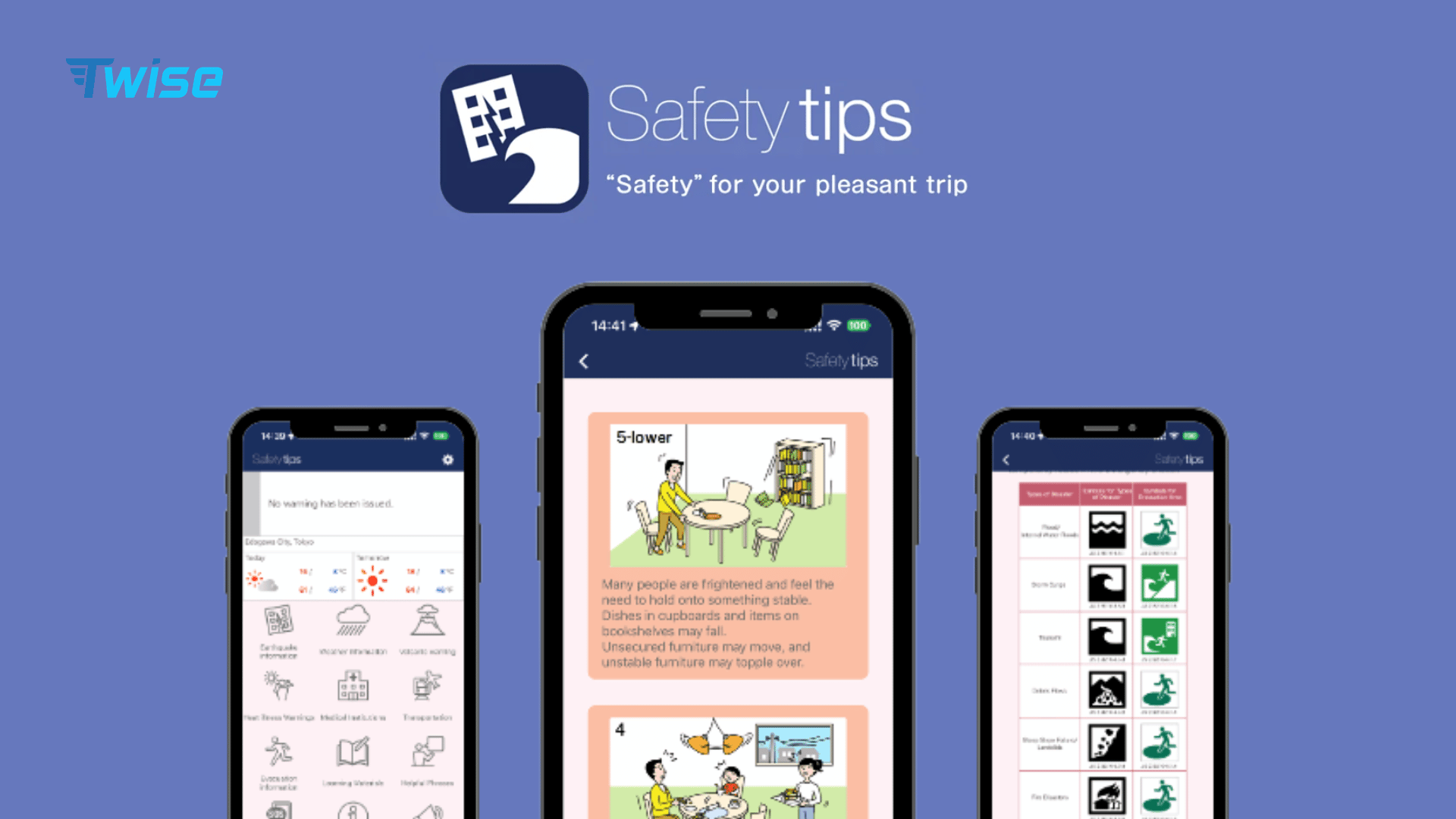
Safety tips provides multilingual notifications for earthquake early warnings, tsunami warnings, and other weather-related alerts. It is developed under the supervision of the Japan Tourism Agency.
Use the official Safety tips download page, choose your language, and configure locations and notification permissions.
Keep the app updated as you move between destinations. Alerts depend on connectivity and device settings, so follow local announcements and staff instructions too. An app should supplement, not replace, awareness of evacuation signs.
How Much Mobile Data Do Japan Travel Apps Actually Need?
There is no reliable daily allowance that fits every traveler. Your activity matters more than the number of installed apps.
Light Data Use: Maps, Messaging and Train Searches
Text messages, occasional route searches, and short text translations generally use less data than video-heavy activities.
However, browsing restaurant photos, opening street-level imagery, or repeatedly exploring maps can increase usage. Check your phone’s per-app data records rather than assuming navigation consumes nothing.
Higher Data Use: Camera Translation, Video Calls and Social Media
Uploading images for translation can add data use, but video calls, social feeds, streaming, and cloud backups may have a much larger effect.
Hotspot sharing also includes the connected device’s downloads. Pause automatic photo backups and large updates if you want to reserve your allowance for travel essentials.
Download Offline Backups Before You Fly
Save available map areas, translation resources, accommodation addresses, and booking confirmations.
Take screenshots of the airport transfer plan, including station names and the final hotel approach. An offline screenshot remains useful, but will not reflect a later timetable or platform change.
Can You Travel Japan Using Wi-Fi Only?
Yes, with preparation and some flexibility. Hotel, airport, and other available Wi-Fi can support planning while you are connected.
The inconvenience appears between those locations. You may need to message a host outside an apartment, recheck a transfer after missing a train, or request a taxi away from a hotspot.
Offline resources reduce dependence on connectivity, but cannot send messages or retrieve new disruption information.
Preparing a travel eSIM is one way to keep essential apps online beyond Wi-Fi. Compare it with your existing roaming package rather than assuming a new plan is always necessary.
Japan eSIM vs Physical SIM vs Roaming for Travel Apps
| Option | Preparation before arrival | Home SIM | Collection or swap | Main consideration |
| Twise Japan eSIM | Purchase and permitted advance installation | Can remain on compatible Dual SIM phones | Digital setup | Check compatibility and package terms |
| Physical Japanese SIM | Preorder where available | Depends on SIM slots | Delivery, collection, or insertion | Useful for phones without eSIM |
| Home-carrier roaming | Check package and destination coverage | Remains in use | None | Compare pricing and allowances |
| Pocket Wi-Fi | Usually reserve ahead | Remains installed | Delivery or pickup, often return | Group must share range and battery |
Choose according to device compatibility, trip length, data needs, and whether travelers will split up.
Digital eSIM installation can remove a SIM-counter visit. Physical SIMs remain useful for suitable phones without eSIM support. Pocket Wi-Fi suits some groups, but adds another device to charge.
For trips continuing beyond Japan, verify each destination in the selected plan. A Japan-only package does not automatically include another country.
Prepare Your Twise Japan eSIM Before Opening Your Travel Apps
Before Departure
Confirm eSIM support and carrier-unlock status. On iPhone, check Settings → General → About → Carrier Lock → “No SIM Restrictions.”
Review the package’s data allowance, validity, hotspot policy, and delivery instructions. Install over reliable Wi-Fi when advance installation is permitted.
Read the validity trigger first. Some plans start on installation; others start after a qualifying network connection. Turning a line off does not necessarily pause an activated plan.
After Landing in Japan
Select the travel eSIM for cellular data. Enable data roaming on that line only if instructed.
Keep home-line data roaming off unless intentionally needed, and disable automatic data switching to avoid unintended fallback. Home-line calls and other services may still incur charges.
Open a lightweight webpage, then test a route search before leaving airport Wi-Fi coverage. If service fails, check the setup instructions before deleting the profile.

Download These Before Your Flight to Japan
Use this checklist the evening before departure:
- Navigation: Google Maps, plus NAVITIME for more complex routes.
- Translation: One primary app and downloaded language resources.
- Transport/payment: Check mobile Suica eligibility or arrange an alternative.
- Long-distance rail: SmartEX if it serves your planned route.
- Communication: LINE if your contacts use it.
- Taxi: GO if relevant, with registration completed.
- Safety: Safety tips, with locations and notifications configured.
- Connectivity: Your chosen data plan and saved installation instructions.
- Backup: Hotel address, bookings, charging cable, and power bank.
Open each essential app once. Discovering a login or verification requirement at home is easier than resolving it beside a ticket gate.
Japan App Setup: Download First, Connect Before Arrival

A useful Japan travel app setup is small enough to understand before the flight. Prioritize navigation, translation, transport, safety, and the communication tools your itinerary actually requires.
If you need independent mobile data, review Twise eSIM alongside your other connectivity options. Match the package to your route and usage, then prepare it according to its activation instructions. Downloading apps is the first step; confirming they are ready to use is what makes them helpful after landing.
FAQ About Japan Travel Apps
Google Maps is a useful starting point for everyday navigation and places. NAVITIME adds Japan-specific transport planning. No single Japan travel app replaces translation, payment, reservation, and safety tools, so choose a small combination suited to your itinerary.
It is often sufficient for straightforward route searches and finding places. Dedicated rail tools can help with complex journeys and pass-related planning. Maps does not replace a ticket, transport card, or seat reservation, and its downloaded maps do not provide offline transit directions.
No. LINE is helpful when your accommodation, guide, or local contacts use it. Otherwise, email or the booking platform’s messaging service may be enough. Confirm communication arrangements before departure.
Yes, on supported devices with the required setup. Eligible iPhones can use mobile Suica options, while Android compatibility needs separate checking. NFC alone is not proof of support. Verify payment-card compatibility and keep an alternative for funding or fares.
Some downloaded content works offline. New route searches, taxi requests, messages, and incoming app alerts need connectivity. An already configured, funded mobile Suica normally does not need internet for an ordinary tap, but online setup and top-ups do.
