

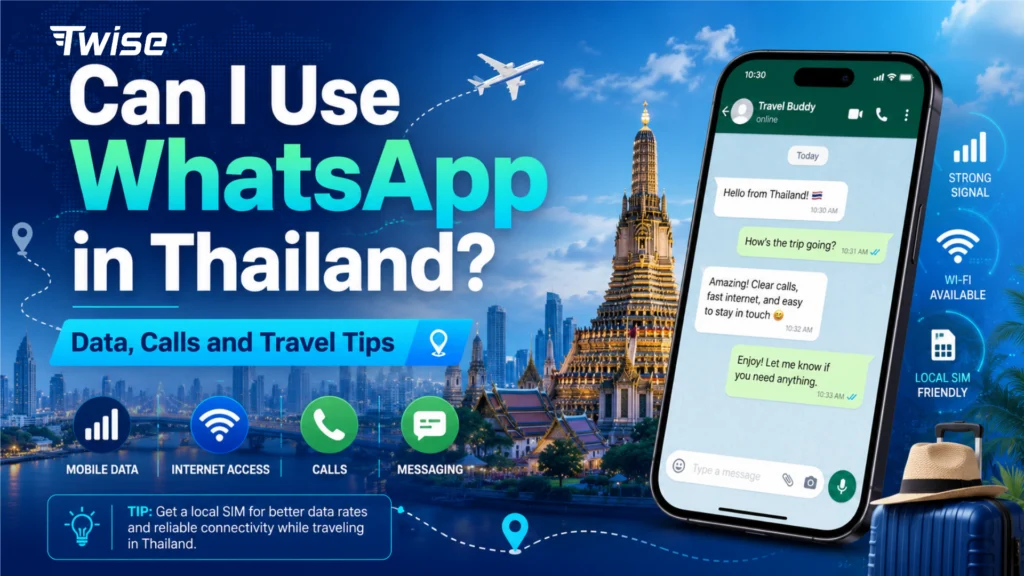
Can I Use WhatsApp in Thailand? Data, Calls and Travel Tips
Aug
Yes. If you are asking “Can I use WhatsApp in Thailand?”, WhatsApp works when your phone has an internet connection. You can use messages, voice calls, video calls, photos, and group chats through Wi-Fi or mobile data.
For travelers, the more important question is how to stay online without relying on expensive home-country roaming. A Thailand eSIM can provide the data WhatsApp needs while allowing you to keep your existing WhatsApp number.
You Can Keep Your Existing WhatsApp Number in Thailand
Installing a Thailand eSIM does not mean you have to change the number registered with WhatsApp.
For example, if your WhatsApp account uses your UK, US, Australian, Canadian, or other home-country number, you can keep that number while using a Thailand eSIM for mobile data.
This works particularly well on Dual-SIM phones. Your setup can be:
Home SIM: Keep your original number active, but turn Data Roaming off if you want to avoid home-carrier data charges.
Thailand eSIM: Select this line for mobile data.
WhatsApp then continues using your existing account while the Thailand eSIM supplies the internet connection.
This is useful because you do not need a Thai phone number simply to make WhatsApp calls or send WhatsApp messages.
Twise Also Offers Local Thailand eSIM Options
Twise offers travel-data plans as well as local TRUE-based Thailand eSIM options.
One current Twise TRUE local plan, the 219-baht package, provides a Thai mobile connection with 5G/4G data. Its phone-service setup is more limited than a conventional calling SIM: outgoing cellular calls and SMS are disabled, while incoming calls and SMS are supported.
This is consistent with TRUE/dtac’s official Data-Only Tourist SIM rules. TRUE states that this category supports mobile data, incoming voice, and incoming SMS/MMS, but disables normal outgoing calls and outgoing SMS/MMS apart from specified emergency and customer-service numbers.
That does not prevent WhatsApp calling. WhatsApp calls use mobile data rather than the eSIM’s traditional cellular voice service.
So a traveler can keep WhatsApp registered to their home-country number and use the local Thailand eSIM purely as the internet connection.
View Twise TRUE Local eSIM Here
Does Passport Registration Unlock Calls?

There is an important distinction here.
Thai local tourist SIMs are subject to identity-registration requirements. TRUE/dtac states that its tourist SIM service must be registered with a valid passport, and its registration process includes scanning the passport and completing identity verification.
However, passport registration does not automatically enable outgoing calls on a data-only tourist eSIM.
TRUE/dtac offers other tourist packages that include local calls, but those are calling-enabled plans rather than the Data-Only Tourist SIM. For example, its current Tourist INFINITE plans include local calls to Thai networks after the required registration.
Therefore, travelers have two practical choices:
If they only need WhatsApp, LINE, Grab, maps, browsing, and app-based calls, a data-focused Twise local eSIM can be sufficient.
If they need conventional Thai cellular calls, they should choose a local carrier plan that explicitly includes voice service and complete the passport-registration process required for that plan.
How WhatsApp Works With a Data-Only Thailand eSIM
WhatsApp does not need the telephone number belonging to your data connection.
Imagine that your WhatsApp account is registered with a Canadian number. You arrive in Bangkok and activate a Thailand eSIM for data.
Your setup becomes:
WhatsApp identity: Canadian number
Internet connection: Thailand eSIM
WhatsApp messages and calls: Sent through Thailand mobile data
Your contacts still see your normal WhatsApp account. There is no reason to change your WhatsApp number simply because you are traveling.
Keeping the home SIM available can also help if WhatsApp unexpectedly asks you to verify your original number again.
WhatsApp Calls vs. Normal Phone Calls
This difference is especially important with local Thailand eSIMs.
| Feature | WhatsApp over Twise eSIM data | Normal cellular call |
| Uses mobile data | Yes | No |
| Requires Thai number | No | Usually requires voice-enabled service |
| Keep existing WhatsApp number | Yes | Not applicable |
| Works with a data-only eSIM | Yes | No for outgoing calls |
| Useful for international contacts | Yes | Depends on calling plan |
| Passport registration needed just for WhatsApp | No | Local calling-enabled SIM registration may require it |
If your hotel, tour guide, or family uses WhatsApp, a data connection may therefore cover most of your communication needs.
If you must dial a Thai landline, restaurant, clinic, or other standard telephone number, you need a calling-enabled mobile line rather than WhatsApp alone.
Buy Twise TRUE Local eSIM Here
Real Travel Situations Where WhatsApp Helps
WhatsApp can become useful immediately after landing.
At Suvarnabhumi Airport, you might need to tell family that you arrived safely or message your hotel about a delayed check-in. In Phuket, a tour operator might send a revised pickup location. During an island trip, you might share your location with a travel companion.
All of these tasks can work through eSIM data without making a traditional cellular call.
LINE is also widely useful for communication in Thailand, so having reliable mobile data gives travelers another app-based option when a hotel, guide, or local contact prefers LINE instead of WhatsApp.
Wi-Fi or eSIM for WhatsApp in Thailand?
Hotel and café Wi-Fi can work perfectly well for WhatsApp, but it only helps while you are connected to that network.
A travel or local eSIM gives you mobile data when you are outside the hotel—for example, while using Grab, walking around Bangkok, taking a ferry, or finding your accommodation.
Home-carrier roaming can also provide WhatsApp connectivity, but travelers should check their carrier’s roaming pricing before using it.
For many visitors, combining hotel Wi-Fi with eSIM data outside the hotel offers more flexibility.
What If WhatsApp Stops Working?
First check whether the problem is actually WhatsApp.
Open a browser or another app. If nothing has internet access, confirm that your Thailand eSIM is enabled and selected as the mobile-data line.
If you are using Dual SIM, make sure the phone has not switched mobile data back to your home SIM.
If WhatsApp asks for account verification, you may need access to your original phone number. This is another reason to keep your home SIM available instead of removing it completely.
Use WhatsApp in Thailand Without Changing Your Number
If you are wondering “Can I use WhatsApp in Thailand?”, you do not need to replace your WhatsApp number or depend on traditional cellular calls.
Keep WhatsApp registered to your home-country number and use a Twise Thailand eSIM for the mobile data behind messages, voice calls, video calls, Grab, maps, and other travel apps.
If conventional Thai calls are important, choose a local calling-enabled plan and complete the required passport registration instead of assuming a data-only tourist eSIM can be upgraded simply by verifying your identity.

FAQs
More Helpful Tips for Your Thailand Journey
- TRUE eSIM Thailand for Travelers: Plans, Activation, Coverage & Phone Number Options
- Wherer to Buy a Thailand eSIM Online Before You Travel
- Thailand Unlimited Data eSIM: Is It Really Unlimited for Tourists?
- Best Thailand eSIM for Tourists %currentyear% | Top Networks
