

How to Travel Japan Without Knowing Japanese: Best Apps, Signs, Translation & Internet Tips
Learning how to travel Japan without knowing Japanese is less about memorizing phrases and more about preparing a reliable system. Major airports, train stations, hotels, and popular attractions usually provide English support, but real friction appears when choosing the correct train, reading a menu, explaining an allergy, finding a hotel entrance, or handling a changed route. Save Japanese addresses, prepare an IC card, install translation and navigation apps, and arrange mobile data before departure. This guide explains what works in major cities, what becomes harder in rural areas, and how to manage practical travel tasks confidently from arrival and onward
Quick Answer: Can You Travel Japan Without Speaking Japanese?
Yes, if you prepare the right tools
Yes. First-time visitors can travel Japan without speaking Japanese because major airports, stations, hotels, department stores, and popular attractions often provide English signs or staff support. The trip becomes much easier when essential information is already saved on your phone instead of being searched under pressure.
It is easiest on major tourist routes
Tokyo, Kyoto, Osaka, Nara, Hiroshima, Fukuoka, and Sapporo are generally easier for non-Japanese speakers than small towns, remote islands, rural bus routes, and local-only restaurants. The difference is not hospitality; it is the availability of English signs, frequent transport, tourist information, and digital booking support.
The real challenge is not conversation, but logistics
Yes, you can travel Japan without knowing Japanese, especially in major tourist areas. Use Google Maps for routes, Google Translate or Lens for signs and menus, Visit Japan Web for arrival procedures, IC cards for transit payments, Japanese address screenshots for taxis, and a travel eSIM for live maps, translation, hotel messages, ticket access, and emergency alerts.
Most travelers do not need long conversations. The common problems are reading a platform notice, deciding whether a train stops at the destination, finding the correct station exit, explaining dietary restrictions, showing a taxi driver the right address, or recovering a booking when airport Wi-Fi disappears.
Quick survival table
| Situation | What helps |
| Train route | Google Maps / NAVITIME |
| Station gate | IC card |
| Menu | Camera translation |
| Taxi | Japanese address screenshot |
| Hotel message | Translation app + mobile data |
| Arrival procedure | Visit Japan Web |
| Emergency alert | Safety Tips |
| No Wi-Fi | Travel eSIM |
The Japan Without Japanese System: Apps, Cards, Addresses and Mobile Data
Apps solve route and language problems
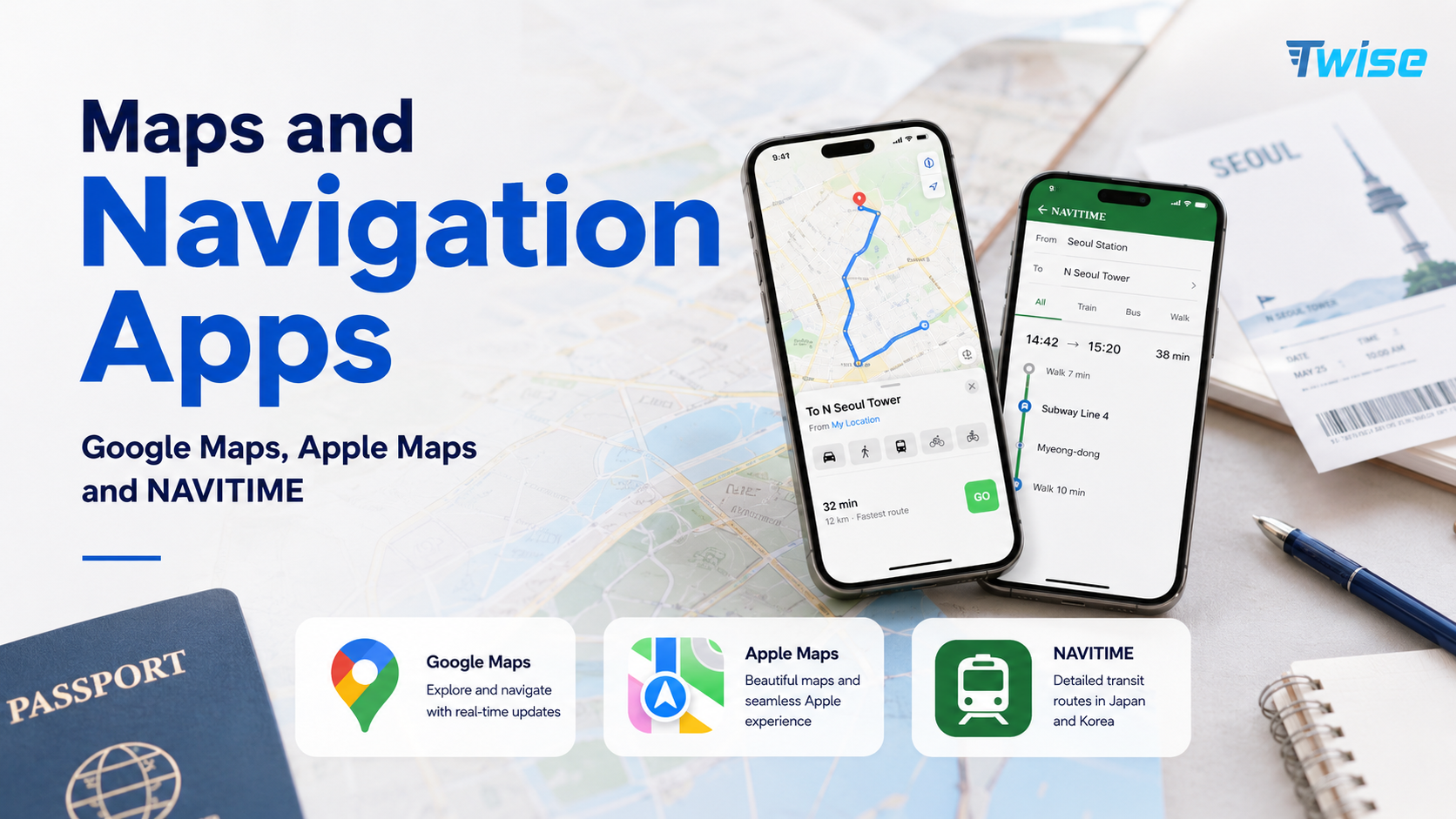
Google Maps, translation apps, NAVITIME, taxi apps, and safety tools reduce most day-to-day communication friction. Assign each app one job: route planning, translation, taxi booking, ticket access, or alerts. This is more dependable than trying to solve every problem through one general travel app.
IC cards reduce ticket-machine conversations
Suica, PASMO, and ICOCA-style IC cards allow travelers to tap through many local train and subway gates and pay at participating buses, convenience stores, vending machines, and lockers. They reduce the need to calculate individual local fares or explain a destination at a ticket counter.
Japanese addresses solve taxi and hotel problems
Always save the Japanese version of the hotel name, full address, and phone number. Romanized names can describe the property differently from local map listings. A Japanese address screenshot gives taxi drivers, station staff, and nearby shop employees something precise to read.
Mobile data keeps the system working
Without live data, camera translation, current train routes, taxi booking, hotel messages, ticket recovery, and emergency alerts become harder. Offline screenshots remain essential, but they cannot show a cancelled train, changed pickup point, or new walking route.
Arrival in Japan: What to Set Up Before You Land
Visit Japan Web
The official Visit Japan Web service supports online preparation for immigration and customs procedures and eligible tax-free shopping functions. Set it up before the flight, save the login details securely, and make sure the correct 2D code can be displayed on the phone you will carry through arrival.
Save your hotel address in Japanese
- Hotel name in Japanese.
- Full Japanese address.
- Hotel phone number.
- Nearest station and station exit.
- Check-in time and late-arrival policy.
- Booking confirmation and reservation name.
Prepare airport-to-hotel route
Save at least two airport-to-hotel options before the flight: the preferred train or bus route and a taxi or transfer fallback. Note the last practical departure time, the number of transfers, whether elevators are available, and how far the hotel is from the final station with luggage.
Install eSIM or prepare mobile data
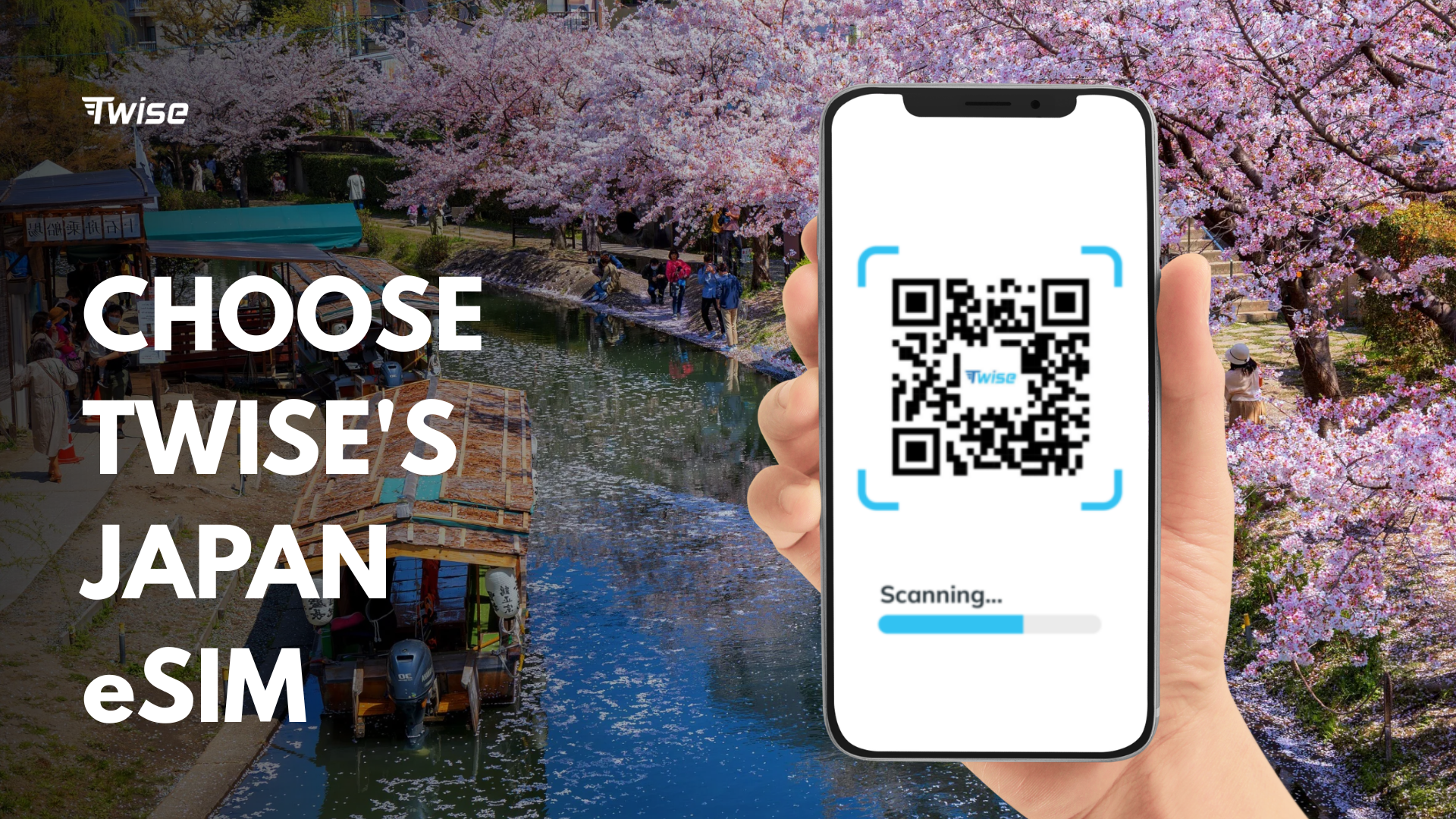
A travel eSIM helps maps, translation, hotel messages, and ticket access work immediately after landing. Install the profile before departure when the product instructions allow, save the QR or setup guide securely, and confirm which line should be used for mobile data after arrival.
First 90 minutes checklist
- Open Visit Japan Web and prepare the correct arrival code.
- Connect the eSIM or remain on airport Wi-Fi while testing it.
- Open the saved hotel address in Japanese.
- Check the current airport-to-hotel route.
- Top up an IC card or buy the correct ticket.
- Open the translation app and test camera mode.
- Message the hotel if the flight or transfer is delayed.
- Save a taxi or airport information-desk fallback.
- Notify family or travel companions that you have arrived.
Train Stations Without Japanese: How to Navigate Confidently
Use English station signs and route apps together
Major stations usually show English station names, line colors, station codes, platform numbers, and directional signs. Use the app to choose the route, then use physical station signs to confirm each step. Do not walk only by following the moving blue dot, because GPS becomes unreliable inside large stations.
Understand platform, line, direction and exit
- Line name: confirm the railway operator and exact line.
- Direction or final stop: check which end of the line the train is traveling toward.
- Platform number: verify it again on the station departure board.
- Station exit: choose the exit closest to the destination, not simply the first exit you see.
Local, rapid and limited express trains
Two trains can use the same line but stop at different stations. Confirm whether the service is local, rapid, express, or limited express and whether it stops at your destination. This matters more than simply boarding a train with the correct line color.
IC card makes local transit easier
An IC card lets you tap in and out on many local systems without buying a paper ticket for every journey. Keep enough stored value for the next trip, and remember that reserved Shinkansen tickets, airport express supplements, and some regional services may still require a separate ticket.
When to ask station staff
Ask staff when the app and station board disagree, a train is disrupted, or the destination uses an unfamiliar private railway. Show the destination in Japanese and point to the planned route. A simple “Sumimasen” is enough to get attention; you do not need to deliver a complete Japanese sentence.
Translation Apps: Menus, Signs, Labels and Conversations
Use camera translation for signs and menus
- Restaurant menus and food displays.
- Ticket machines and station notices.
- Food labels and ingredient lists.
- Medicine packaging and pharmacy instructions.
- Laundromat machines and hotel appliances.
- Shop signs and temporary closure notices.
Use text translation for hotel and restaurant messages
Google Translate or DeepL can help draft short messages about late check-in, luggage storage, reservation times, or basic requests. Keep sentences direct and include dates, times, and booking names separately so important details are not hidden inside a long paragraph.
Use conversation mode carefully
Conversation mode can help with short exchanges, but crowded stations and background noise reduce accuracy. Speak one sentence at a time, avoid slang, and show the translated text on screen before playing audio. Confirm numbers and times visually.
Download offline language resources
Download the Japanese language pack where supported. Offline resources help in tunnels, rural areas, and temporary coverage gaps. Live data often improves recognition and provides more complete features, so treat offline mode as a backup rather than the default.
When not to translate
For taxis, hotels, stations, and delivery points, show the original Japanese address rather than translating it into English. Translation can alter place names or remove district information. The original text and a map pin are more useful than a natural-sounding English version.
Ordering Food Without Japanese
Use visual menus, ticket machines and food displays
Many restaurants use photographs, plastic food displays, touchscreen ordering, or ticket machines. Confirm size, spice level, side dishes, and whether the machine issues a ticket that must be handed to staff. Camera translation is useful when the English button is missing or incomplete.
Useful ordering phrases
- “Kore o kudasai” — this one, please.
- “Sumimasen” — excuse me.
- “Arigatou gozaimasu” — thank you very much.
- “Eigo menu wa arimasu ka?” — do you have an English menu?
Allergy and dietary restrictions
Allergies require more preparation than ordinary ordering because ingredients can appear in sauces, broths, seasoning, and shared cooking equipment. Do not rely only on live machine translation for a serious allergy.
- Carry a professionally translated allergy card.
- Save the Japanese text and a screenshot offline.
- Ask the hotel to help call the restaurant when necessary.
- Choose restaurants with clear allergen support.
- Keep backup dining options near the hotel.
Convenience stores and vending machines
Convenience stores are useful when restaurants feel difficult or close early. Packaging, photos, self-checkout screens, and IC card payments reduce conversation. Use translation for ingredients and heating instructions, but ask staff or avoid uncertain products when an allergy is serious.
Taxis, Hotels and Local Communication Without Japanese
Show Japanese addresses, not English addresses
Taxi drivers and local staff may recognize the Japanese place name more easily than a Romanized address. Show the full address, map pin, phone number, and a nearby landmark. Confirm the correct branch when a hotel or restaurant has several locations.
Use taxi apps when needed
GO Taxi and other available ride apps can reduce conversation by transmitting the pickup and destination digitally. They are especially useful with luggage, during heavy rain, or after the last convenient train. Account, verification, and payment support can vary, so set up the app before depending on it late at night.
Hotel and ryokan messages
- Late check-in or delayed arrival.
- Luggage storage before check-in or after checkout.
- Dietary requests for a ryokan meal.
- Shuttle pickup location and departure time.
- Room equipment, heating, or bathroom questions.
- Lost property or booking changes.
Prepare a “show this screen” folder
- Hotel name and Japanese address.
- Booking confirmation.
- Airport or station route screenshot.
- Restaurant reservation.
- Allergy or dietary card.
- Travel insurance and emergency contact.
Signs, Symbols and Everyday Systems That Help Non-Japanese Speakers
Train line colors and station numbers
Urban train and subway systems often use line colors, letters, and station numbers. These codes help travelers confirm a route even when the Japanese station name is difficult to pronounce. Check the operator as well as the color because different systems can use similar colors.
Icons and pictograms
Toilets, exits, elevators, lockers, buses, information counters, accessibility routes, and coin lockers commonly use recognizable icons. Follow the symbol together with the floor or exit number. In a large station, the correct icon can still lead to several different facilities.
Convenience store systems
Self-checkout screens, IC card payment, product photos, receipt numbers, and standard store layouts make routine tasks manageable. Staff may ask whether food should be heated or whether you need a bag; watch the screen, point politely, or use a saved translation.
Ticket machines and English buttons
Many transport and restaurant machines provide an English option, but smaller stations and local restaurants may not. Use camera translation before inserting money so you understand ticket type, quantity, and refund conditions. Station staff can help when the route requires multiple operators.
What Gets Harder Outside Tokyo, Kyoto and Osaka?
Rural ryokan and small inns
English support may be limited, check-in times can be strict, and shuttle services may require advance notice. Message the property before travel, save the Japanese address and phone number, and confirm meals, bathing rules, and the last transport connection.
Local restaurants
Menus may be handwritten, reservations may be phone-only, and opening hours may change without an English update. Use photos, short phrases, and translation, but keep a second restaurant option. Small restaurants may also have limited capacity and may not accept large groups.
Countryside buses
Rural buses can be infrequent, cash-based, or harder to interpret. Save the timetable, bus stop name, direction, and return departure before leaving Wi-Fi. Take a photo of the stop where you board so the return point is easier to identify.
Clinics and pharmacies
Prepare insurance details, passport information, current medication, allergies, and symptoms in Japanese. Ask hotel staff or an official tourist information center for support. For urgent or serious symptoms, use professional medical assistance rather than relying only on an app.
Ski towns, islands and hiking areas
Download maps, save the accommodation, check weather and transport status, and keep mobile data where coverage exists. Mountain roads, ferries, and trails can have real dead zones, so tell someone the plan and carry offline information, power, water, and appropriate safety equipment.
Offline Prep vs Live Internet: What Works Without Data?
| Task | Offline possible? | Live data helps with |
| Basic phrase translation | Yes | Better accuracy and conversation mode |
| Camera translation | Sometimes | Smoother real-time recognition |
| Google Maps screenshot | Yes | Delays, rerouting, and live search |
| IC card at gates | Yes | Top-up or payment troubleshooting |
| Visit Japan Web QR | Sometimes if saved | Login and QR recovery |
| Taxi app | No | Booking and driver communication |
| Hotel messages | No | Check-in changes and support |
| Emergency alerts | Limited or no | Real-time alerts and updates |
Offline preparation is backup
Screenshots, saved addresses, downloaded maps, and language packs protect the trip when signal drops. They do not replace live information about delayed trains, changed platforms, taxi pickup, hotel messages, ticket recovery, or safety alerts.
When internet matters most
Internet matters most during airport arrival, unfamiliar train changes, taxi booking, live translation, hotel check-in, ticket recovery, and emergency updates. These situations usually happen while moving, when hotel and café Wi-Fi is not available.
Where Twise eSIM Fits: Connectivity as a Travel Helper, Not a Language Shortcut
Connectivity improves real-world travel tasks
- Live map searches and route changes.
- Camera translation and conversation support.
- Hotel and ryokan messages.
- Train delay and platform updates.
- Taxi booking and driver communication.
- Ticket access and account recovery.
- Emergency alerts and family communication.
Twise positioning
A Twise eSIM can support first-time travelers who want mobile data ready after landing so the apps they prepared actually work outside airport or hotel Wi-Fi. It does not replace Japanese addresses, offline screenshots, or sensible route planning; it connects those preparations to live travel conditions.
Pair eSIM with offline preparation

- Install the eSIM before departure if the activation rules allow.
- Save the QR code and setup guide securely.
- Download offline maps and Japanese language resources.
- Save hotel and destination addresses in Japanese.
- Test data after landing before leaving airport Wi-Fi.
Helpful Twise resources
Review device compatibility, carrier-lock status, installation timing, activation steps, and expected data use before purchase. These checks are easier at home than at an airport and prevent the most avoidable setup failures.
Safety and Emergency Support Without Japanese
Safety Tips app
JNTO’s official Safety Tips service provides international visitors with multilingual earthquake, tsunami, weather, transport, and emergency information. Enable notifications and check official local instructions when an alert may affect your area or travel route.
What to save before travel
- Embassy or consulate contact.
- Travel insurance policy and support number.
- Hotel phone number and Japanese address.
- Emergency contacts.
- Allergy, medication, or medical notes.
- Passport copy stored securely.
- Offline maps and transport screenshots.
How to ask for help
Use a simple phrase, show translated text, and point to the relevant address, ticket, or symptom. Hotel staff, station staff, official tourist information centers, and transport employees are often more useful than trying to explain a complex situation to a random passerby.
15-Minute Setup Checklist Before Traveling Japan Without Japanese
- Set up Visit Japan Web.
- Install Google Maps.
- Install Google Translate or Google Lens.
- Download Japanese language resources.
- Install NAVITIME if the trip is train-heavy.
- Prepare an IC card plan: Suica, PASMO, ICOCA, or a physical-card alternative.
- Save the hotel name and address in Japanese.
- Save the airport-to-hotel route.
- Screenshot booking confirmations and ticket details.
- Save a translated allergy or dietary card if needed.
- Install Safety Tips.
- Install a taxi app if needed.
- Check phone eSIM compatibility and carrier-lock status.
- Install the travel eSIM if the product timing allows.
- Pack a charged power bank.
- Carry backup payment and some cash.
Final Decision Guide: What Do You Really Need to Travel Japan Without Japanese?
Minimum setup for major tourist routes
For Tokyo, Kyoto, Osaka, Nara, Hiroshima, Fukuoka, or Sapporo, start with Google Maps, a translation app, an IC card, Visit Japan Web, the hotel address in Japanese, mobile data, payment backup, and a power bank. This setup covers most routine travel without requiring conversational Japanese.
Add these for train-heavy trips
Add NAVITIME, route screenshots, and SmartEX for eligible routes. The official SmartEX service supports online reservations for the Tokaido, Sanyo, and Kyushu Shinkansen, including many Tokyo-Kyoto-Osaka-Hiroshima-Hakata style journeys. It is not a universal booking tool for every train in Japan.
Add these for rural or ryokan trips
Prepare hotel messages, printed or saved Japanese addresses, offline maps, current weather and transport checks, and extra translation support. Confirm the last bus, shuttle reservation, meal time, and check-in deadline before leaving a major city.
Add Twise eSIM if…
You want translation, maps, hotel messages, taxi apps, train updates, ticket access, and emergency alerts to work immediately after landing. Live data reduces friction, while offline preparation protects the trip when coverage drops.

FAQs About Traveling Japan Without Knowing Japanese
