

KT Network Bands Explained: What Travelers Should Check Before Buying a Korea eSIM
Sep
If you are buying a Korea eSIM that connects through KT, checking whether your phone supports eSIM is only the first step. The device should also be carrier-unlocked and compatible with the mobile network technologies used by the selected plan.
Most recent mainstream iPhones, Samsung Galaxy flagships, and Google Pixel phones support broad ranges of LTE and 5G frequencies. However, older phones, regional variants, imported devices, and carrier-locked models deserve a closer check. Samsung and Google both publish model-specific network specifications, illustrating why the exact device version can matter rather than only the product-family name.
This guide explains KT network-bands background, how network compatibility differs from eSIM support, and what travelers should verify before choosing a Korea eSIM.
Already checked your phone? Compare Korea eSIM plans.
What Are Network Bands and Why Do They Matter?
Mobile networks use different portions of radio spectrum to carry cellular traffic. Your phone needs hardware that supports the relevant network technologies and frequencies to communicate properly with the network.
The important distinction is:
eSIM support means your phone can store and use a digital SIM profile. Network-band support means your phone’s hardware can connect to the mobile frequencies used by the carrier.
These two forms of compatibility are related, but they are not the same.
A phone can have an eSIM menu and successfully install a QR-code profile while still having different LTE or 5G capabilities from another regional version of the same device. Google’s current Pixel specifications, for example, list network support separately by regional model. Samsung likewise publishes detailed LTE and 5G capabilities for individual Galaxy models.
Modern flagship devices usually support a wide collection of international bands, while older or region-specific phones may offer fewer combinations.
Twise note: When an eSIM does not connect, do not immediately assume that the phone lacks a KT frequency. Twise support commonly checks the carrier lock, installation state, selected mobile-data line, Data Roaming setting, APN, network selection, and activation status first. A configuration problem can look very similar to a compatibility problem.
KT Network Bands: What Travelers Should Know
KT has used several spectrum layers during the development of its LTE and 5G networks. These figures should be treated as technical and historical background, not as a live list of every frequency available at every KT site today.
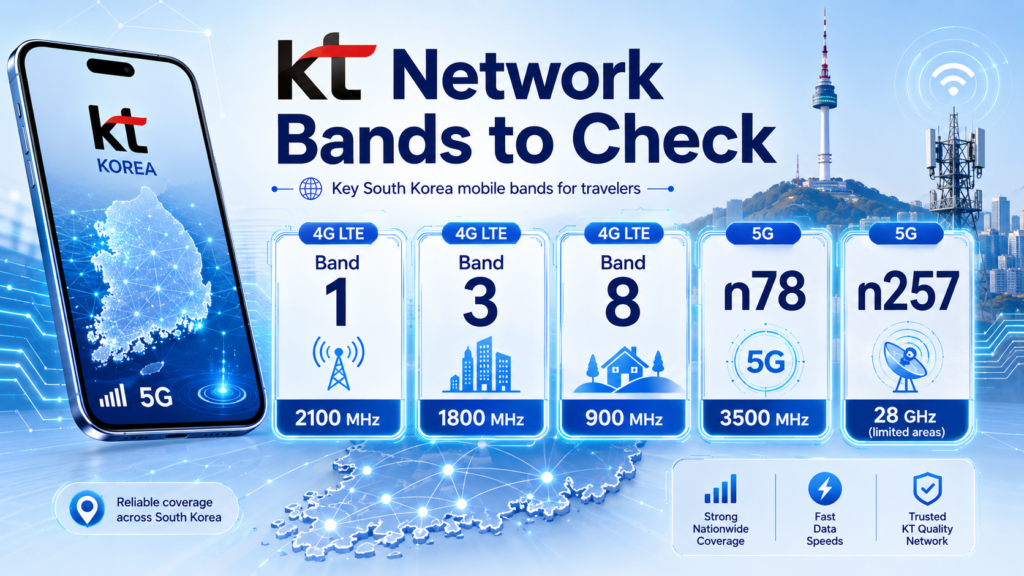
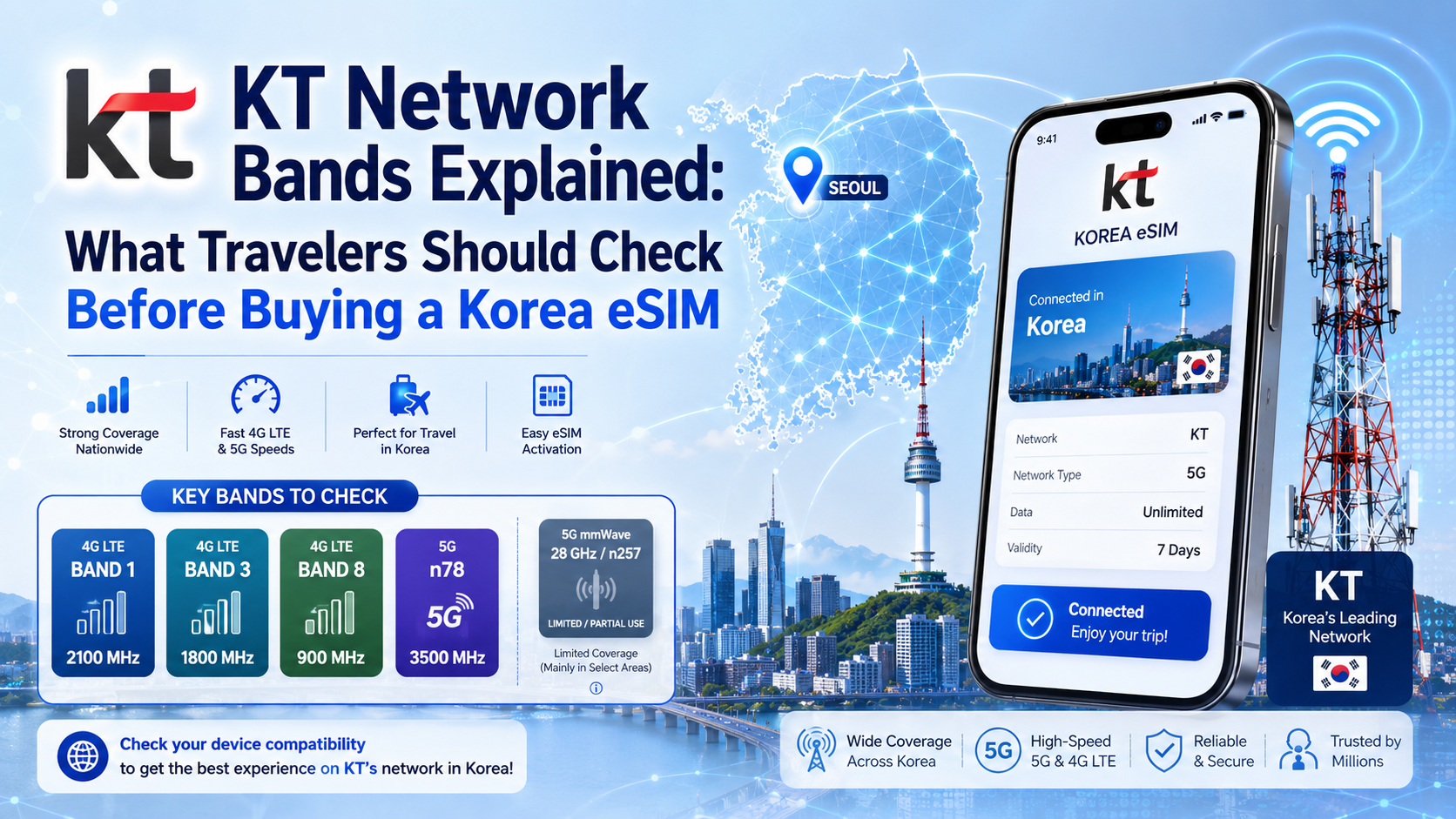
KT’s official materials identify 1.8 GHz and 900 MHz among its LTE spectrum resources. KT product specifications also explicitly identify LTE Band 3 at 1.8 GHz and Band 8 at 900 MHz.
KT’s corporate reports also show 2.1 GHz among its mobile spectrum holdings. Earlier KT reporting described use of the 2.1 GHz layer as part of its LTE-Advanced development, while its 1.8 GHz spectrum was a major component of its broadband LTE network.
KT also developed LTE-Advanced through wider channels and carrier aggregation. In 2013, the company announced the acquisition of additional spectrum adjacent to its existing 1.8 GHz LTE allocation for broadband LTE-A service.
For 5G, KT announced plans following Korea’s 2018 spectrum auction to use 100 MHz in the 3.5 GHz range and 800 MHz in the 28 GHz range.
However, 28 GHz requires an important update. Korea’s Ministry of Science and ICT announced in November 2022 that KT had satisfied its deployment obligations for 3.5 GHz but failed the required threshold for 28 GHz. The ministry consequently moved to cancel KT’s 28 GHz spectrum assignment. Travelers should therefore not treat KT’s historical 28 GHz allocation as a current consumer-network compatibility requirement.
| Network layer | What travelers should understand |
| LTE/4G | KT has historically used multiple LTE spectrum layers, with official KT device information specifically identifying Band 3 at 1.8 GHz and Band 8 at 900 MHz. |
| 5G | KT’s mainstream 5G deployment documentation centers on 3.5 GHz. A phone and plan still need compatible 5G support before a 5G connection should be expected. |
| Lower-frequency spectrum | KT’s 900 MHz LTE layer is lower in frequency than its 1.8/2.1 GHz resources and gives the network another propagation layer rather than relying on one frequency alone. |
| Higher-frequency spectrum | 1.8 GHz, 2.1 GHz, and particularly 3.5 GHz serve different capacity and coverage roles within a multi-band network. |
| Carrier aggregation | KT has historically combined or widened spectrum resources through LTE-Advanced technologies. A phone supporting one band does not automatically support every carrier-aggregation combination. |
| Historical 28 GHz 5G | KT originally received 28 GHz spectrum, but the government later canceled its assignment. It should not be used as a current travel-phone requirement. |
Supporting one listed frequency does not guarantee perfect service. Actual performance also depends on the exact device model, network conditions, location, congestion, plan provisioning, software configuration, and which network resources the selected eSIM can access.
Always verify current product and network details before purchase.
eSIM Compatibility and KT Network Compatibility Are Not the Same
A traveler needs to answer two different questions:
Can my phone install this digital SIM?
And:
Can my exact phone model communicate properly with the network used by the plan?
Apple currently lists KT in South Korea as supporting features including 5G, eSIM, LTE, Personal Hotspot and VoLTE on compatible iPhones and services. That confirms that KT supports these technologies within Apple’s carrier ecosystem; it does not mean every iPhone, plan, or travel eSIM receives every feature automatically.
Apple also lists KT among South Korean carriers supporting eSIM activation on iPhone.
Before purchasing a KT-based travel plan, check:
- The exact phone model and regional version.
- Carrier-unlocked status.
- eSIM capability.
- Relevant LTE and 5G support.
- Activation requirements.
- The network and services stated by the particular eSIM product.
Think of eSIM compatibility as the digital-SIM part. Network compatibility is the can-this-phone-connect-well-to-this-network part.
You need both together.
You can check whether your phone supports eSIM before choosing your Korea plan.
How to Check If Your Phone Can Work with a KT-Based Korea eSIM
1. Check Your Exact Phone Model
Do not stop at “Galaxy S25,” “Pixel,” or “iPhone.”
Find the precise model or regional version. Google currently publishes different network configurations by Pixel regional model, while Samsung’s Korean Galaxy S25 specification lists LTE and Sub-6 5G capabilities separately.
This matters particularly for imported phones and older regional variants.
2. Confirm Your Phone Supports eSIM
Look for Add eSIM, Add Cellular Plan, or a similar option under mobile-network settings.
Then compare the exact model with Apple, Samsung, Google, or the relevant manufacturer’s specifications.
You can also use Twise’s eSIM compatibility guide. Twise’s compatibility information includes supported Apple, Samsung, and Google devices, although manufacturer specifications should remain the final reference for a specific model.
3. Make Sure Your Phone Is Carrier-Unlocked
eSIM capability does not remove a carrier lock.
Google’s own Pixel guidance states that a phone must be SIM-unlocked to use it freely with another mobile carrier. Google also notes that not every Pixel model supports every 5G network.
If your phone was purchased through a home carrier and you are unsure about its status, ask that carrier before traveling.
4. Check Your 4G/LTE and 5G Expectations
Most tourists do not need 5G for every task.
LTE is generally sufficient for Naver Map, KakaoMap, KakaoTalk, Papago, hotel messages, transport searches, browsing, and ride-hailing apps.
5G may be more useful for large file transfers, intensive hotspot use, cloud work, or high-resolution streaming.
But never assume that a 5G-capable phone turns an LTE-only plan into a 5G plan. Device capability and product capability must both match.
5. Check the Selected eSIM Plan’s Network and Terms
Not every Korea eSIM uses KT.
Some plans connect through KT, while others may use SK Telecom or LG U+. Twise’s current Korea travel content, for example, identifies its Korea data option as using SK Telecom rather than KT.
Also check whether your selected eSIM is data-only or includes a Korean phone number, voice, or SMS. Data allowance, hotspot rules, activation instructions, throttling, and fair-use conditions can vary by product.
The product page always overrides general information in this guide.
Do Travelers Really Need 5G for a Korea eSIM?
Not always.
For most visitors, a dependable LTE connection is sufficient for navigation, translation, KakaoTalk, hotel communication, transport information, social media, email, and ordinary browsing.
| Traveler type | Is 5G essential? | What matters more |
| Maps + messaging | No | Compatibility and stable data |
| Social media | Usually no | Data allowance |
| Remote work | Helpful | Hotspot and dependable high-speed data |
| Video streaming | Helpful | Data allowance and speed policy |
| Short trip | Usually no | Easy activation and correct validity |
| Older phone user | No | LTE compatibility and carrier-unlocked status |
Even manufacturer guidance makes clear that 5G compatibility depends on the specific phone and network. Google notes that not every Pixel 4a 5G or newer Pixel works on every 5G network.
From Twise’s support perspective, the first buying question is better framed as:
“Will this work with my phone, cover my trip, and give me enough data?”
That normally matters more than simply asking, “Does it have 5G?”
Common Compatibility Mistakes Travelers Make Before Buying a Korea eSIM
- Checking eSIM support but not carrier lock. A phone may accept eSIM technology but still reject another provider because it remains locked to the original carrier.
- Assuming every Korea eSIM uses KT. Always check the network field on the actual product page.
- Assuming 5G is required. LTE is enough for many normal travel tasks.
- Confusing data-only eSIM with Korean phone service. A data-only eSIM does not automatically provide a Korean 010 number, standard calls, or SMS. Travelers who require those features should read our Korea eSIM with phone number guide. Twise’s current Korea data product is described as data-only.
- Forgetting settings after installation. The wrong data line, disabled roaming, incorrect APN, incomplete activation, manual network selection, or a phone that has not been restarted can all interfere with connectivity.
When a traveler reports that an eSIM “isn’t working,” Twise support first checks the profile installation, active data line, roaming requirement, APN, network selection, activation state, and carrier lock before deciding that the problem is network-band compatibility.
What to Check Before Buying a KT-Connected Korea eSIM
- Exact phone model and regional version.
- eSIM capability.
- Carrier-unlocked status.
- Whether LTE is enough or you specifically need 5G.
- Whether hotspot support matters.
- Whether you need a Korean phone number.
- Which Korean network the plan actually uses.
- Installation and activation timing.
- Validity period.
- Data allowance, speed limits, and fair-use terms.
When a KT-Based Korea eSIM Is a Good Fit
A KT-based Korea eSIM can be a practical fit if you have an unlocked, compatible phone and want mobile data for maps, KakaoTalk, Papago, ride-hailing, bookings, hotel communication, and everyday browsing.
The right choice still depends on the individual plan.
A data-only product may suit someone who communicates through internet apps. A traveler who needs a Korean number, conventional calls, or SMS should choose a product that explicitly includes those features instead of assuming they come with every KT-connected eSIM.
Twise Korea eSIM Options for Travelers
After compatibility is confirmed, compare Korea eSIMs by network, data allowance, validity, hotspot rules, phone-number features, speed policy, and activation instructions rather than carrier name alone.
Twise’s current Korea travel guidance describes its own Korea data option as SK Telecom-based and data-only, which is important here: reading about KT network bands does not mean every Twise Korea plan uses KT.
Suggested product module:
- Best for light users: Lower daily or fixed-data plans for maps, messaging, and browsing.
- Best for heavy data: Higher-data or unlimited-style plans, subject to published speed and fair-use rules.
- Best for phone number: Display only when the selected product explicitly includes Korean number/voice/SMS features.
- Best for short trips: Short-validity options matched to arrival and departure dates.
- Best for longer stays: Longer-validity plans with enough total or daily data.
Check Compatibility Before Choosing Your Korea eSIM
KT’s network-band history helps explain how a phone connects, but frequency lists should not replace device specifications or current product information.
Before buying, check your exact phone model, eSIM capability, carrier-unlocked status, and the network details of the selected plan.
Then choose according to the data, validity, speed, and phone-number features your trip actually requires.

FAQs About KT Network Bands and Korea eSIM Compatibility
More Helpful Tips For Your Korea Journey
- SKT Network Bands Explained: South Korea eSIM Compatibility
- LG U+ Network Bands Explained: What Travelers Should Check Before Buying a Korea eSIM
