

SKT Network Bands Explained: South Korea eSIM Compatibility
Sep
If you are buying a South Korea eSIM that connects through SK Telecom (SKT), eSIM support alone is not enough. Your phone should also be carrier-unlocked and compatible with the LTE or 5G network technologies used by the selected plan.
Most recent mainstream iPhones, Samsung Galaxy flagships, and Google Pixel phones support broad collections of international mobile frequencies. Older phones, regional variants, imported devices, and carrier-locked models deserve more careful checking. Google and Samsung both publish network specifications at model or regional-variant level, showing why the exact device matters.
This guide explains SKT network bands, the difference between eSIM and network compatibility, and what travelers should verify before choosing a South Korea eSIM.
Already checked your phone? Compare South Korea eSIM plans.
What Are Network Bands and Why Do They Matter?
Mobile networks transmit data through defined parts of radio spectrum called frequency bands. Your phone needs compatible cellular hardware to communicate with the frequencies and technologies being used by the network.
The key distinction is:
eSIM support means your phone can store and use a digital SIM profile. Network-band support means your phone’s hardware can connect to the mobile frequencies used by the carrier.
The two are related, but they are not the same.
A phone can successfully install an eSIM while supporting fewer useful SKT frequencies than another version of the same device. Google’s current Pixel specifications, for example, list LTE and 5G capabilities according to individual hardware variants. Samsung likewise publishes model-specific network and eSIM specifications.
Modern flagship phones usually offer broader international compatibility, but travelers should still check the exact model rather than assuming every iPhone, Galaxy, or Pixel version is identical.
Twise note: Travelers often check for an “Add eSIM” button but forget to verify carrier-lock status and regional model. If an eSIM installs but does not connect, the cause can also be Data Roaming, the wrong data line, an incorrect APN, manual network selection, incomplete activation, or another settings issue rather than missing SKT bands.
SKT Network Bands: What Travelers Should Know
SK Telecom’s own current T world guidance for imported phones provides a useful starting point for international travelers.
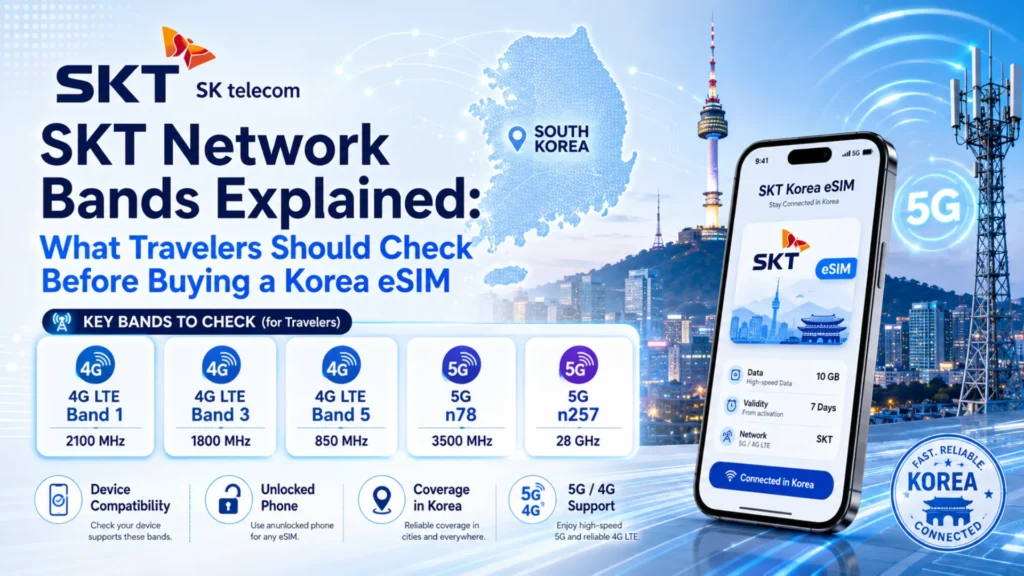
SKT currently tells users of imported devices to check support for LTE Band 1 at 2.1 GHz, Band 3 at 1.8 GHz, Band 5 at 850 MHz, and Band 7 at 2.6 GHz. The same guidance lists 3.5 GHz for 5G. SKT also cautions that imported phones have not necessarily passed its official quality testing, so some functions or connection quality may differ even when the frequencies appear compatible.
Historically, SKT has used these spectrum resources together rather than relying on a single LTE band. A 2017 SK Telecom technical announcement described LTE resources at 800/850 MHz-class spectrum, 1.8 GHz, 2.1 GHz, and multiple 2.6 GHz carriers. SKT used carrier aggregation to combine these resources as part of its LTE-Advanced Pro network.
SKT’s T world documentation explains carrier aggregation in simpler terms: multiple LTE frequencies can be combined instead of relying on only one carrier. That is why matching a single LTE band does not tell you everything about a device’s potential network performance.
For 5G, the relevant traveler-facing frequency in SKT’s current device compatibility guidance is 3.5 GHz.
South Korea also originally assigned 28 GHz 5G spectrum to its major carriers. In 2022, the Ministry of Science and ICT shortened SKT’s 28 GHz license period after deployment obligations were not met and warned that the assignment would be canceled if SKT missed a further May 2023 requirement. For today’s tourist-device checking, SKT’s current T world guidance is therefore more useful: it specifies 3.5 GHz as the relevant 5G frequency rather than asking imported-phone users to check 28 GHz.
| Network layer | What travelers should understand |
| LTE Band 1 | SKT lists Band 1 at 2.1 GHz for compatible imported phones. |
| LTE Band 3 | SKT lists Band 3 at 1.8 GHz as another LTE layer. |
| LTE Band 5 | SKT lists Band 5 at 850 MHz, giving the network a lower-frequency LTE layer. |
| LTE Band 7 | SKT lists Band 7 at 2.6 GHz, historically part of its additional LTE capacity. |
| 5G | SKT’s current imported-device guidance lists 3.5 GHz for 5G compatibility. |
| Carrier aggregation | SKT has historically combined several LTE carriers. Supporting one band does not guarantee support for every carrier-aggregation combination. |
| Historical 28 GHz | South Korea allocated mmWave spectrum during the early 5G rollout, but travelers should use SKT’s current compatibility guidance rather than treating 28 GHz as a normal phone requirement. |
This information should be treated as technical background, not a live engineering database. Network deployment, compatible devices, provisioning, and individual product access can change.
Supporting one listed band also does not guarantee a perfect connection. SKT itself notes that real-world performance can depend on factors such as device capability, radio conditions, distance from the base station, and concurrent users.
Always verify current network and product details before purchase.
eSIM Compatibility and SKT Network Compatibility Are Not the Same
A traveler needs to answer two separate questions:
Can my phone install an eSIM profile?
And:
Can this exact phone model work properly with the network used by that profile?
Apple currently lists SK Telecom in South Korea as supporting eSIM, 5G, LTE, Personal Hotspot, VoLTE, and other supported iPhone carrier features. Apple also lists SK Telecom among South Korean carriers offering eSIM activation methods.
That does not mean every iPhone or every SKT-powered travel eSIM automatically receives every feature available through a domestic SK Telecom plan. A compatible phone and compatible service plan are still required.
Before purchasing, verify:
- Your exact device model and region.
- Carrier-unlocked status.
- eSIM capability.
- LTE/5G network support.
- Activation requirements.
- The selected plan’s actual network and services.
Think of eSIM as the digital-SIM part of your setup. Network compatibility is the can-this-phone-connect-well part. Both are needed.
You can check whether your phone supports eSIM before choosing your plan.
How to Check If Your Phone Can Work with an SKT-Based South Korea eSIM
1. Check Your Exact Phone Model
Do not check only “Galaxy S25,” “Pixel,” or “iPhone.”
Find the exact model number and region. Google’s official Pixel specifications show LTE and 5G bands by hardware version, while Samsung publishes model-specific network specifications and eSIM configuration options.
This is particularly important for imported or older phones.
2. Confirm Your Phone Supports eSIM
Look under mobile settings for Add eSIM, Add Cellular Plan, or an equivalent option.
Then verify the model using the manufacturer’s specification page. Samsung notes that eSIM service availability can vary by country and carrier, another reason not to rely solely on the phone’s marketing name.
You can also check Twise’s eSIM compatibility guide.
3. Make Sure Your Phone Is Carrier-Unlocked
An eSIM-capable phone may still reject another provider’s profile if it is carrier-locked.
SK Telecom specifically tells imported-phone users that country and carrier restrictions need to be removed and that the device must support SKT’s network frequencies.
If you are unsure, ask the carrier that originally sold your phone before departure.
4. Check Your 4G/LTE and 5G Expectations
Travelers do not always need 5G.
LTE is usually sufficient for Naver Map, KakaoMap, KakaoTalk, Papago, ride-hailing, hotel messages, bookings, browsing, and social media.
5G can be useful for heavy downloads, remote work, high-resolution streaming, or intensive hotspot use. However, an LTE-only plan should never be described as 5G simply because your phone supports 5G.
5. Check the Selected eSIM Plan’s Network and Terms
Not every South Korea eSIM uses SK Telecom.
Some products use SKT, while others connect through KT, LG U+, or another roaming arrangement. Twise’s own Korea travel guide likewise explains that South Korea travel eSIMs may use different local networks depending on the product.
Also check whether the plan is data-only or includes a Korean number, calls, or SMS. Review hotspot rules, validity, activation timing, and any high-speed/fair-use policy.
Product-page details override general blog guidance.
Do Travelers Really Need 5G for a South Korea eSIM?
Not always.
LTE can comfortably handle most day-to-day tourist activities. Compatibility, usable coverage, data allowance, hotspot rules, and plan terms often matter more than maximum network speed.
| Traveler type | Is 5G essential? | What matters more |
| Maps + messaging | No | Stable data and compatibility |
| Social media | Usually no | Data allowance |
| Remote work | Helpful | Stability, hotspot, high-speed allowance |
| Video streaming | Helpful | Speed and fair-use policy |
| Short trip | Usually no | Easy setup and correct validity |
| Older phone user | No | LTE compatibility and unlock status |
SKT’s own guidance also notes that real-world LTE speeds depend on network and device conditions rather than theoretical maximum speeds alone.
From a Twise support perspective, the better first question is:
“Will this work with my phone, cover my trip, and give me enough data?”
That is usually more useful than choosing a plan only because it says 5G.
Common Compatibility Mistakes Travelers Make Before Buying a South Korea eSIM
- Checking eSIM support but not carrier lock. Having an eSIM menu does not prove that another carrier’s profile can be used.
- Assuming all South Korea eSIMs use SKT. Check the network stated on the actual product page rather than assuming every Korea plan uses the same carrier.
- Assuming 5G is required. LTE is adequate for most tourist tasks.
- Confusing data-only eSIM with local phone service. A data-only eSIM does not automatically include a Korean 010 number, conventional calls, or SMS. Twise’s current SKT-powered travel product is data-only, while other local/tourist SKT products may have different phone-number or verification rules. Read our South Korea eSIM with phone number guide if local-number functionality matters.
- Forgetting post-install settings. An otherwise compatible eSIM may stay offline because the wrong SIM is selected for mobile data, Data Roaming is disabled when required, the APN is incorrect, network selection is wrong, activation is incomplete, or the phone needs restarting.
When a traveler reports a non-working eSIM, Twise support normally checks the profile installation, active data line, roaming requirement, APN, network selection, activation state, and carrier lock before concluding that the phone lacks an SKT network band.
What to Check Before Buying an SKT-Connected South Korea eSIM
- Your exact phone model and regional variant.
- Whether the phone supports eSIM.
- Whether it is carrier-unlocked.
- Whether LTE is sufficient or you specifically need 5G.
- Whether hotspot support is important.
- Whether you need a Korean phone number.
- Which South Korean network the product actually uses.
- Installation and activation timing.
- Plan validity.
- Data allowance, throttling, and fair-use terms.
Compare South Korea eSIM plans
When an SKT-Based South Korea eSIM Is a Good Fit
An SKT-based South Korea eSIM can be a practical fit if your phone is unlocked and compatible and you want mobile data ready for maps, KakaoTalk, Papago, transport apps, hotel communication, bookings, ride-hailing, and everyday browsing.
The fit still depends on the specific plan, not simply the SKT name.
If you need a Korean phone number, standard calls, or SMS, confirm those services are explicitly included. Twise’s current SKT-powered tourist option is positioned as data-only rather than a conventional Korean voice/SMS line.
Twise South Korea eSIM Options for Travelers
After checking compatibility, compare Twise options by network, data amount, validity, hotspot support, speed policy, phone-number features, and activation instructions.
Twise currently offers SKT-powered data connectivity for travelers who primarily need internet access in South Korea. Current Twise content distinguishes this data-only option from local-number products and recommends checking live product terms before purchase.
Suggested product module:
- Best for light users: Smaller fixed or daily-data plans for maps and messaging.
- Best for heavy data: Higher-data or unlimited-style options, subject to current high-speed and fair-use rules.
- Best for phone number: Display only when a qualifying product explicitly includes the required Korean number/voice/SMS features.
- Best for short trips: Short-validity plans aligned with travel dates.
- Best for longer stays: Longer-validity options with sufficient data for the full trip.
Check Compatibility Before Choosing Your South Korea eSIM
SKT network bands are useful technical background, but a band list should not replace checking your actual phone and the current eSIM product.
Verify your exact phone model, eSIM support, carrier-unlocked status, and the selected plan’s current network details. Then compare data, validity, hotspot, speed, and phone-number features according to what your trip actually requires.

FAQs About SKT Network Bands and South Korea eSIM Compatibility
More Helpful Tips For Your Korea Journey
- KT Network Bands Explained: What Travelers Should Check Before Buying a Korea eSIM
- LG U+ Network Bands Explained: What Travelers Should Check Before Buying a Korea eSIM
