

Android Phones eSIM Compatibility – Best Guide For Travelers
Android Phones eSIM support lets travelers install a mobile plan digitally without removing their physical SIM card. Compatible devices include selected Samsung Galaxy, Google Pixel, OnePlus, Motorola, Oppo, and Xiaomi models, but support can vary by country, carrier, and hardware version. The fastest checks are looking for “Add eSIM” in cellular settings and confirming that the phone has an EID. The device must also be carrier-unlocked before it can use an unrelated provider. This guide explains how to check compatibility, identifies commonly supported Android phones, covers Dual SIM use, and shows how to activate a travel plan correctly.
Does My Phone Have eSIM? How to Check Android Phones eSIM
Your Android phone is eSIM compatible if it contains eSIM hardware and displays an option to download or add a digital mobile plan.
Checking the product name alone is not enough. A Galaxy, Pixel, or Xiaomi model sold in one country may support eSIM while a version with the same commercial name sold elsewhere may not.
Before purchasing a plan, confirm all four conditions:
- The exact device variant supports eSIM.
- The phone is unlocked.
- Its software enables eSIM in the original sales region.
- The selected provider supports that device and destination.
Method 1: Check Your Settings
The most reliable initial test is to inspect the phone’s SIM settings.
On many Android devices, open:
Settings > Network & Internet > SIMs > Add SIM > Set up an eSIM
On Samsung Galaxy phones, open:
Settings > Connections > SIM Manager > Add eSIM
On other brands, search Settings for:
- Add eSIM
- Download SIM
- Add mobile plan
- SIM Manager
- Download a new eSIM
If an option appears, the device probably supports eSIM. However, a carrier lock, regional restriction, or work-device policy may still prevent installation.
Also open Settings > About Phone > Status and look for an EID. The EID is a unique identifier associated with the phone’s embedded SIM hardware.
Do not publish your EID, IMEI, serial number, QR code, or activation code. These identifiers should only be shared privately with the device manufacturer, carrier, or plan provider when necessary.
Method 2: Dial the IMEI Code
Open the Phone app and dial:
*#06#
Most Android phones will display one or more device identifiers. An eSIM-compatible phone may show:
- IMEI 1
- IMEI 2
- EID
The EID is the strongest sign that the device contains eSIM hardware. A second IMEI alone is not definitive because some phones use two physical SIM cards.
If nothing happens after dialing the code, check Settings > About Phone instead. Some carriers, regional firmware versions, and managed devices disable diagnostic codes.
Avoid taking an uncensored screenshot of this screen. An online seller only needs to show that an EID field exists, not expose the entire number.
Method 3: Use Nomad’s Device Checker
However, compatibility lists can lag behind new releases and may not distinguish between regional variants.
Use a checker as a preliminary filter, then verify the result through:
- The phone’s Add eSIM menu
- The EID field
- The manufacturer’s regional specifications
- The exact model code
- The provider’s compatibility requirements
This is especially important when buying from an overseas seller. The shop’s location does not prove that the device was manufactured for that market.
Unlocked Phones and eSIM: What You Need to Know
A carrier lock restricts the phone to the original network or its approved plans. It affects physical SIM cards and eSIMs, so replacing the SIM format does not bypass the restriction.
Possible signs of a locked device include:
- “SIM not supported” during installation
- A request to contact the original carrier
- The profile downloads but cannot activate
- Another provider’s physical SIM also fails
- Network settings remain tied to the original carrier
Check the lock status through the original carrier or the phone’s purchase records. Android does not provide one universal lock-status menu across every brand.
If the phone was financed or purchased through a carrier promotion, confirm:
- Whether it has been fully paid
- Whether a minimum service period applies
- Whether the account is in good standing
- Whether an unlock request is required
- Whether international use is restricted
Complete the unlock process before departure. Airport Wi-Fi is not a good setting for resolving unpaid-device records, account verification, or carrier support delays.
eSIM Compatible Android Phones: Full Device List
The table below covers major Android families commonly documented with eSIM support. It is not a guarantee for every regional version.
| Brand | Commonly compatible families | Important exceptions |
|---|---|---|
| Samsung | Galaxy S20 and later flagships, Note20, Z Fold and Z Flip families, selected FE, A-series and XCover models | Country, carrier and model-code restrictions apply |
| Pixel 2 and later generations, including Pro, Fold and selected A-series models | Early models and some regional variants have limitations | |
| OnePlus | Selected OnePlus 11, 12 and later regional models | Some variants and related R models do not support eSIM |
| Motorola | Newer Razr, Edge and selected Moto G models | Support varies widely by country and carrier |
| Oppo | Selected Find X and Find N models | Many regional versions remain physical-SIM-only |
| Xiaomi | Selected Xiaomi 12T, 13, 14, 15 and newer premium models | Redmi and Poco support remains limited |
Always confirm the model code before payment. Manufacturer lists frequently include a warning that availability depends on the country of origin, carrier, and software configuration.
Samsung Galaxy: eSIM Compatible Phones
Commonly supported Samsung families include:
- Galaxy S20, S20+ and S20 Ultra
- Galaxy S21, S21+ and S21 Ultra
- Galaxy S22, S22+ and S22 Ultra
- Galaxy S23, S23+ and S23 Ultra
- Galaxy S24, S24+ and S24 Ultra
- Galaxy S25, S25+, S25 Ultra and S25 Edge
- Galaxy Note20 and Note20 Ultra
- Galaxy Z Fold, Z Fold2 and later Fold models
- Galaxy Z Flip, Z Flip 5G and later Flip models
- Selected Galaxy S23 FE, S24 FE and later FE models
- Selected Galaxy A54, A55, A56, A35 and A36 versions
- Selected Galaxy XCover7 models
Samsung explicitly warns that some devices on its list may not support eSIM in every country. Check the current Samsung Galaxy compatibility list and compare the full model code shown under Settings > About Phone.
Many Galaxy S20 FE, S21 FE and older A-series phones do not offer eSIM. Do not assume “FE” or “5G” indicates compatibility.
Google Pixel: eSIM Compatible Phones
Google introduced eSIM on the Pixel 2 for limited carrier use. Broader support followed on later generations.
Commonly compatible families include:
- Pixel 2 and 2 XL, with early carrier limitations
- Pixel 3 and 3 XL
- Pixel 3a and later A-series models
- Pixel 4 through current numbered Pixel generations
- Pixel Pro models
- Pixel Fold and Pixel Pro Fold models
Some Pixel 3 devices purchased in particular markets or through certain carriers have eSIM restrictions. Japanese and imported variants may also behave differently.
Open Settings > Network & Internet > SIMs > Add SIM to verify the actual device. Google’s Pixel eSIM instructions also explain how to download a SIM profile and use two lines.
OnePlus: eSIM Compatible Phones
OnePlus compatibility is particularly regional. Selected versions of these families may support eSIM:
- OnePlus 11 5G
- OnePlus 12
- Selected later flagship models
Do not automatically extend that support to every device with a similar name. For example, OnePlus specifications identify some OnePlus 12R versions as not supporting eSIM, even where the OnePlus 12 supports it.
Check the official specification page for the exact sales market. OnePlus also notes that feature availability can depend on local carriers. The company’s OnePlus 12 specifications illustrate this regional qualification.
Motorola: eSIM Compatible Phones
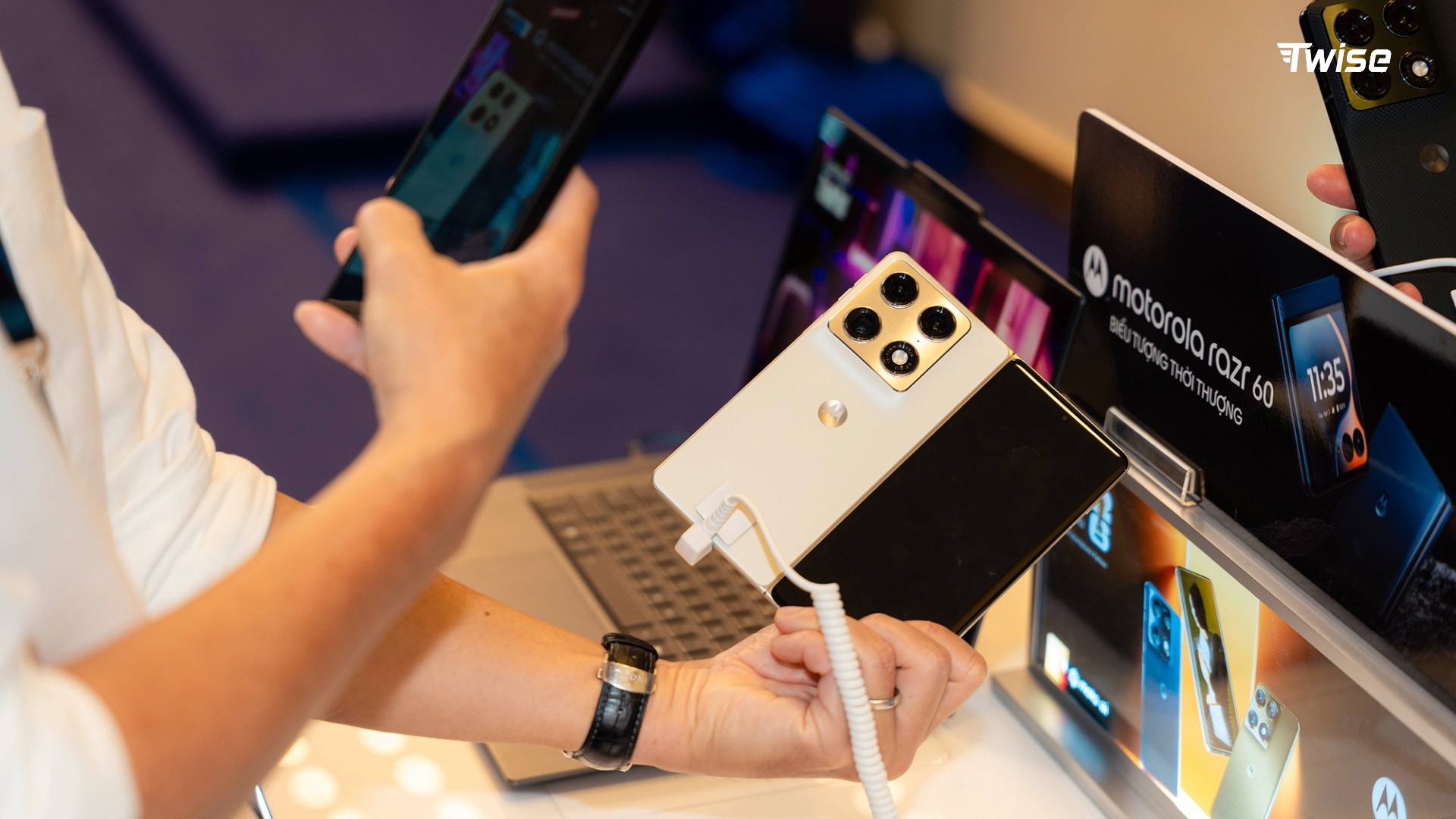
Motorola supports eSIM on selected models, including many newer versions of:
- Motorola Razr and Razr+ families
- Motorola Edge 40 Pro
- Selected Edge 40, Edge 50 and later Edge models
- Selected Moto G models
- Selected ThinkPhone models
Motorola names vary between North America, Europe, Latin America, and Asia. A Razr or Edge phone sold in one market may not share the same SIM configuration as the version advertised elsewhere.
Use the full model number under Settings > About Phone > Regulatory Labels, then check the matching regional specification page.
Oppo: eSIM Compatible Phones
Oppo eSIM support is concentrated in selected premium devices and markets. Compatible families may include certain versions of:
- Oppo Find X3 Pro
- Find X5 and Find X5 Pro
- Find X6 and later Find X models
- Find N foldable models
- Selected Reno models in limited markets
Many Oppo phones still use two physical nano-SIM cards. ColorOS may show Add eSIM under Settings > Mobile Network, but menu names vary.
An imported Find X or Find N device should be checked carefully because Chinese and international firmware versions can have different cellular features.
Xiaomi: eSIM Compatible Phones
Xiaomi has expanded eSIM support across selected premium models. Common examples include certain versions of:
- Xiaomi 12T Pro
- Xiaomi 13, 13 Pro and 13 Lite
- Xiaomi 13T and 13T Pro
- Xiaomi 14, 14 Pro and 14 Ultra
- Xiaomi 14T and 14T Pro
- Xiaomi 15 family
- Selected newer premium models
Support depends on market and model configuration. A global Xiaomi version may support eSIM while a mainland China version does not.
Most Redmi and Poco devices remain physical-SIM-focused. Confirm compatibility individually rather than assuming that every phone running HyperOS has the same SIM capabilities.
Cheap eSIM Compatible Phones
A budget-friendly eSIM phone does not have to be a current flagship. Older refurbished devices and selected mid-range models can provide reliable travel connectivity at a lower price.
| Budget approach | Models worth checking | Main caution |
|---|---|---|
| Refurbished Google Pixel | Pixel 6a, 7a, 7 or later discounted models | Check battery health and regional variant |
| Older Samsung flagship | Galaxy S21, S22 or S23 series | Avoid unsupported FE or imported variants |
| Samsung mid-range | Selected Galaxy A54, A55, A56, A35 or A36 | Support differs by country |
| Refurbished foldable | Older Galaxy Z Flip models | Inspect hinge, screen and battery condition |
| Discounted Motorola | Selected Razr or Edge models | Verify the full regional model code |
Before buying a cheap phone, request:
- A screenshot of the About Phone page
- The full model code
- Proof that the Add eSIM menu appears
- Proof that an EID exists
- Carrier-unlock confirmation
- Battery-health information where available
- Repair and replacement-part history
- The seller’s return policy
A low-priced imported phone is not a bargain if it cannot install the intended plan or use important network bands at the destination.
How to Activate a Travel eSIM on Android
Install your plan on stable Wi-Fi before departure when the provider allows it.
The general process is:
- Purchase a compatible plan.
- Save the QR code and installation details.
- Open Settings > Network & Internet > SIMs.
- Select Add SIM.
- Tap Set up an eSIM or Download a SIM instead.
- Scan the provider’s QR code.
- Approve the profile download.
- Label the line by destination.
- Select it for mobile data.
- Enable data roaming if instructed.
- Turn off roaming on the home SIM.
- Disable automatic data switching if unexpected roaming is a concern.
Installation and activation are not always the same event. Some plans start when installed, while others begin when they first connect at the destination. Read the validity rule before scanning the code.
Travelers heading to the United States can review USA connectivity options before departure, while visitors to Japan can compare Japan travel plans based on trip length and expected data use.
Do not delete a non-working profile immediately. Many QR codes are single-use and may require provider intervention before they can be installed again.
How to Activate eSIM on Samsung Specifically
On a compatible Samsung Galaxy:
- Connect to Wi-Fi.
- Open Settings.
- Tap Connections.
- Select SIM Manager.
- Tap Add eSIM.
- Choose Scan QR code from service provider.
- Scan the supplied code.
- Approve the mobile plan.
- Return to SIM Manager.
- Select the travel line for mobile data.
- Open the new plan and enable data roaming if required.
Samsung may also offer carrier transfer, automatic plan discovery, or physical-SIM conversion. Availability depends on the carrier and region.
If Add eSIM is missing, confirm the complete model code and update the phone. A Galaxy family may support eSIM generally while a particular regional unit does not.
Using eSIM and Physical SIM at the Same Time
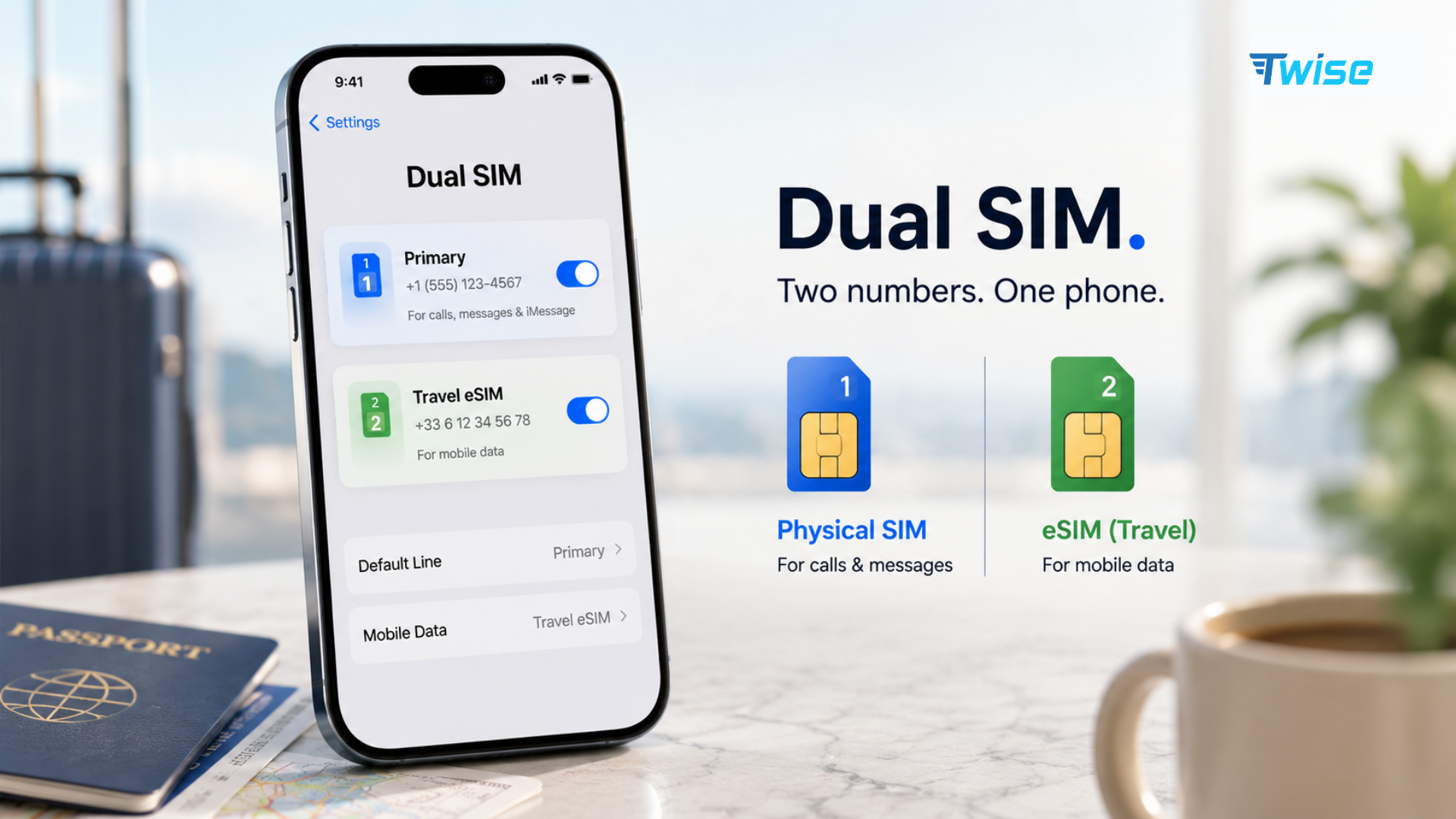
Many compatible Android phones support Dual SIM Dual Standby. This means an eSIM and physical SIM can remain active, although only one line normally supplies mobile data at a time.
A practical travel configuration is:
- Keep the physical home SIM active for banking messages.
- Turn off data roaming on the home SIM.
- Select the travel eSIM for mobile data.
- Enable roaming on the travel line if required.
- Disable automatic mobile-data switching.
- Choose the home number as the default for essential calls.
- Label both lines clearly.
Keeping a home SIM active may still create charges for calls, voicemail, or carrier services. Check the home carrier’s roaming rules.
Some devices can store several digital profiles but activate only one eSIM at a time. Storage capacity and the number of simultaneously active lines are separate specifications.
Why Use eSIM for Travel?
The main advantage is arrival readiness. Travelers can arrange connectivity before landing instead of searching for a SIM counter while trying to contact a hotel or request a ride.
Practical benefits include:
- Digital installation without opening the SIM tray
- Continued access to the home number
- Faster switching between destination plans
- No risk of misplacing the home SIM
- Easier setup for multi-country travel
- Access to maps and transport apps after arrival
- Remote purchase and top-up options
- Separate controls for home and travel data
A travel eSIM is most useful when compatibility, coverage, validity, data allowance, and hotspot policy are checked before purchase. Frequent video calls, streaming, cloud uploads, and tethering require more data than maps and messaging.
Frequently Asked Questions
