




Japan eSIM Hotspot for Laptop Use: What Remote Workers Need to Know
Aug
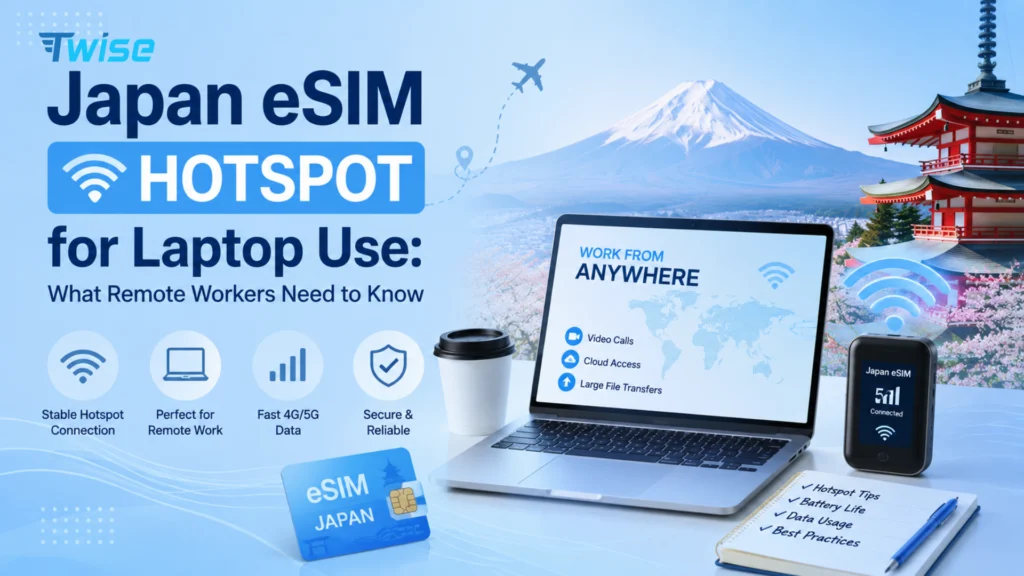
Yes, you can use a Japan eSIM hotspot for your laptop — but only if your phone’s tethering feature is on and the specific eSIM plan you buy allows hotspot sharing. Rather than defaulting to the largest or “unlimited” plan, remote workers should check hotspot permission, high-speed data allowance, throttling rules, and network coverage along the actual places they’ll work — not just the airport or hotel.
The real question isn’t “which Japan eSIM is biggest” — it’s “can this eSIM replace my hotel Wi-Fi for a full workday of video calls and file uploads?” That depends on plan structure more than headline data size, and that’s what this guide breaks down.
Can You Use a Japan eSIM as a Hotspot for a Laptop?
Most modern eSIMs support tethering, but hotspot capability depends on two things: your phone’s tethering feature (works the same as with a physical SIM) and whether the specific plan you buy allows hotspot sharing. Some travel eSIMs — especially very cheap regional bundles — disable or throttle hotspot use even when the phone itself supports it.
All of Twise‘s Japan eSIM plans — KDDI Unlimited, the KDDI daily-reset plan, the SoftBank daily plan, and the IIJmio/Docomo fixed-data options — support hotspot tethering, so the real decision comes down to how much high-speed data you’ll need and how your usage is structured, not whether hotspot is available at all.
Technically, your phone pulls data from the Japan eSIM and shares that connection with your laptop over Wi-Fi, USB, or Bluetooth tethering. The data source doesn’t change — only how it’s distributed. That means the same plan that feels generous for phone-only browsing can drain much faster once a laptop starts syncing files or joining video calls, since a laptop consumes data far less efficiently than a phone browsing session.
What Remote Workers Should Check Before Buying
Before comparing GB numbers, check these five things — they matter more than the headline allowance:
- Hotspot/tethering permission — confirm explicitly on the plan page, not just implied by “unlimited.”
- High-speed data allowance — the number that matters is how much stays at usable speed, not the total headline figure.
- Fair-use and throttling rules — check what speed you drop to after the threshold. 128 Kbps is fine for messaging; it’s unusable for a video call.
- 4G vs 5G — 5G helps for heavy uploads where available, but stable 4G everywhere beats patchy 5G in a few spots.
- Coverage along your actual route — check coverage for the co-working space, hotel, or city you’ll actually be working from, not just Tokyo’s main stations.
How Much Data Does Laptop Hotspot Actually Use?
Laptop activity uses data very differently from phone browsing:
- Email, Slack, browser-based work — light and predictable, similar to normal phone data use.
- Zoom, Google Meet, Teams — the single biggest laptop data driver; sustained video calls can use several hundred MB per hour.
- Cloud storage sync (Dropbox, Drive, OneDrive) — often runs in the background without you noticing, and can spike usage unpredictably.
- OS and app updates — a single macOS or Windows update can consume a meaningful chunk of a fixed-data plan if auto-update isn’t paused.
- Streaming after work — Netflix or YouTube on the same laptop moves you into a much heavier usage tier than a typical tourist.
If you only need a broader read on total data sizing (10GB vs 20GB vs unlimited), see our [Japan eSIM data plan comparison guide] — this section focuses specifically on laptop tethering behavior, not general trip sizing.
Fixed vs. Daily vs. Unlimited — Which Fits Laptop Hotspot Best?
| Data structure | Laptop hotspot fit | Main advantage | Main limitation | Best for |
| 10–20GB fixed | Limited/moderate | Predictable total allowance | Heavy meetings can exhaust it fast | Occasional laptop use |
| 30–50GB fixed | Strong | Large measurable pool | Still requires monitoring | Regular remote work |
| Daily high-speed plan | Moderate | Fresh allowance every day | One heavy workday can hit the daily cap | Consistent daily use, predictable schedule |
| Unlimited/high-volume | Strongest | Least usage monitoring needed | Fair-use terms still apply; higher cost | Heavy or unpredictable work |
“Unlimited” isn’t automatically the right answer — someone tethering for 30 minutes every few days has very different needs from someone working 8 hours a day. Twise’s Japan lineup spans fixed IIJmio/Docomo plans, a KDDI daily-reset option, and a KDDI Unlimited 5G plan, so the decision comes down to how often you’ll tether — not just how much data is on paper.
When a KDDI Unlimited eSIM Makes Sense (and When It’s Overkill)
Twise’s KDDI Unlimited 5G plan is built for heavy, unpredictable usage: it runs on KDDI’s domestic network directly rather than international roaming, supports hotspot, and — like the rest of Twise’s Japan lineup — doesn’t require Japanese ID to activate. That combination fits three situations well:
- Frequent video meetings where you can’t predict exactly how many calls you’ll take during the trip.
- Daily laptop tethering across a multi-week stay, where a fixed allowance would need constant monitoring.
- Large downloads or cloud-heavy work — content creators uploading photos/video, or engineers pulling large files.
If your laptop only comes out occasionally — checking email between sightseeing stops — a fixed 30–50GB plan will likely cost less without meaningfully limiting you.
Compare Twise’s KDDI Unlimited and fixed-data Japan plans based on how often you’ll tether — not by defaulting to the biggest number.
Phone Hotspot vs. Pocket Wi-Fi vs. Physical SIM for Laptop Work
| Option | Laptop tethering | Extra hardware | Keep home SIM active | Setup before arrival | Best for |
| Japan eSIM + phone hotspot | Yes, on all Twise plans | None | Yes, on dual-SIM phones | Yes | Solo remote worker, single device |
| Pocket Wi-Fi | Yes | Router + pickup/return | Yes | Reservation usually needed | Multiple devices or users sharing one connection |
| Physical Japan SIM | Plan-dependent | SIM card | Requires SIM swap/management | Sometimes | Non-eSIM phones |
Phone hotspot wins for a solo traveler doing short work sessions between other activities — no extra device to carry or return. Pocket Wi-Fi becomes worth considering when several devices need sustained connectivity all day, since it doesn’t drain your phone’s battery the way prolonged tethering does. That battery drain is worth planning around regardless of which option you pick — bring a power bank if you’re tethering for hours.
Can You Rely on an eSIM Hotspot for Video Calls?
Cellular hotspot can absolutely handle Zoom or Teams calls, but no mobile network can guarantee an uninterrupted connection everywhere. For anything business-critical:
- Test the connection from your actual working location before an important meeting — good phone browsing doesn’t guarantee good video-call stability.
- Keep a Wi-Fi backup (hotel or co-working space) for calls you can’t afford to lose.
- Turn off video if the connection degrades — audio-only uses a fraction of the data and bandwidth, and keeps the meeting running.
Best Setup by Scenario
- Occasional laptop use → a larger fixed plan (30–50GB) covers you without paying for unlimited.
- Daily remote work with regular calls → KDDI Unlimited or another high-volume plan removes the need to track usage.
- Content creator uploading photos/video → prioritize high-speed allowance and hotspot support over total plan size.
- Two travelers sharing one connection → one hotspot-capable plan can cover both if you stay together; separate eSIMs give independence if you split up.
- Japan + Korea or another country on the same trip → a regional plan with continuity across borders avoids re-buying and re-setting-up hotspot at every stop.
How to Prepare Your Japan eSIM for Laptop Hotspot Use
- Confirm hotspot support on the specific plan page before buying — all Twise Japan plans support it, but data structure varies.
- Install the eSIM before you need it, over reliable Wi-Fi, and keep the QR/activation details accessible.
- Test the laptop connection — load a normal work tool and confirm tethering works before relying on it for something important.
- Keep your home SIM’s roaming controlled on a dual-SIM phone so your primary line stays active for calls while the Japan eSIM handles data.
Working from Japan with a laptop? Compare hotspot-capable Twise Japan eSIM plans — no Japanese ID required, QR delivery in 1–2 minutes

FAQs
Yes — every Twise Japan plan supports hotspot, but check your phone’s tethering feature is turned on too.
Not automatically. “Unlimited” usually refers to fair-use high-speed data; hotspot permission and throttling rules are separate terms to check.
It depends on activity: light browsing and messaging need little; sustained video calls, cloud sync, and streaming can multiply usage several times over.
No — Twise’s Japan plans, including KDDI Unlimited, activate without requiring Japanese identity verification.
Yes, video-call apps work over cellular hotspot, but actual call quality depends on coverage at your specific location and the plan’s throttling rules.
More useful tips for your journey to Japan
- Why Japan Prepaid eSIMs Are Great for Travelers – And Do They Include Phone Numbers?
- Rakuten Mobile eSIM Japan for Travelers: Good Fit or Local-Only Option?
