

A QR Code Error Nearly Disrupted Y Nhi’s Japan Trip
Aug
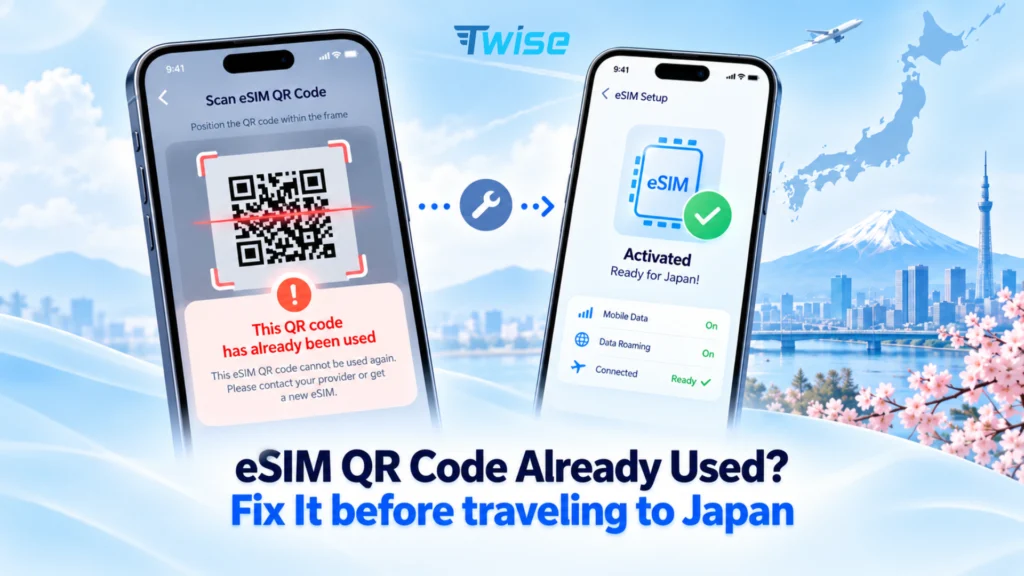
Warning: For this Japan eSIM, the QR code is a single-use activation token. Once the eSIM has been installed on one phone, the same QR code cannot normally be scanned again on another device. eSIM QR Code Already Used?
A customer purchased a Japan data eSIM from Twise to stay connected during an upcoming trip to Japan.
The plan was simple: install the eSIM on the primary phone before traveling and use it for maps, translation, transportation apps, hotel communication, and other daily travel needs.
However, when the customer scanned the QR code on the primary phone, the installation failed.
The phone displayed an error similar to:
“eSIM Cannot Be Added”
or
“QR Code Already Used.”
At first, it appeared that there might be a problem with the newly purchased Japan eSIM.
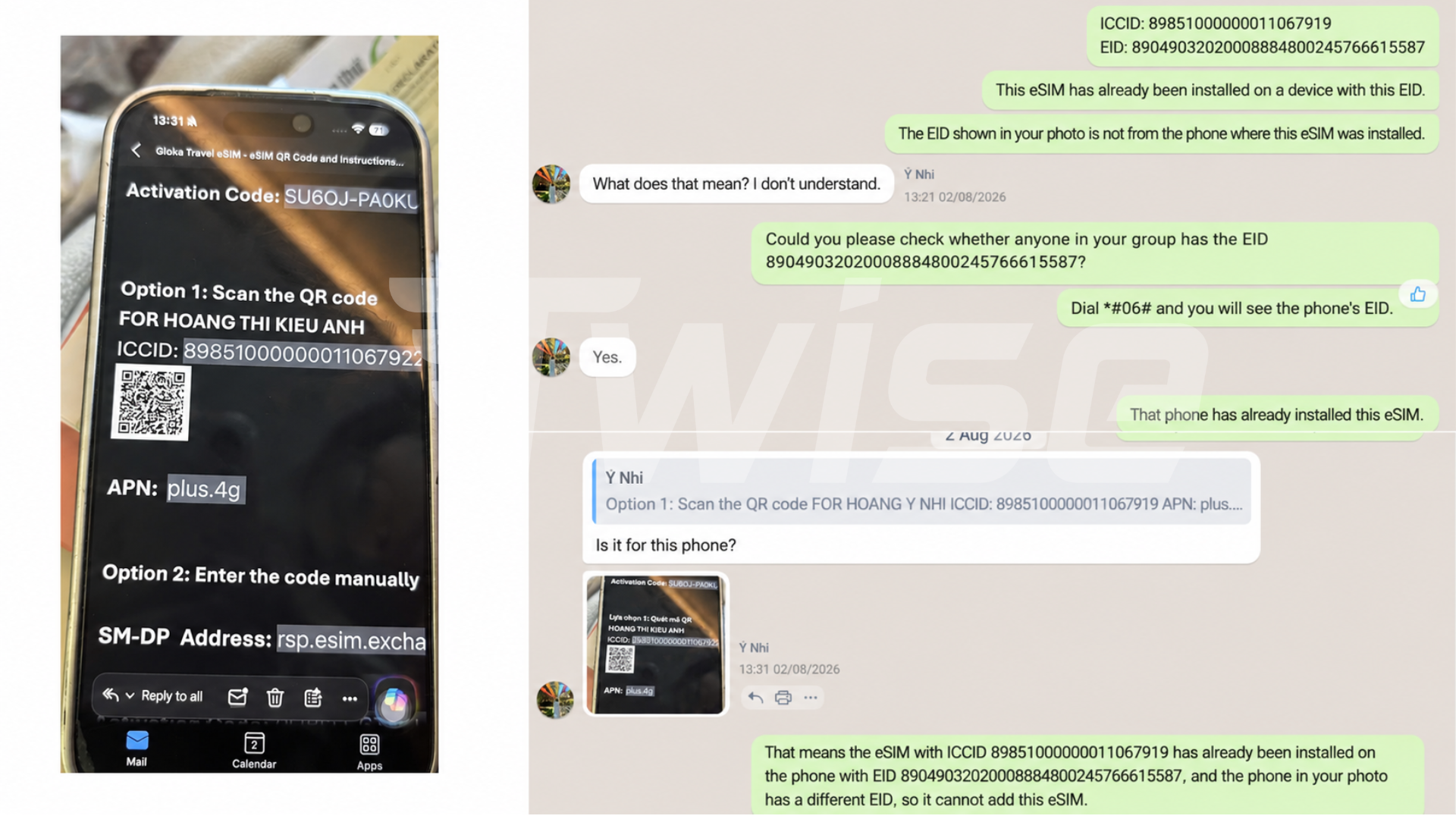
After reviewing the situation, Twise Support discovered a different cause: the QR code had already been scanned and the eSIM had been installed on the customer’s secondary work phone.
Because the activation token had already been consumed, the same QR code could no longer be registered on the intended primary device.
Twise guided the customer through removing the incorrectly installed profile and then contacted the partner carrier to request a brand-new eSIM QR code for the correct phone.
The customer was then able to continue preparing the primary device for the Japan trip.
Why the Japan eSIM Could Not Register
An eSIM QR code is different from a normal website QR code.
For this type of Japan eSIM, the QR code contains secure information that allows the phone to download a specific eSIM profile from the carrier’s provisioning system.
Once that profile has been successfully downloaded to a device, the activation token associated with the QR code is considered used.
This means scanning the same QR code on another phone may result in messages such as:
- QR Code Already Used
- eSIM Cannot Be Added
- Cellular Plan Cannot Be Added
- Activation Code Is No Longer Valid
Restarting the phone, changing Wi-Fi networks, or repeatedly rescanning the QR code will not normally solve the problem if the activation token has already been consumed.
In this case, the Japan eSIM itself was not defective. It had simply been installed on the wrong device first.
That distinction is important because travelers should avoid repeatedly scanning an eSIM QR code across multiple phones while troubleshooting.
How Twise Resolved the Issue & What You Should Do When eSIM QR Code Already Used or Scan
Once Twise Support confirmed that the Japan eSIM had previously been installed on the secondary phone, the solution involved two stages.
Step 1: Remove the eSIM From the Wrong Phone
Twise first guided the customer to completely remove the Japan eSIM profile from the secondary work device.
Simply turning the eSIM line off is not the same as deleting it.
On iPhone
Go to:
Settings → Cellular / Mobile Service → Select the eSIM → Delete eSIM
Depending on the iOS version and region, the final option may also appear as Delete eSIM or Remove Cellular Plan.
Confirm the removal only after verifying that you are selecting the incorrectly installed travel eSIM.
On Android
Menu names vary slightly between manufacturers, but on many Samsung devices you can go to:
Settings → Connections → SIM Manager → Select the eSIM → Remove
On other Android phones, the eSIM controls may appear under:
Settings → Network & Internet → SIMs
or a similar mobile network menu.
Make sure you identify the correct travel eSIM before deleting anything.
Step 2: Contact Twise Before Trying the Old QR Again
Deleting the eSIM from the wrong phone does not automatically make the original QR code reusable.
Because the original activation token had already been consumed, Twise Support contacted the partner carrier and requested a new eSIM profile.
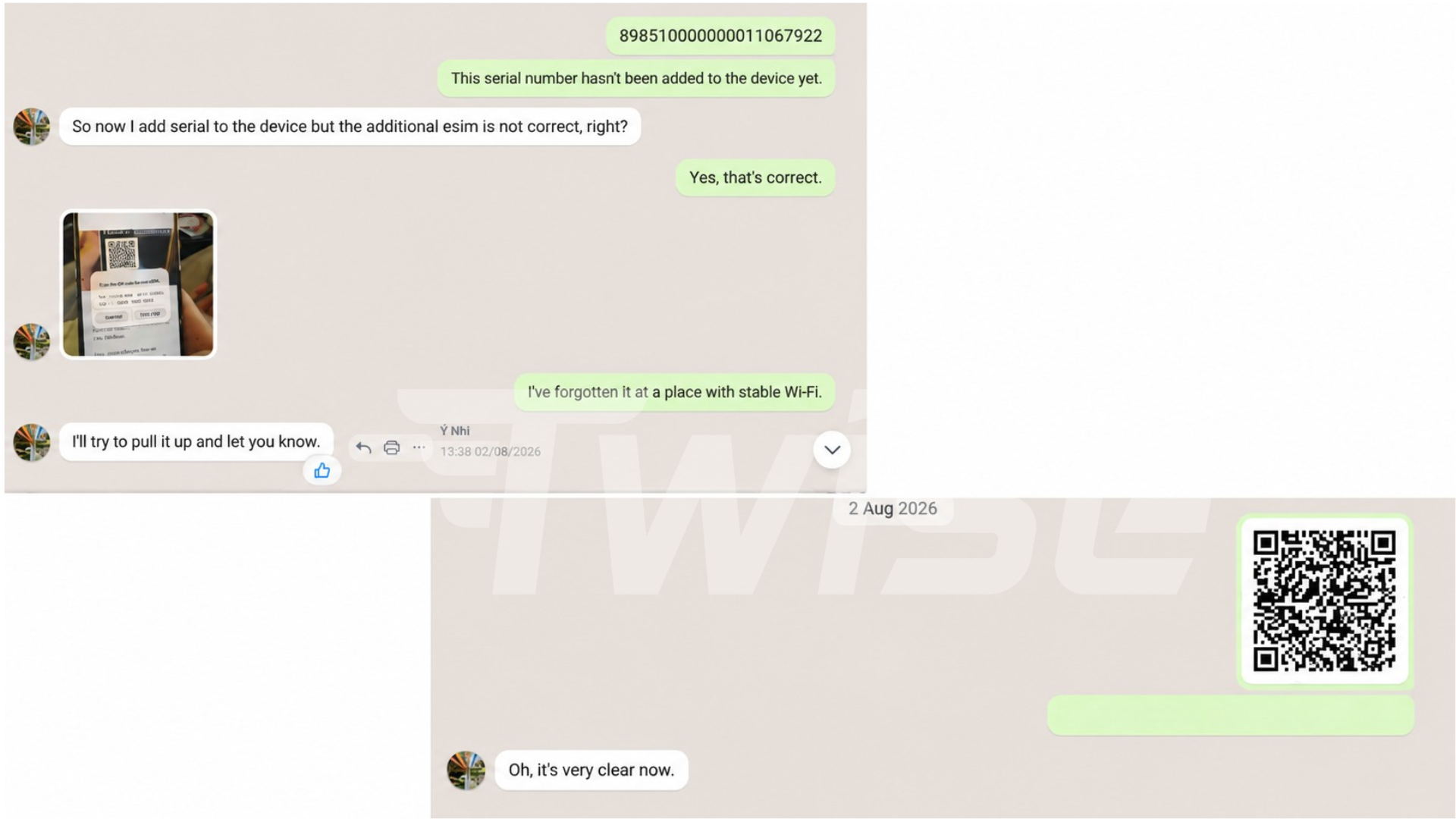
A new QR code was then issued for installation on the customer’s primary phone.
The important sequence was therefore:
Identify the wrong installation → contact Twise → remove the old profile → receive a replacement QR → install it on the correct phone.
If your Twise Japan eSIM shows “QR Code Already Used,” do not continue scanning the same code repeatedly.
Contact Twise Support and provide a screenshot of the error if possible. The support team can review the installation status and determine whether carrier assistance or a replacement eSIM is required.
Other Details to Check Before Setting Up a Japan eSIM
This case resulted from selecting the wrong device, but several other details should also be checked before installing an eSIM for Japan.
Make Sure You Are Using the Correct Phone
If you have a personal phone, work phone, tablet, or multiple eSIM-compatible devices nearby, confirm which device you plan to carry in Japan before scanning the QR code.
For a single-use eSIM QR code, scanning it on the wrong compatible phone can consume the activation token.
A simple precaution is to open the QR email only while setting up the phone you actually intend to use.
Use a Stable Wi-Fi Connection
The phone normally needs internet access to download the eSIM profile.
Install your Japan eSIM while connected to reliable Wi-Fi rather than starting the process with an unstable connection just before boarding a flight or immediately after landing.
If you are preparing the eSIM before departure, follow the activation instructions provided with your specific plan and avoid turning on the travel line earlier than required.
Confirm That the Phone Supports eSIM
Not every phone supports eSIM, even when another model from the same series does.
Compatibility can also vary by country or device version.
Before purchasing or installing, confirm that the exact phone model supports eSIM.
Check That the Phone Is Carrier-Unlocked
An eSIM-compatible phone may still reject another carrier’s profile if the device is locked to the original mobile operator.
For iPhone, you can usually check:
Settings → General → About → Carrier Lock
An unlocked iPhone generally displays:
No SIM restrictions
For Android devices, the checking process varies by manufacturer and carrierIf you are unsure, contact your current network provider before traveling.
Do Not Delete an eSIM During Troubleshooting Without Checking First
Deleting and reinstalling is not a universal eSIM troubleshooting method.
Some travel eSIMs use single-use installation credentials, which means removing a working profile may leave you unable to reinstall it with the original QR code.
If an eSIM has already been installed on the correct phone but is not connecting, contact Twise before deleting it.
The problem may instead involve mobile data settings, roaming configuration, APN settings, network selection, or activation timing.
The Lesson From This Experience
The customer’s Japan eSIM problem came from a very small setup mistake: the QR code was scanned on the secondary phone before being installed on the intended travel phone.
Because the QR code was single-use, moving the eSIM was not as simple as rescanning it.
Fortunately, the customer contacted Twise rather than repeatedly attempting the same activation. Twise identified the previous installation, guided the customer through removing the profile, and coordinated with the carrier to provide a new QR code.
The main lesson for travelers is straightforward:
Before scanning an eSIM QR code, confirm that you are holding the phone you actually plan to use during your trip.
If you see “eSIM Cannot Be Added” or “QR Code Already Used,” avoid immediately deleting profiles or repeatedly scanning the QR code.
Check your other devices first and contact Twise Support if you are unsure.
A few minutes of checking before installation can prevent unnecessary setup problems before arriving in Japan.
Why Twise Is a Trusted Provider for Your eSIM Japan
Choosing an eSIM is not only about purchasing a data package. Support becomes especially important when something unexpected happens during installation or while you are already abroad.
Twise combines Japan connectivity options with practical assistance before and during your trip.
1. Access to Leading Japanese Networks
Twise works with connectivity partners providing access through major Japanese networks including KDDI, SoftBank, and Docomo, depending on the selected eSIM plan.
This gives travelers different choices based on trip length, data requirements, network preference, and available plan types rather than forcing every traveler into the same package.
2. Japan eSIM Plans for Different Data Needs
Travelers do not all use mobile data in the same way.
Someone mainly using Google Maps, messaging, and translation may need much less data than a traveler frequently using social media, video calls, cloud services, or hotspot connections.
Twise provides multiple Japan eSIM options, including fixed-data and unlimited-data choices where available, so travelers can select a plan closer to their expected usage.
3. Fast Digital Delivery
There is no physical SIM card to collect or wait for in the mail.
After a successful order, eligible Twise eSIMs can be delivered digitally by email, with QR delivery typically completed within around 60 seconds.
This allows travelers to prepare their connectivity before departure instead of searching for a SIM shop after arriving in Japan.
4. Simple Pre-Trip Setup
Twise provides installation information so customers can prepare their eSIM while they still have reliable Wi-Fi.
For many travel data plans, travelers can install the eSIM before departure and keep the travel line turned off until it is needed, subject to the activation rules of the specific plan.
If the setup does not behave as expected, customers can contact support before making changes that could affect a single-use QR code.
5. 24/7 Technical Support
eSIM problems do not always happen during normal business hours.
A traveler might discover an installation issue before an early flight, after landing in Japan, or while changing hotels in a different time zone.
Twise provides 24/7 technical support to assist with installation, activation, network settings, and connectivity troubleshooting.
This case demonstrates why that support can matter: the issue required more than another attempt at scanning the QR code. Twise needed to identify the previous installation and coordinate a replacement with the partner carrier.
6. Clear Replacement and Warranty Support
When a verified technical problem requires carrier intervention, Twise can review the case and determine the appropriate solution, including replacement where covered.
However, eSIM replacements are not automatically guaranteed for every situation.
Warranty coverage generally applies to verified technical defects and does not cover circumstances such as incompatible devices, carrier-locked phones, unsupported regions, or other limitations outside the eSIM service itself.
Providing these conditions clearly helps travelers understand what support is available before purchasing.
7. Secure Payments and Customer Data Handling
Twise uses secure payment infrastructure, including Stripe, to process supported international cards and payment methods.
Customer and transaction information is handled through established security and privacy processes rather than requiring travelers to provide payment information through informal channels.
8. Support That Continues After Purchase
An eSIM purchase is only useful if the traveler can actually get connected.
Twise’s service therefore continues after the QR code arrives.
Whether the customer encounters a used QR code, installation error, incorrect network setting, activation question, or connectivity problem in Japan, the support team can review the specific situation and guide the customer through the appropriate next steps.
In this case, that meant identifying an eSIM installed on the wrong phone, helping remove it safely, and working with the carrier to arrange a new QR code for the correct device.
Planning a trip to Japan? Explore Twise eSIM Japan options before departure and choose a data plan that matches your trip length and expected usage. If you are unsure about device compatibility or installation, contact Twise before scanning your QR code so the support team can help you set it up on the correct phone.

More Helpful Case for Your International Journey
- Why a Carrier-Locked Phone Blocked a C Corneil’s Travel eSIM
- Signal Bars but No Service: How Twise Fixed Gigi’s USA eSIM
- T-Mobile USA eSIM | Unlimited Data Plans for Travelers
- How an Old T-Mobile eSIM Blocked Astrid’s New Plan
- Full Signal, Zero Internet: Daniel’s SoftBank eSIM Problem in Japan
