

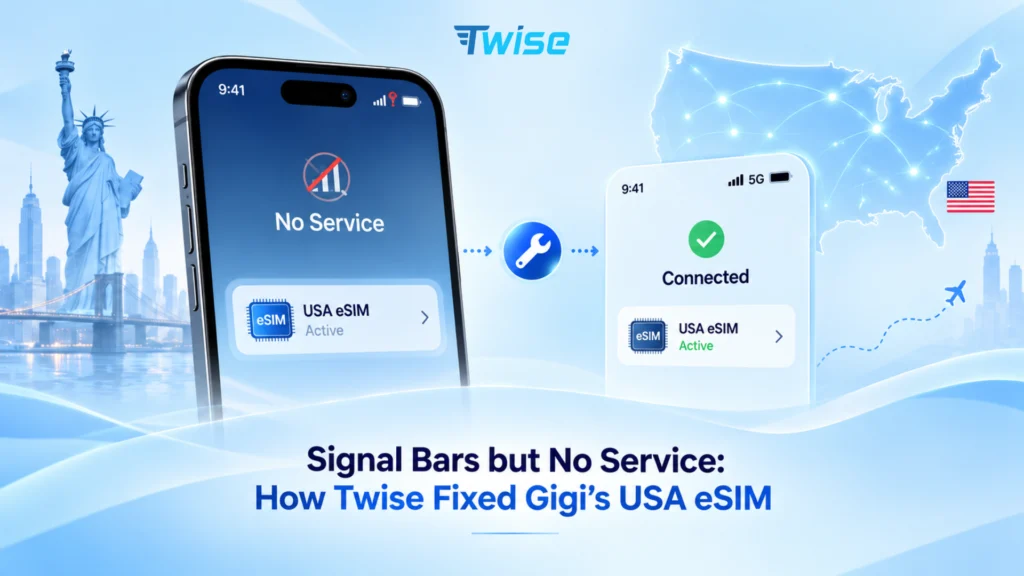
Signal Bars but No Service: How Twise Fixed Gigi’s USA eSIM
Aug
Warning: Sometimes an eSIM installs successfully and displays signal bars, but a corrupted profile can still block mobile data, calls, and text messages. eSIM no service?
Gigi’s Experience: Connected but Completely Offline
Gigi purchased a local USA T-Mobile eSIM from Twise for his trip to the United States.
He scanned the QR code successfully, installed the eSIM on his phone, and saw mobile signal bars appear at the top of the screen. Everything seemed ready.
However, the eSIM provided no actual service.
Gigi could not:
- Connect to 4G or 5G mobile data.
- Make or receive phone calls.
- Send or receive text messages.
Restarting the phone and switching Airplane Mode on and off did not solve the problem. Although the device appeared connected to the network, the installed eSIM profile was not functioning correctly.
Gigi contacted Twise’s 24/7 technical support team. After reviewing the symptoms, the team identified a deeper network configuration problem that required more than a standard restart.
Why the eSIM Showed Signal but Did Not Work
Signal bars do not always mean that an eSIM is fully registered and working.
In Gigi’s case, the eSIM profile had become corrupted during installation or registration. There may also have been a conflict between the new profile and network configuration data cached on the phone.
This type of error can prevent the device from completing essential network processes, including:
- Establishing a mobile data connection.
- Registering for 4G or 5G service.
- Connecting calls through the assigned phone number.
- Sending or receiving SMS messages.
A normal phone restart may refresh the connection, but it does not completely remove corrupted network data stored by the device.
Twise therefore guided Gigi through a strict three-step resolution process.
How Twise Fixed Gigi’s USA T-Mobile eSIM
Step 1: Delete the Unresponsive eSIM
After confirming that a replacement QR code would be provided, Twise instructed Gigi to remove the faulty eSIM profile from his phone.
On iPhone:
Settings → Cellular or Mobile Service → Select the T-Mobile eSIM → Delete eSIM
On Android:
Settings → Connections or Network & Internet → SIM Manager or SIMs → Select the eSIM → Remove or Delete eSIM
The exact menu names may differ depending on the Android brand and software version.
Important: Never delete a non-working eSIM without contacting Twise or your eSIM provider first. Most eSIM QR codes can only be installed once. If you delete the profile before a replacement is approved, you may be unable to reinstall the original eSIM.
Step 2: Reset the Phone’s Network Settings
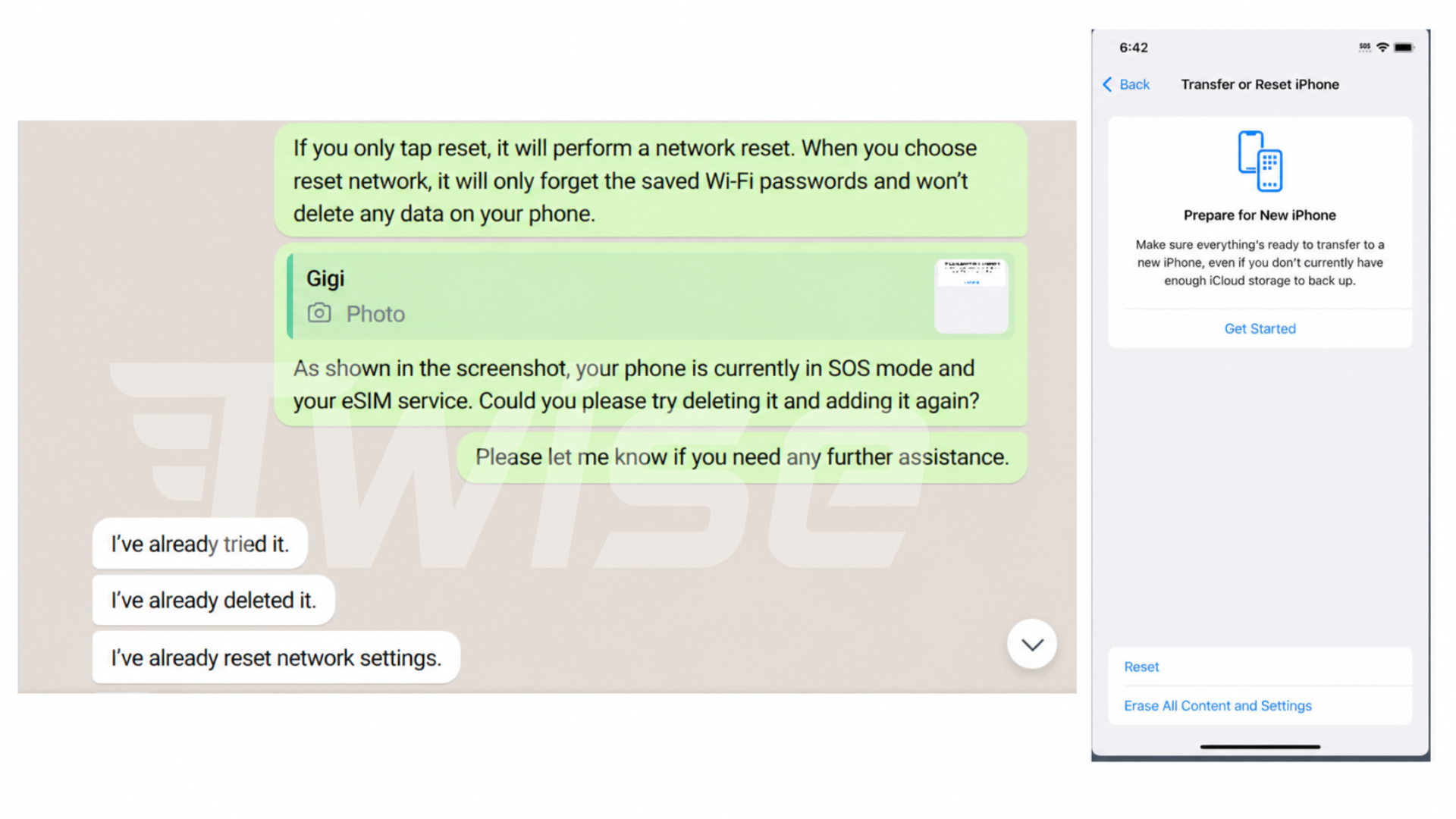
Deleting the eSIM removed the corrupted profile, but the phone could still retain faulty network configuration data.
Gigi therefore needed to reset the device’s network settings before installing the replacement eSIM.
On iPhone:
Settings → General → Transfer or Reset iPhone → Reset → Reset Network Settings
The iPhone may request the device passcode before completing the reset.
On Android:
The path varies by manufacturer, but it is usually one of the following:
Settings → System → Reset Options → Reset Wi-Fi, Mobile & Bluetooth
Or:
Settings → General Management → Reset → Reset Network Settings
The phone may restart automatically after the reset.
Crucial note: Resetting network settings does not delete photos, apps, contacts, messages, or other personal files. However, it normally removes saved Wi-Fi networks and passwords, Bluetooth pairings, VPN settings, and previously stored mobile network preferences.
Gigi made sure that he knew his Wi-Fi password before completing this step because a stable internet connection was required to download the replacement eSIM.
Step 3: Install the New Replacement eSIM
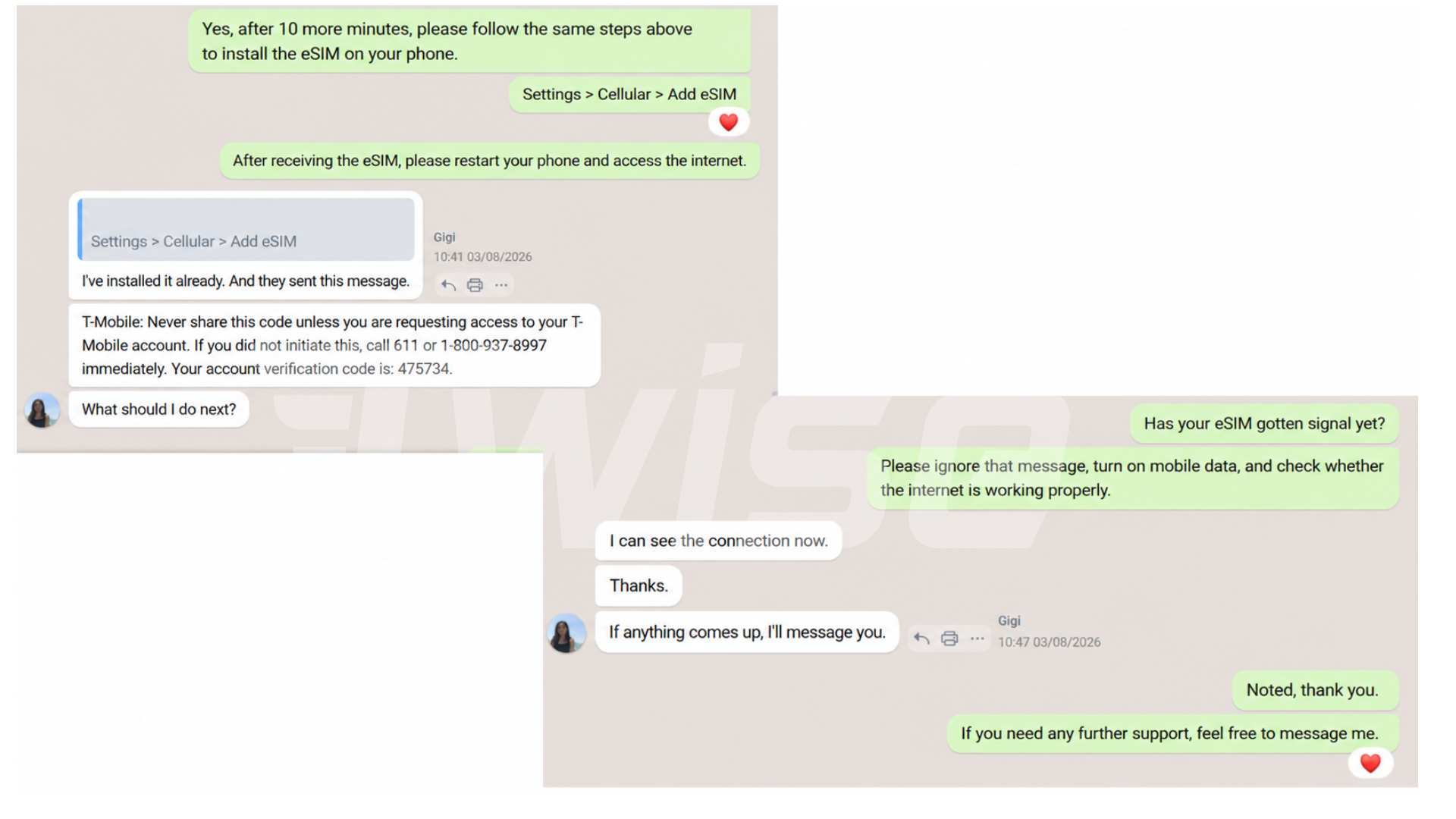
Once the corrupted profile and cached network data had been removed, the network provider sent a new eSIM directly to Gigi’s phone.
Gigi connected his phone to Wi-Fi and followed the instructions to complete the setup.
The replacement eSIM registered successfully. Gigi immediately gained access to:
- 4G and 5G mobile data.
- Local calls through his USA phone number.
- SMS messaging.
- T-Mobile network service for the remainder of his trip.
The original issue was not caused by weak coverage or an incompatible plan. It was a technical defect in the installed profile that required deletion, a complete network reset, and a newly generated eSIM.
Do Not Delete an eSIM Before Contacting Support
Deleting an eSIM should not be the first troubleshooting step.
Travelers often assume that they can remove an eSIM and scan the same QR code again. In many cases, this is not possible because the activation code is designed for one-time installation.
Before deleting a non-working eSIM:
- Contact Twise technical support.
- Provide screenshots of the eSIM settings and network status.
- Confirm whether the profile is active on the carrier’s system.
- Wait for confirmation that a replacement QR code can be generated.
- Follow the troubleshooting steps in the order provided.
Twise may first check the device model, carrier-lock status, activation date, IMEI, EID, APN settings, and network registration. Profile deletion is only necessary when the technical review indicates that the existing installation cannot be repaired.
The Lesson From Gigi’s Experience with USA eSIM no service
Gigi’s eSIM appeared to be connected because signal bars were visible. However, the absence of mobile data, calls, and texts showed that the profile had not registered correctly.
The most important lesson is not to panic or immediately delete the eSIM.
Contact Twise as soon as the problem appears. The technical support team can determine whether the issue comes from device settings, network coverage, activation timing, carrier registration, or a corrupted eSIM profile.
When a profile deletion and reissue are necessary, the steps must be completed in the correct order:
- Delete the faulty eSIM after receiving approval from support.
- Reset the phone’s network settings.
- Install the newly issued replacement eSIM.
Following this process allowed Gigi to restore full service without relying on expensive international roaming or purchasing another plan.
Why Choose Twise for Your USA T-Mobile eSIM?
Global Network Partnerships
Twise works with leading network providers such as T-Mobile and AT&T to offer reliable mobile connectivity, broad coverage, and consistent service quality across the United States.
Plans for Different Travel Needs
Travelers can choose from several USA eSIM options, including plans with local calls and texts, unlimited-data packages, and cost-effective data plans for short or extended trips.
Fast Digital Delivery
Your eSIM details are delivered by email after successful payment, so there is no need to wait for a physical SIM card or visit a mobile store after arriving in the United States.
Delivery and activation times can vary depending on the selected product and whether manual carrier registration is required.
Professional Activation Support
Some local USA eSIM plans require scheduled activation, IMEI and EID registration, or direct assignment to a specific device.
Twise helps customers verify the required information and schedule the service for the appropriate travel date.
24/7 Technical Assistance
Connectivity problems can happen outside normal business hours, especially when travelers arrive in a different time zone.
Twise’s technical support team is available 24/7 to help investigate activation, installation, data, call, text, and network-registration issues.
Free Replacement for Verified Technical Defects
When an eSIM is confirmed to have a technical defect, Twise can provide a replacement in accordance with the product’s warranty conditions.
Free replacement does not normally cover problems caused by:
- An incompatible device.
- A carrier-locked phone.
- An incorrect IMEI or EID submitted by the customer.
- Deleting the eSIM without support approval.
- Installing the eSIM outside a supported country when prohibited.
- Undisclosed device or regional restrictions.
Secure Customer Information
Customer information is handled using secure processes designed to protect personal and device details throughout ordering, activation, and technical support.
Secure International Payments
Twise uses Stripe to process major international credit cards and supported digital payment methods, providing a fast and transparent checkout experience.
Get Help Before Your Trip Is Disrupted
An eSIM can display signal bars and still fail to provide usable service. As Gigi’s case demonstrates, a corrupted profile may require a full network reset and a newly generated QR code.
Do not delete the eSIM by yourself.
Contact Twise first so the technical team can evaluate the issue, protect your existing activation, and confirm whether a replacement is necessary.
Visit Twise to choose a suitable USA eSIM and receive professional support before and during your journey.

More Helpful Case for Your International Journey
- Why a Carrier-Locked Phone Blocked a C Corneil’s Travel eSIM
- T-Mobile USA eSIM | Unlimited Data Plans for Travelers
- How an Old T-Mobile eSIM Blocked Astrid’s New Plan
- Full Signal, Zero Internet: Daniel’s SoftBank eSIM Problem in Japan
- A QR Code Error Nearly Disrupted Y Nhi’s Japan Trip
