



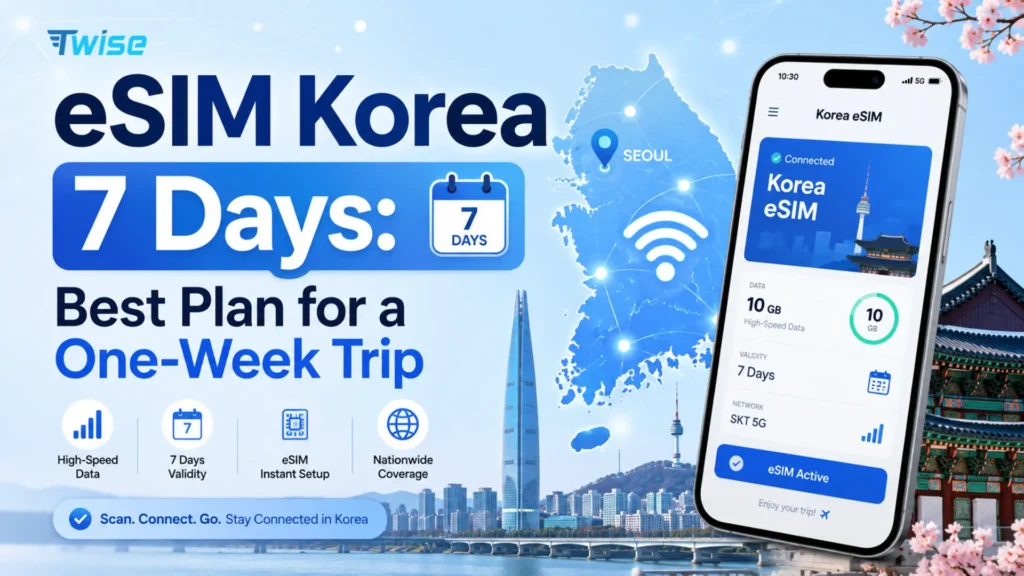
eSIM Korea 7 Days: Best Plan for a One-Week Trip
Aug
For a seven-day South Korea trip, the right eSIM depends more on your daily data habits than on the provider name. Light users may be fine with a fixed or 500MB–1GB/day plan, while frequent video, uploads, hotspot use, or remote work make unlimited data more practical. A data-only plan covers most tourists using Naver Map, Papago, messaging, bookings, and internet calls — but travelers who specifically need Korean SMS, calls, or a 010 number should compare local voice-enabled products instead.
Don’t compare plans by “unlimited” or price alone. Check network, high-speed allowance, throttling, hotspot support, activation timing, validity, and phone-number support before you buy.
Already know whether you prefer fixed, daily, or unlimited data? Compare Korea eSIM plans for your trip.
South Korea’s Mobile Networks: SKT, KT, and LG U+
Every eSIM sold for Korea — whether from a local carrier or an international reseller — ultimately runs on one of the country’s three mobile network operators (MNOs). Knowing which network sits behind a plan tells you more about real-world performance than the marketing name on the checkout page.
| MNO | Market position | Typical coverage | Notes for travelers |
| SK Telecom (SKT) | Largest network by subscribers | Strongest nationwide 5G/LTE coverage, including subway and rural areas | Most travel eSIMs, including Twise’s local product, run on SKT |
| KT | Second-largest, historically strong in Seoul | Dense urban coverage, competitive rural rollout | Often used for tourist-branded data products with daily allowances |
| LG U+ | Third operator, growing 5G footprint | Strong in major cities, improving elsewhere | Common choice for voice/SMS-enabled local number products |
View all South Korea eSIM Plans
For a one-week trip, network differences rarely matter outside very remote areas — all three MNOs perform well in Seoul, Busan, Jeju, and along major intercity rail routes. What matters more is which network your specific eSIM product connects to, since a reseller’s SKT-based plan and a KT-based plan can behave differently for hotspot, throttling, or fair-use terms even at the same price point.
What Is the Best eSIM Korea 7 Days Plan?
The short answer: it depends on how you’ll actually use your phone, not on which brand sounds best.
Best for light data users — fixed data
Good for maps, translation, messaging, browser searches, and occasional social media. A single data pool for the whole week is simple to manage and usually the cheapest option.
Best for predictable daily use — daily data
Good for travelers who want a fresh allowance each day rather than tracking one shared 7-day pool. This style suits people who front-load navigation and photo uploads early in the day.
Best for heavy users — unlimited data
Good for frequent social uploads, streaming, video meetings, hotspot use, and generally high daily consumption. Unlimited plans remove the need to monitor usage but often come with a high-speed cap after which speeds drop.
Best when you need Korean calls or SMS — local voice-enabled eSIM
A data-only product shouldn’t be forced into this use case. If you need to receive calls, send local SMS, or hold a 010 number, look specifically at voice-enabled local products rather than a standard travel data eSIM.
7-Day Korea eSIM Plans Compared
| Option | Data style | Network | 7-day price | High-speed policy | Hotspot | Korean number |
| Twise Korea eSIM | Fixed, daily, or unlimited | SKT | Varies by plan | Varies by product | Yes | No |
| Airalo | Unlimited | SK network | $29 | Product-specific speed terms | Check listing | No |
| Ubigi | Unlimited | Varies | $25 | Fair Use Policy applies | Data sharing allowed | No |
| Direct Korean carrier (SKT/KT/LG U+) | Local plans, voice options available | Native network | Varies | Carrier-defined | Varies | Yes, on select plans |
Prices checked at time of publication. Prices and plan terms may change — always confirm current terms before purchase.
Twise Korea eSIM options
Twise Korea eSIM options span a few distinct choices rather than one single package:
- A local SK Telecom unlimited 5G/4G data-only option
- Daily-data options with a fresh high-speed allowance each day
- Fixed-data options ranging from 1GB to 50GB
- No conventional calls or SMS on the data-only products
- Hotspot support on the fixed-data range
Twise’s fixed-data product spans 1GB–50GB and supports hotspot use, while its daily products apply a daily high-speed allowance with reduced-speed behavior once that allowance is used. Confirm activation timing and exact current terms before purchase, since travel eSIM products update their specifications periodically.
Airalo
Airalo is a useful comparison point rather than a direct alternative for every use case. Its current listed SK-network option runs 7 days, unlimited, at $29, with product-specific speed terms that are worth checking live before buying.
Ubigi
Ubigi’s current example is a 7-day unlimited South Korea plan at $25, with data sharing allowed and a Fair Use Policy that may apply once you cross a certain daily threshold.
Direct Korean carrier eSIMs
Buying directly from SKT, KT, or LG U+ is a different route, particularly relevant to travelers who want a local number or voice/SMS functionality. This isn’t automatically a worse or better option than a reseller like Twise — it’s simply the right route when your trip genuinely requires a Korean-registered number.
How Much Data Do You Need for 7 Days in Korea?
Light usage
Typical behavior: navigation, translation, messaging, search, and booking confirmations. A fixed plan or a smaller daily allowance is usually enough.
Average tourist usage
Add social browsing, moderate photo uploads, restaurant research, and frequent navigation between stops. A larger fixed plan or a 1–2GB/day style plan tends to fit better.
Heavy usage
Add Reels, TikTok, or other video, cloud photo backups, hotspot use, streaming, video calls, and remote work. Compare unlimited plans carefully, paying attention to the high-speed allowance rather than the word “unlimited” alone.
Why Wi-Fi shouldn’t be included in your data estimate too aggressively
Hotel and café Wi-Fi can reduce consumption, but you typically need mobile data most while moving between places — on the subway, walking between neighborhoods, or arriving somewhere new. Planning around Wi-Fi availability alone tends to underestimate real usage.
Is Unlimited Data Worth It for Only One Week?
Unlimited is useful when…
You rely on video, hotspot, remote work, large uploads, or frequent social use throughout the trip.
Unlimited may be unnecessary when…
Your trip is primarily maps, messaging, translation, and browsing — in that case, a fixed or daily plan often costs less for the same real-world experience.
Check what “unlimited” actually means
Unlimited data does not always mean unlimited full-speed data. A plan may include a high-speed allowance followed by slower service, a maximum connection speed, or a fair-use policy. As a concrete market example, KT’s current tourist product describes 11GB of daily data followed by continued service at up to 5Mbps — fast enough for maps and messaging, but noticeably slower for video.
Do You Need a Korean Phone Number for a 7-Day Trip?
Usually not, if your trip is app- and data-first. Yes, potentially, if you specifically need Korean calls, SMS, or number-dependent services.
What works with data only
Naver Map, KakaoMap, Papago, browser searches, email, messaging apps, internet calls, and most web-based bookings all function normally on a data-only eSIM.
When a Korean 010 number may be useful
- Traditional voice calls
- Incoming or outgoing SMS, depending on the plan
- Certain local reservation or signup workflows that require a Korean number
A Korean number does not equal universal Korean verification
Current LG U+ terms specifically note that its voice/SMS product can support SMS verification for restaurant or taxi registration, but not banking or government identity verification. Don’t assume a local number unlocks every Korean service.
Keeping your home SIM for OTP
A dual-SIM approach is worth considering:
- Korea eSIM handles mobile data
- Home SIM retains your existing number for required incoming verification, where roaming terms permit
- Disable data roaming on your home line to avoid unintended charges
Where You’ll Actually Use Mobile Data During a Week in Korea
Airport arrival
You’ll need data for accommodation details, transport routes, messaging your host or hotel, translation, and pulling up booking references.
Subway and walking navigation
Live data matters here because routes change, exits are easy to miss, and destination search inside large stations genuinely requires a live connection.
Restaurants, cafés, and attractions
Search, translation, opening hours, and reservation details are the recurring needs.
Intercity travel and day trips
Tickets, platform information, maps, and accommodation communication become more important once you’re away from familiar hotel Wi-Fi.
Returning to the airport on Day 7
This is an easy detail to overlook: your plan must still be valid for the final airport journey. Don’t choose an activation schedule that expires before the trip actually ends — check the exact end time, not just the day.
When Does a 7-Day Korea eSIM Start and End?
168-hour validity vs calendar-day validity
Some plans count exactly 168 hours from activation; others run on calendar days regardless of the activation time. These behave differently if you activate late at night.
First connection vs first data use vs activation
These terms aren’t always interchangeable. A plan might start counting from the moment you install the profile, the first time it connects to a network, or the first time you actually use data — check which applies before you install anything.
Check the timezone used by the plan
This matters especially for daily-reset plans, where a “day” may reset at midnight Korea time rather than your home timezone.
Example: arriving Monday evening and flying home the next Monday
If you land Monday at 9 PM and depart the following Monday at 11 AM, a plan that starts counting from first connection on Monday evening should comfortably cover you through the departure. A plan that resets on a fixed calendar cycle from a different activation point might expire earlier than expected.
Decision rule: choose validity based on when you need connectivity from airport arrival through airport departure — not just how many hotel nights you booked.
Should You Install Your Korea eSIM Before Flying?
You can often buy an eSIM before departure, but installation timing depends on the exact product. Do not assume every Korea eSIM should be scanned before flying.
What you can safely do before departure
- Confirm your phone is carrier-unlocked
- Confirm eSIM support on your device
- Buy the plan
- Save the QR code or email instructions
- Download Korean travel apps
- Save your hotel address and first route offline
Why Twise products require product-specific instructions
Twise’s current local SKT unlimited 5G/4G eSIM specifically instructs travelers to scan the QR code after arriving in Korea, while other travel eSIM products can carry different installation and activation rules. Always follow the instructions for the specific product you bought.
Never delete an installed eSIM casually
Some eSIM QR codes are single-use or have reinstallation limitations. Check provider instructions before removing a profile, even if you’re just troubleshooting.
What to Do When Your Korea eSIM Doesn’t Connect After Landing
- Connect to airport Wi-Fi if necessary — get online quickly while you troubleshoot.
- Confirm the eSIM is enabled in your phone’s cellular settings.
- Select it as the mobile-data line, not just an additional profile.
- Apply the required data-roaming setting as specified by your provider.
- Check the expected Korean network name matches what your plan documentation states.
- Restart the phone or toggle airplane mode on and off.
- Don’t delete the profile before contacting support — reinstalling isn’t always possible.
- Keep screenshots of the error and cellular settings in case you need to share them with support.
Korea eSIM vs SIM Card vs Pocket Wi-Fi for Seven Days
| Option | Best for | Main advantage | Main limitation |
| Travel eSIM | Solo/app-first traveler | No physical SIM handling | May be data-only |
| Local eSIM/SIM | Local number requirements | Calls/SMS options available | Registration or pickup may apply |
| Home roaming | Maximum convenience | Keep existing service | Can be expensive |
| Pocket Wi-Fi | Several devices traveling together | Shared connection | Another device to charge and carry |
| Offline + Wi-Fi | Very light use | Lowest connectivity cost | Weak while moving |
View all South Korea eSIM Plans
Choose an eSIM when you want app-first connectivity without visiting a counter on arrival.
Choose a local SIM/eSIM when you specifically need a Korean number for calls, SMS, or verification.
Consider pocket Wi-Fi when multiple people or devices need to share one connection.
Keep roaming as a backup when you want a safety net but plan to rely on your Korea eSIM day to day.
Smart Backups for a 7-Day Korea Trip
Before leaving Wi-Fi, save:
- Your accommodation address
- Critical booking confirmations
- QR tickets
- Essential contacts
- Key routes or offline maps where available
An eSIM reduces dependence on Wi-Fi, but it doesn’t eliminate the value of offline backups when a building, underground location, or regional route has weak signal.
Twise is built as an international travel eSIM provider, with Korea plans designed around exactly this kind of real, moving, week-long itinerary rather than a single fixed location.
Which 7-Day Korea eSIM Should You Choose?
| Your trip style | Start by comparing |
| Maps + messages only | Fixed data |
| Predictable moderate use | Daily data |
| Heavy social/video | Unlimited |
| Laptop hotspot/remote work | Unlimited with confirmed tethering |
| Need Korean calls/SMS | Voice-enabled local option |
| Need Korean 010 number | Local-number product |
| Want simple data-first setup | Travel data eSIM |
See current Korea eSIM plans and match the option to how you’ll actually spend your week — not just the plan name.
FAQs
Usually enough for navigation, translation, messaging, and moderate browsing, but video, cloud uploads, and hotspot use can consume it quickly.
For heavy mobile-data users, often yes. Light travelers should compare the added cost with fixed or daily plans first.
Not for most data-based travel activities. Choose a phone-number plan when conventional calls, SMS, or a specific Korean-number workflow is genuinely required.
Yes, but buying and installing are different actions. Follow the exact plan’s installation and activation instructions.
Twise offers Korea data-only choices including daily, fixed-data, and an SK Telecom-powered unlimited 5G/4G local eSIM. Compare current duration, activation, hotspot, and data-policy terms on the Korea eSIM page before purchase.
More useful tips for your South Korea journey
Korea eSIM Data-Only vs Voice & Data: Which Should Tourists Choose?
KT eSIM South Korea: Tourist Data, Setup & Local Network Guide
Korea Prepaid eSIM for Tourists: Data, Phone Number & Setup Guide
