



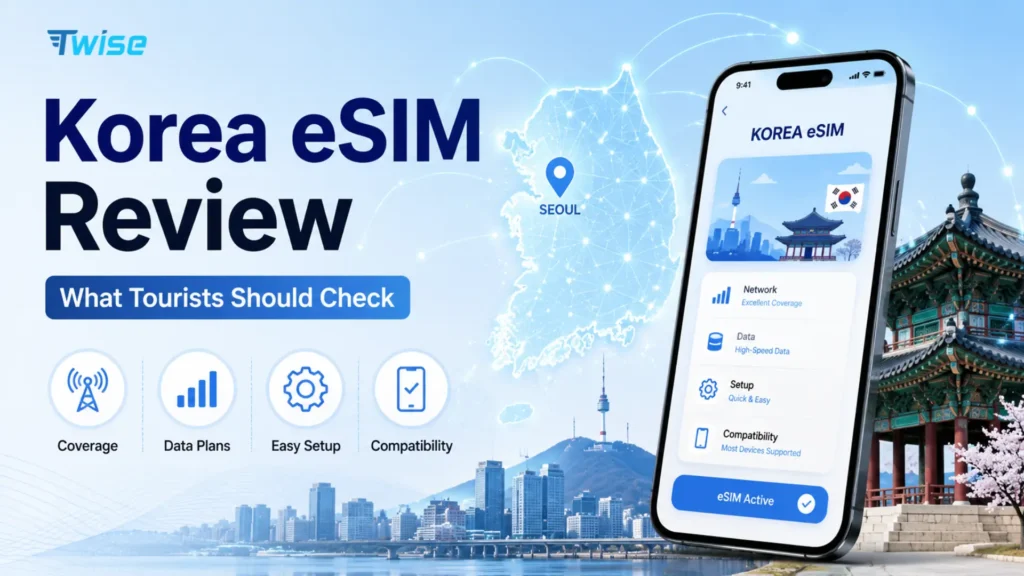
Korea eSIM Review: What Tourists Should Check
Aug
A useful Korea eSIM review should tell you more than price and download speed. Before buying, check the underlying Korean network, high-speed allowance, throttling policy, hotspot rules, phone-number support, activation timing, and device compatibility. For many tourists using Naver Map, Papago, messaging, bookings, and transport apps, a data-only eSIM is enough. Travelers who need conventional Korean calls or SMS should compare voice-enabled local products instead.
No single Korea eSIM is automatically best for every tourist. The right choice depends on your itinerary, your data habits, and whether a Korean number is genuinely part of your trip.
Korea’s Three Mobile Networks: SKT, KT, and LG U+
Every eSIM sold for Korea ultimately runs on one of three mobile network operators (MNOs). This matters more for a review than any single speed test, because the carrier behind a plan shapes coverage, congestion, and routing.
| MNO | Market position | Strength for travelers | Common in |
| SK Telecom (SKT) | Largest operator, broadest coverage | Consistent performance in cities, subway, and rural areas | Most travel eSIMs, including Twise’s local product |
| KT | Second-largest, strong urban density | Competitive tourist-branded data products | Daily-allowance plans |
| LG U+ | Third operator, expanding 5G | Improving city coverage | Local voice/SMS products |
For a typical one-to-two-week visit, all three networks perform well in Seoul, Busan, and Jeju. What actually varies between products on the same network is the plan’s data policy — fixed, daily, or unlimited — not the carrier name printed on the box.
Already comparing options? See current Korea eSIM plans built around exactly these differences.
Korea eSIM Review: What Actually Makes a Plan Good?
A good Korea eSIM should match your itinerary, data use, and communication needs — not simply have the fastest advertised network.
Underlying Korean network
Reseller and travel-eSIM brands don’t operate their own towers. They buy access to SK Telecom, KT, or LG U+ infrastructure, so the review question isn’t “which brand” but “which network is this product actually running on.”
Data allowance and validity
Check whether the plan uses a fixed GB pool, a daily allowance, or unlimited data, and whether validity resets on a calendar day or a rolling 24-hour cycle from activation.
Speed and reduced-speed policy
Don’t score a plan only on its peak Mbps figure. What happens after the high-speed allowance is used matters more for a full week of travel.
Hotspot and tethering
Particularly important for laptop users and remote workers — hotspot data is sometimes capped separately from the main allowance.
Korean number, calls, and SMS
Keep this separate from internet-based calling. A data-only eSIM handles WhatsApp or KakaoTalk calls fine but won’t receive a traditional SMS.
Activation and installation rules
These are provider-specific. Some plans expect pre-departure installation; others are designed to be scanned after landing.
Support and recovery
Worth checking before you buy, not after something breaks on day one of the trip.
Korea eSIM Options Compared by Traveler Type
| Traveler | Better starting option | Why |
| Maps + messaging | Fixed data | Lower-cost, controlled usage |
| Regular social + navigation | Daily data | Predictable daily allowance |
| Heavy video/social | Unlimited-style plan | Less quota management |
| Remote worker | Unlimited + verified hotspot | Laptop sharing matters |
| Wants SKT specifically | SKT-powered plan | Network preference |
| Needs Korean calls/SMS | Local voice-enabled eSIM/SIM | Data-only won’t provide them |
| Multiple shared devices | Pocket Wi-Fi comparison | One connection for several devices |
Where Twise fits
Twise positions its Korea lineup around three data-first categories rather than one single package:
- A local SK Telecom unlimited 5G/4G data-only option
- Fixed-data Korea options, purchased and activated entirely online
- Daily-data Korea options for travelers who prefer a fresh allowance each day
None of Twise’s current data-only products include conventional voice or SMS — that’s a deliberate scope, not an omission, and current listings show these as separate categories rather than one blended plan.
When a local Korean carrier may fit better
A direct SKT, KT, or LG U+ product tends to fit better when you specifically need conventional voice calls, Korean SMS, a Korean-number requirement, or in-person setup help at a counter.
When a global travel-eSIM provider may fit better
A broader multi-country provider can make sense if you already use that provider elsewhere, want one app managing several destinations, or prefer a specific top-up workflow you’re already familiar with.
Does the Korean Network Behind the eSIM Matter?
SK Telecom
One of Korea’s three primary operators, generally regarded as having the most extensive nationwide coverage, though this doesn’t make every SKT-based product identical.
KT
Strong in dense urban areas, frequently used behind tourist-branded data products with daily allowances.
LG U+
The smallest of the three by market share, with an expanding footprint, and commonly used behind local voice/SMS products.
Network access is only part of the experience
The carrier tells you which radio network your phone can connect to; it does not necessarily tell you where the provider routes your internet traffic. Two eSIMs on the same network can still feel different depending on how the reseller handles routing.
Why you shouldn’t rely on “5G” alone
Coverage, device compatibility, network congestion, plan-level speed restrictions, and traffic routing all affect real performance — a 5G label on the box doesn’t guarantee any of these.
Speed Tests vs Real Korea Travel Performance
What a 1 Gbps speed test does tell you
It demonstrates that a very fast connection was achievable at that specific moment, location, and device.
What it doesn’t tell you
A single result doesn’t guarantee:
- The same performance tomorrow
- The same speed in Busan or Jeju
- The same routing on a different app
- The same result indoors
- The same outcome on another device
Why latency matters for real-time apps
Video calls, interactive navigation, and other real-time requests depend more on consistent low latency than on peak bandwidth.
What speed most tourists actually need
Maps, messaging, translation, and bookings need consistency more than extreme bandwidth. One recent independent tester measured 238 Mbps on Ubigi and over 1 Gbps on Saily in the same general area, but also reported different routing behavior between the two — a reminder that these figures describe a single test session, not a permanent ranking.
What Does “Unlimited Korea eSIM” Really Mean?
Unlimited full-speed data means exactly what it says — no daily cap and no throttling — but this structure is less common than the marketing term suggests.
Daily high-speed data plus reduced speed is the more typical travel-eSIM structure: a set high-speed allowance each day, followed by a slower connection for the rest of that day.
Fair-use policy (FUP) is a threshold built into many “unlimited” plans; cross it and the provider may throttle or otherwise manage your speed, even though the plan is still technically unlimited in total volume.
Hotspot limits may be separate from the main data allowance — critical to check if you’re tethering a laptop.
| Plan wording | Question to ask |
| Unlimited | Is all data full speed? |
| 5G unlimited | Is there a daily quota? |
| No data cap | Is speed capped instead? |
| Fair use applies | At what threshold? |
| Hotspot supported | Is sharing separately capped? |
As concrete examples, Airalo currently publishes a 3GB/day high-speed allowance on its unlimited products before speeds are reduced, while Holafly’s Korea plan separately limits shared hotspot data to 1GB/day. Compare the actual policy, not the plan name.
Do You Need a Korean Phone Number?
Most tourists using mobile data for navigation, translation, messaging, and reservations do not automatically need a Korean number. Choose one when you specifically need conventional calls, SMS, or a number-dependent Korean service.
Data-only is usually enough for…
Naver Map, KakaoMap, Papago, WhatsApp or KakaoTalk, hotel messages, browser-based booking, and internet calls.
A Korean number becomes useful when…
You need to make conventional phone calls, receive Korean SMS, or use a service that specifically requires a Korean number to register.
A Korean number doesn’t mean full identity verification
LG U+’s current documentation states that some of its voice/SMS products support SMS verification for things like restaurant or taxi registration, but not for banking or government identity verification. A local number solves some workflows, not all of them.
Keep your home SIM if you need home-number OTP
A dual-SIM setup — Korea eSIM for data, home SIM for your existing number — is worth considering if you expect one-time codes on your home number. Roaming terms for incoming SMS vary by home carrier, so confirm this before relying on it.
What Mobile Data Do Tourists Actually Use in Korea?
Incheon Airport arrival — accommodation details, AREX/bus/taxi research, host communication, translation, and booking confirmations.
Seoul subway and walking routes — Naver Map or KakaoMap become particularly useful for exits and live route changes.
Restaurants and cafés — search, menu translation, and reservation checks.
Hotel and tour communication — messaging and booking apps throughout the stay.
Seoul to Busan or other intercity travel — tickets, station information, and navigation away from familiar hotel Wi-Fi.
Jeju or regional day trips — heavier dependence on live mapping outside city centers.
Return airport journey — the eSIM must remain valid through departure, not just through hotel checkout.
Google Maps, Naver Map, or KakaoMap in Korea?
South Korea conditionally approved high-precision map-data export for Google in February 2026, a notable shift after years of restricted access. As of August 2026 reporting, Google’s full walking and driving navigation transition for Korea had not yet been completed, so functionality remains inconsistent depending on location and route type.
Naver Map still deserves a place on your phone, particularly for Korea-specific navigation like subway exits, local business listings, and pedestrian routing that Google historically underserved. Carrying two map tools — rather than depending on one app — remains a sensible backup while this transition continues.
Should You Install Your Korea eSIM Before Flying?
Buying before departure is usually convenient; installing before departure depends on the product.
What to do before leaving home
- Confirm the phone is unlocked
- Confirm eSIM compatibility
- Save purchase instructions
- Download useful Korea apps
- Save hotel information
- Understand activation timing for your specific plan
Providers that support pre-installation
Some travel-eSIM products are designed to be installed at home and simply switched on after landing — treat this as an example workflow, not a universal rule across every provider.
Why Twise’s SKT product follows a different rule
Twise’s current local SKT unlimited 5G/4G product can be purchased ahead of time but should be scanned after arrival in Korea, per its current activation instructions.
Don’t delete an installed profile casually
Some carrier eSIMs cannot simply be restored. LG U+, for example, warns that installed and then deleted eSIMs cannot be reissued under its current tourist policy — a detail worth knowing before troubleshooting turns into a bigger problem.
The 5-Minute eSIM Test After Landing in Korea
- Connect to airport Wi-Fi if installation or troubleshooting needs internet.
- Confirm the correct data line — make sure the Korea eSIM is selected as primary.
- Follow the required roaming settings for your specific provider.
- Keep home-line data roaming off to avoid accidental charges.
- Open Naver Map and search your accommodation.
- Send a test message to confirm usable data.
- Load a reservation to check everyday browsing works.
- Don’t leave the terminal until basic connectivity works, while airport Wi-Fi is still available as a fallback.
What to Do When Your Korea eSIM Doesn’t Work
eSIM installed but shows No Service — check the line is enabled, mobile data is selected, the carrier is correct, roaming is on, and restart the device.
Connected but internet doesn’t load — check the provider’s APN instructions and test another site or app before assuming a network fault.
Maps work slowly — don’t immediately conclude the Korean carrier has poor coverage; routing, the app itself, congestion, or temporary network conditions can also be the cause.
Hotspot doesn’t work — verify tethering is actually included in the exact plan you purchased.
QR code appears used — don’t repeatedly delete and reinstall without first checking the provider’s reinstallation policy.
Nothing works after troubleshooting — fall back on airport or hotel Wi-Fi, provider support, a Korean carrier counter, a physical SIM, pocket Wi-Fi, or temporary home roaming if the cost is acceptable.
Korea eSIM vs SIM Card vs Pocket Wi-Fi
| Option | Best for | Main strength | Main limitation |
| Travel eSIM | Data-first solo traveler | Digital purchase and setup | Often data-only |
| Local carrier eSIM | Local-number needs | Carrier-specific features | Verification/product rules |
| Physical SIM | Non-eSIM phones | Broad device support | SIM swap/counter handling |
| Pocket Wi-Fi | Several devices | Easy sharing | Extra hardware and battery |
| Home roaming | Very short/convenience-first trip | Existing number | Pricing may be high |
| Public/hotel Wi-Fi | Very light users | Little or no data purchase | Poor while moving |
Twise is a sensible choice when the priority is app-based mobile data and you don’t require traditional voice or SMS.
A local SIM/eSIM is more appropriate for Korean-number or voice/SMS needs.
Pocket Wi-Fi can win for families or groups sharing several devices.
Home roaming may be fine if your existing carrier already includes reasonably priced Korea roaming.
Final Korea eSIM Review Checklist Before Buying
- My phone supports eSIM
- My phone is carrier-unlocked
- I know the underlying Korean network
- I understand the high-speed allowance
- I know what happens after the allowance
- I checked hotspot rules
- I know whether calls/SMS are included
- I know whether I actually need a Korean number
- I know what triggers activation
- I know whether I should install before or after arrival
- I understand reinstallation/deletion rules
- I know how to contact support
- I have an offline/Wi-Fi backup
Ready to compare? See current Korea eSIM plans.
FAQs
There is no universal winner. Choose according to the underlying network, data allowance, hotspot requirements, trip length, and whether you need a Korean phone number.
SKT-powered plans can be useful for tourists, but the network name alone doesn’t define the product. Check whether the specific eSIM is data-only, its data policy, hotspot rules, and activation instructions.
Sometimes unlimited means unlimited total data but not unlimited full-speed use. Always check the high-speed threshold, reduced speed, fair-use policy, and hotspot allowance.
Usually not for maps, translation, messaging, and internet-based communication. A local number becomes more relevant for conventional calls, Korean SMS, or specific number-dependent services.
It depends on the product. Some providers encourage pre-installation, while others have destination-specific scanning or activation rules.
See more useful tips for your South Korea journey
Korea eSIM with Phone Number: Do You Really Need It?
Korea Travel eSIM Guide: Local Carrier vs Travel eSIM for Tourists
Cheapest eSIM South Korea: Price vs Data vs Network Tradeoffs
