

Google Maps vs Apple Maps Data Usage: Best Navigation App for Travelers
When travelers compare Google Maps vs Apple Maps, the real question is not just which app gives better directions. It is which one helps you navigate, discover places, and stay connected without wasting mobile data. Google Maps is stronger for restaurants, public transit, reviews, and travel discovery. Apple Maps is better for clean iPhone-first navigation and privacy-focused use. For the smartest travel setup, download offline maps before departure and keep mobile data ready for live traffic, ride-hailing, hotel messages, translation, and emergency searches when offline maps are not enough.
Should Travelers Use Google Maps or Apple Maps?
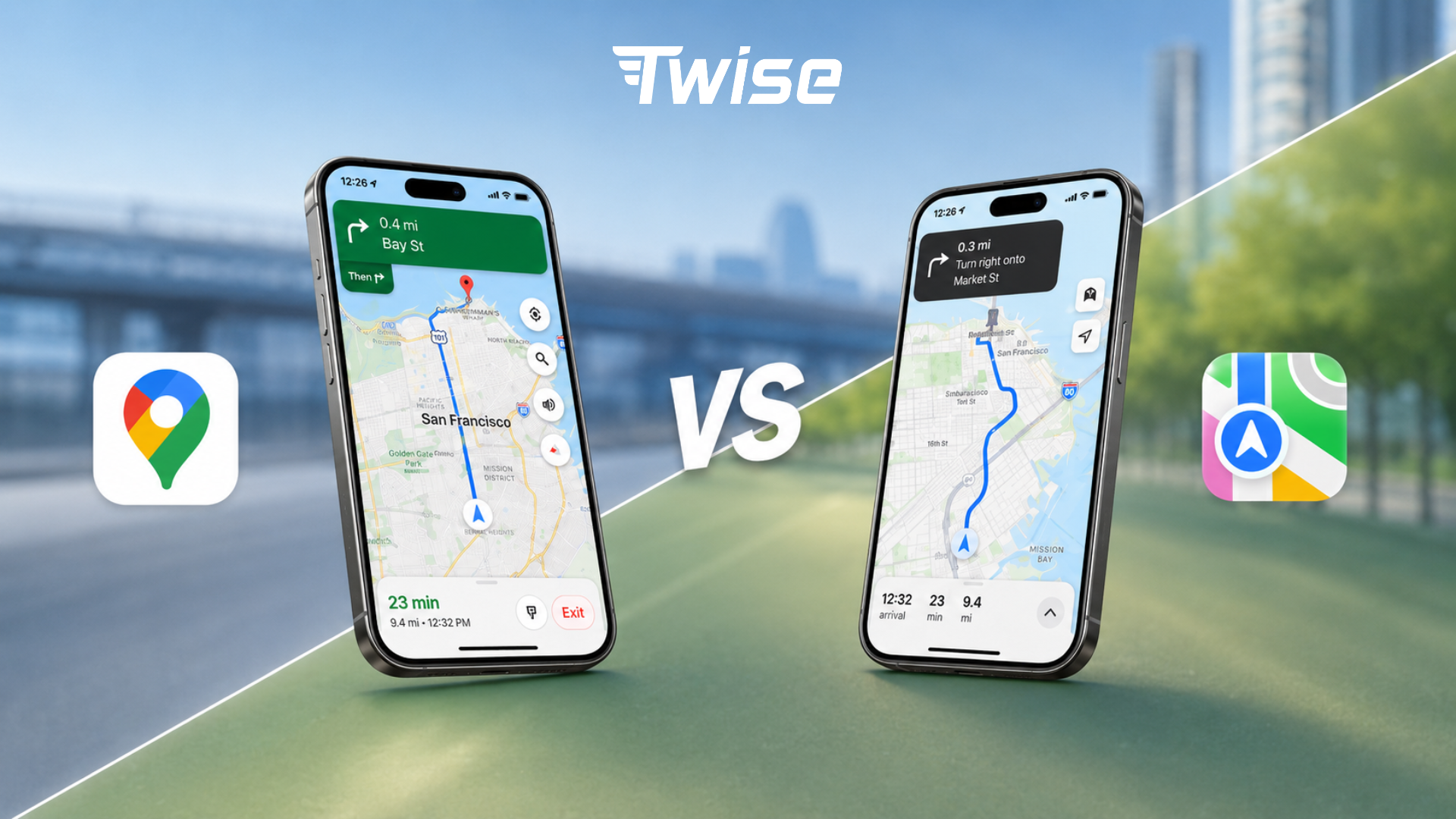 Google Maps is usually the stronger travel planning and discovery app. Apple Maps is often the smoother iPhone navigation app. For international travel, the safest setup is to use both apps, download offline areas in advance, and rely on a travel eSIM for real-time features after landing.
Use Google Maps when discovery matters
Choose Google Maps when you need to compare restaurants, read reviews, check photos, confirm opening hours, search nearby pharmacies or ATMs, plan public transit, or save places across devices. Google Maps is especially useful in unfamiliar cities because it behaves like a local search engine as much as a navigation app. Google has also highlighted that Maps features are grounded in data about hundreds of millions of places and insights from the Maps community, which is why it often feels richer for travel discovery.
Use Apple Maps when iPhone navigation and privacy matter
Choose Apple Maps when you already know your destination and want clean turn-by-turn guidance on iPhone, Apple Watch, or CarPlay. Apple Maps has a calmer interface, natural prompts, and strong integration across Apple devices. It is also a strong choice for privacy-conscious travelers because Apple states that Maps is designed to protect privacy and does not collect personal data associated with Maps usage.
Use both before international trips
For travel, one app should not be your only backup. Download the main city area in Google Maps, download Apple Maps offline areas if you use an iPhone, save your hotel address in both apps, and keep one app as your backup if signal, battery, or app performance becomes an issue.
Quick decision table
| Traveler need | Better choice |
| Restaurant reviews, photos, menus, and popular times | Google Maps |
| Clean iPhone navigation | Apple Maps |
| Public transit abroad | Google Maps first, plus local transit apps when needed |
| Apple Watch walking prompts | Apple Maps |
| Cross-platform planning | Google Maps |
| Privacy-focused navigation | Apple Maps |
| Offline backup | Both |
| Android phone | Google Maps native app; Apple Maps web may work in supported browsers but is not a full Android app |
| CarPlay route guidance | Apple Maps or Google Maps |
| Low-data travel | Both, with offline maps downloaded on Wi-Fi |
Google Maps vs Apple Maps Data Usage: Which Uses More?
Data usage depends more on behavior than on the app name. Basic turn-by-turn navigation usually uses much less data than browsing satellite imagery, loading restaurant photos, refreshing transit options, or downloading offline maps over cellular data. In other words, the biggest data saver is not choosing one map app forever. It is changing how you use map apps while traveling.
Low-data map behavior
- Following a preloaded route from your hotel or airport Wi-Fi.
- Driving or walking inside a downloaded offline map area.
- Using standard map view instead of satellite view.
- Saving restaurants and attractions before leaving Wi-Fi.
- Avoiding repeated photo, menu, and review browsing while on mobile data.
High-data map behavior
- Downloading large offline map areas over mobile data.
- Using satellite view, Street View, or Look Around for long sessions.
- Opening many restaurant photos, menus, videos, and reviews.
- Refreshing live transit routes repeatedly in busy cities.
- Using ride-hailing, maps, messaging, and translation together for extended periods.
Data usage table for travelers
| Map behavior | Data impact | Traveler advice |
| Basic turn-by-turn navigation | Low to moderate | Download the route area first and preload the route on Wi-Fi. |
| Live traffic | Moderate | Keep mobile data on when driving or taking taxis in unfamiliar cities. |
| Public transit refreshes | Moderate | Useful abroad, but pair with offline saved station names. |
| Business search, reviews, and photos | Moderate to high | Use Wi-Fi for deeper research, then save shortlisted places. |
| Satellite view | High | Avoid it when your data plan is limited. |
| Street View or Look Around | High | Use on Wi-Fi before leaving your hotel. |
| Offline map download | Very high | Download on Wi-Fi before departure or at the hotel. |
| Ride-hailing plus maps | Moderate to high | Keep your travel eSIM active after landing. |
Google Maps and Apple Maps data usage depends more on behavior than the app itself. Basic navigation uses less data, while satellite view, Street View or Look Around, restaurant photos, reviews, live transit refreshes, and offline map downloads can use much more. Download offline maps on Wi-Fi before traveling.
Offline Maps: What Google Maps and Apple Maps Can Do Without Data
Offline maps are the easiest way to reduce mobile data use while traveling. They are especially helpful for airport-to-hotel navigation, walking around city centers, driving through rural areas, or keeping a backup when signal drops. But offline maps are not the same as being fully connected.
Google Maps offline maps
Google Maps lets users download a selected map area and use it when the internet connection is slow or unavailable. Google notes that offline maps can guide you to your destination if the entire route is within the downloaded area. However, when you are offline, Google says transit, bicycling, and walking directions are unavailable, and driving routes do not include live traffic information or alternate routes. Downloaded offline maps also need updates before they expire.
Apple Maps offline maps
Apple Maps also supports offline maps on iPhone in supported areas. Apple says offline maps can show place-card information such as hours and ratings, provide turn-by-turn directions for driving, walking, cycling, or transit, and show estimated arrival time. Apple also allows users to control whether offline maps download over Wi-Fi only or Wi-Fi plus cellular, which is useful for managing data usage while abroad.
What offline maps are good for
- Airport-to-hotel navigation.
- City-center walking routes.
- Backup navigation when signal drops.
- Basic driving or walking directions.
- Saving mobile data.
- Rural, island, or mountain travel backup.
What offline maps cannot fully replace
- Live traffic and road closures.
- Latest transit delays or platform changes.
- Ride-hailing pickup updates and driver chat.
- Restaurant hours that changed recently.
- Current photos, reviews, and popular times.
- Hotel check-in messages.
- Online translation features.
- Emergency browser searches.
Best offline setup before departure
- Download the destination city and airport area.
- Download the hotel neighborhood and main sightseeing districts.
- Save your accommodation address in both map apps.
- Save airports, train stations, pharmacies, restaurants, and meeting points.
- Download offline translation packs if available.
- Install destination ride-hailing apps before landing.
- Set up a travel eSIM so live services work as soon as you arrive.
Navigation vs Discovery: The Real Difference for Travelers
The most useful way to compare Google Maps vs Apple Maps is to separate navigation from discovery. Navigation means getting from A to B. Discovery means deciding where A or B should be. Most travel problems involve both.
Google Maps as a discovery tool
Google Maps is usually stronger when you have not chosen the place yet. It is useful for restaurants, cafes, convenience stores, pharmacies, ATMs, transit stations, opening hours, reviews, photos, popular times, and saved lists. This is why many travelers start with Google Maps when they are hungry, lost, or comparing options in a new city.
Apple Maps as a clean navigation tool
Apple Maps is often better when the destination is already chosen and you want a clear route. It is useful for simple turn-by-turn directions, iPhone-first navigation, Apple Watch prompts, CarPlay, privacy-conscious usage, and an uncluttered map experience. Apple Maps on the web is also available in supported browsers, but the strongest experience remains inside the Apple ecosystem.
Practical example: airport to hotel
Use Apple Maps if you already have the hotel address and want clean guidance on iPhone or CarPlay. Use Google Maps if you need to compare public transport, check the hotel area, find convenience stores nearby, or read reviews before deciding how to get there.
Practical example: finding dinner abroad
Use Google Maps first to compare reviews, photos, opening hours, menus, and nearby options. Once you choose the restaurant, Apple Maps can be a smooth option for simple iPhone navigation, especially if you prefer a cleaner interface.
Public Transit, Walking, Driving, and Ride-Hailing: Which App Fits Each Travel Mode?
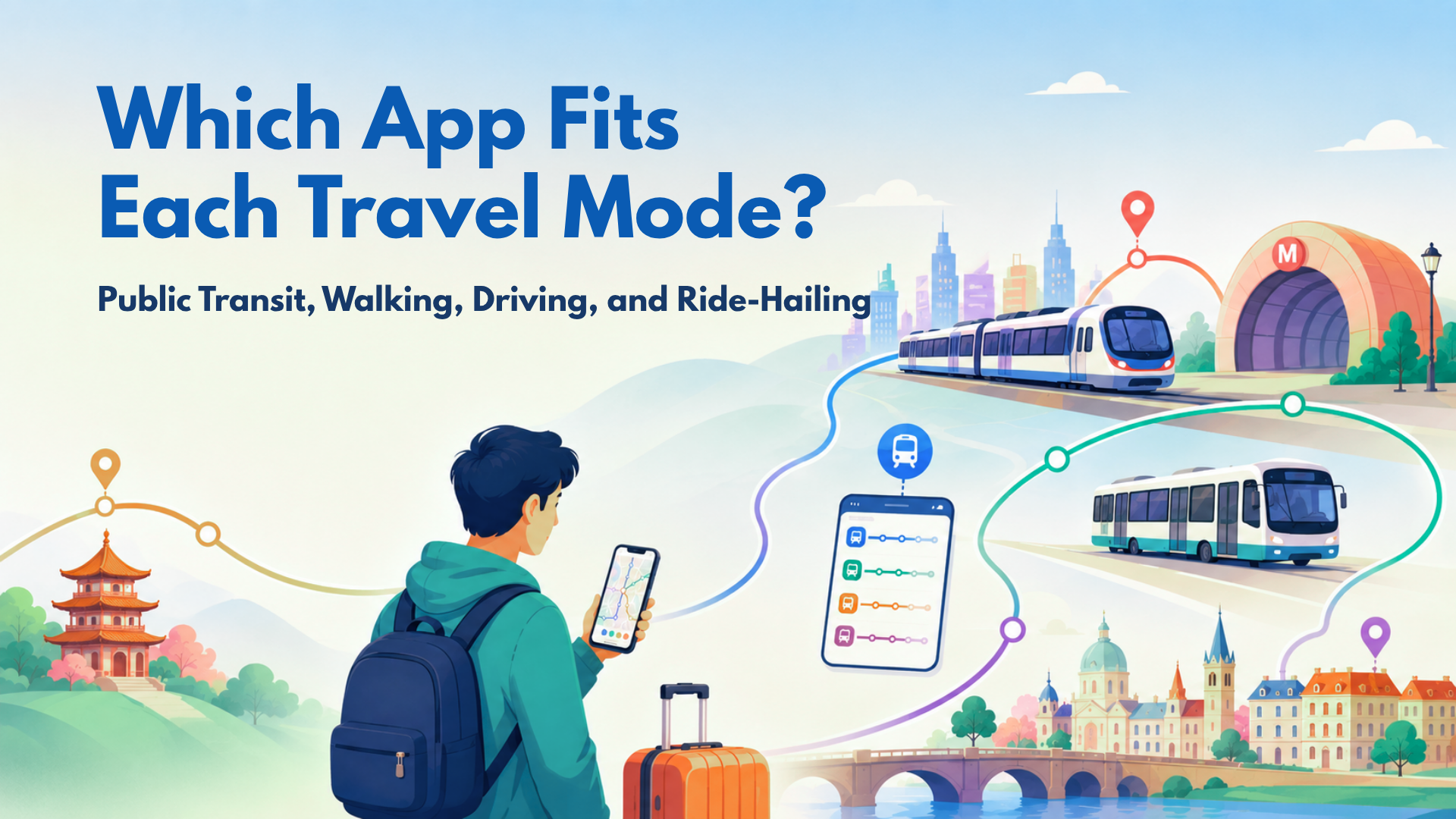
Public transit abroad
Google Maps is often stronger for first-time visitors because it is useful for multi-leg routes, station searches, transit discovery, and neighborhood context. Apple Maps can work well in supported major cities, especially for iPhone users, but coverage and transit depth can vary by destination. In train-heavy countries such as Japan, South Korea, and parts of Europe, pair map apps with dedicated train or transit apps.
You should use different maps when checking different means of transportation.
Walking in cities
Apple Maps can feel cleaner for walking directions on iPhone. Google Maps can be better when you need nearby storefronts, reviews, photos, or quick context. For safety, save your hotel and a few landmarks before leaving Wi-Fi.
Driving and road trips
Both apps work for driving. Google Maps is strong for live traffic, rerouting, and local search along the route. Apple Maps can be smooth for iPhone and CarPlay users who want calm instructions and tight Apple device integration. For rural or island routes, offline maps plus mobile data backup is safer than relying on signal alone.
Taxis and ride-hailing
Maps alone are not enough for ride-hailing. You need mobile data for Uber, Grab, Bolt, Lyft, Gojek, Didi, Kakao T, or local ride apps depending on the destination. You also need data for driver chat, pickup changes, payment verification, and safety sharing.
Privacy and Account Use: Google Maps vs Apple Maps
Apple Maps privacy angle
Apple positions Maps as privacy-focused and says it does not collect personal data associated with Maps usage. Apple also states that precise locations are converted to less-exact locations within 24 hours. For travelers who want fewer links between navigation and an advertising profile, this is a meaningful advantage.
Google Maps location data angle
Google says it may use or save location information to provide useful services such as locally relevant search results, traffic predictions, and suggestions. This is part of why Google Maps can feel personalized and powerful, but it also means travelers should review location permissions and account settings intentionally.
Practical privacy tips for travelers
- Review map app location permissions before departure.
- Use offline maps when real-time features are not needed.
- Limit background location access when possible.
- Clear map history if desired.
- Avoid sharing live locations longer than needed.
- Use app permissions intentionally instead of accepting every prompt quickly.
Best Map App by Destination Type
| Destination type | Best map strategy |
| Europe city trip | Use Google Maps for transit and discovery; Apple Maps for clean iPhone navigation. |
| Japan | Use Google Maps or Apple Maps plus dedicated train apps; download offline areas before departure. |
| Thailand | Use Google Maps plus Grab and LINE; keep mobile data active for pickups and messages. |
| South Korea | Add Naver Map or KakaoMap because local map data can be stronger. |
| China | Check access and app availability before departure; prepare Apple Maps or local maps and required travel apps. |
| US road trip | Use Google Maps or Apple Maps with live traffic and offline map backup. |
| Island or rural trip | Download offline areas and save addresses; keep an eSIM backup for emergency search. |
| Business trip | Use Google Maps for nearby discovery and Apple Maps for iPhone-first route guidance. |
How to Reduce Google Maps and Apple Maps Data Usage While Traveling
Download maps before departure
Download offline map areas on home Wi-Fi or hotel Wi-Fi. Avoid downloading large map areas over mobile data unless it is urgent.
Avoid satellite view and street-level previews on mobile data
Use a standard map view when your data plan is limited. Satellite view, Street View, and Look Around are useful for previewing a place, but they can consume much more data than basic navigation.
Save key places before leaving Wi-Fi
Save your airport, hotel, attractions, train stations, restaurants, pharmacies, embassy or consulate if relevant, and meeting points. This reduces repeated searching and helps you move faster when the connection is unstable.
Preload routes before leaving the hotel
Open the route on Wi-Fi before heading out. The app may still need data for live traffic or transit changes, but preloading reduces unnecessary searching and map reloading.
Track mobile data usage
Use phone settings to check how much data maps and travel apps are using. For broader trip planning, read Twise guides on saving mobile data and calculating your travel data needs.
Use travel eSIM for live features
Buy a reliable, high-quality eSIM from Twise for fast 5G/4G data while traveling
Offline maps reduce data use, but they do not remove the need for the internet. A Twise eSIM helps travelers keep mobile data ready for live traffic, transit updates, ride-hailing, translation, hotel messages, booking apps, email, and browser search after landing.
Where Twise eSIM Fits: Offline Maps Save Data, But Live Travel Still Needs Internet
The most common travel mistake is assuming offline maps replace mobile data. They do not. Offline maps help with saved routes and basic navigation, but travel is dynamic. Flights change. Drivers move pickup points. Hotels send check-in instructions. Restaurants close early. Transit routes get delayed. Emergencies require search and communication.
Twise eSIM fits the live travel layer around map apps. It helps travelers activate mobile data before arrival, stay connected without hunting for a physical SIM card, and use the full app stack that modern travel depends on: maps, ride-hailing, messaging, translation, booking apps, email, and browser search.
Before buying, travelers should check whether their phone supports eSIM. Twise’s device compatibility guide can help with this step.
Two-Map + eSIM Setup Checklist Before International Travel
- Download a Google Maps offline area for your destination city.
- Download Apple Maps offline areas if you use an iPhone and the region is supported.
- Save your hotel address in both apps.
- Save the airport, train station, and first-day attractions.
- Install ride-hailing and local transit apps before departure.
- Install or update your translation app and offline language packs.
- Save emergency contacts and embassy or consulate information if relevant.
- Turn off automatic app updates on mobile data.
- Check your phone’s eSIM compatibility.
- Install your travel eSIM before departure if your provider allows it.
- Test maps and mobile data after landing before leaving the airport.
Final Decision Guide: Google Maps or Apple Maps for Travel?
Choose Google Maps if…
You need richer discovery, restaurant reviews, photos, public transit, saved lists, cross-platform planning, and nearby search in unfamiliar places.
Choose Apple Maps if…
You use iPhone, Apple Watch, or CarPlay and want clean navigation, stronger privacy positioning, and simple point-to-point guidance.
Use both if…
You are traveling internationally, have limited data, want offline backup, or do not want your trip to depend on one app.
Add a travel eSIM if…
You need live maps, ride-hailing, transit changes, hotel messages, translation, booking apps, payment checks, or emergency searches after landing. Offline maps are smart preparation, but live mobile data is what keeps the rest of the trip moving.

FAQs About Google Maps vs Apple Maps for Travelers
About Twise eSIM
Whether you use Google Maps for walking, hotel searches, and public transit, or Waze for live traffic alerts during a road trip, reliable mobile data matters from the moment you land. Offline maps can help reduce data usage, but travelers still need live internet for route changes, ride-hailing pickups, hotel check-in messages, emergency searches, translation, and real-time traffic updates.
Twise offers local eSIM plans built on actual carrier networks, rather than generic wholesale roaming arrangements. For trips where navigation, live traffic, ride-hailing, and emergency access depend on consistent connection quality, local carrier plans can provide more stable speeds and coverage than standard travel eSIM options.
Current Twise eSIM options include:
USA local eSIM – Runs on the T-Mobile or AT&T network, includes calls and SMS, and is suitable for travelers who need reliable data and a local number across the US.
Europe eSIM – Covers major European destinations, with calls and SMS included for easier travel communication.
Japan local eSIM – Uses a local carrier network, ideal for one of Asia’s most connected and transit-heavy destinations.
South Korea local eSIM – Provides local network access with strong urban and transit coverage, useful for navigating cities, stations, and local apps.
Almost all Twise eSIM plans are installed digitally. No physical SIM, no store visit, no deposit, and no return process.
For navigation specifically, most plans will be enough if you mainly use Google Maps, Waze, ride-hailing, and occasional searches. If you rely heavily on live traffic, stream music while driving, use video calls, or share data via hotspot with another device, check the plan’s data size and hotspot policy before purchasing.
Related Articles
How Much Data Does YouTube Use? 480p, 720p, 1080p & Travel Data Tips
Europe eSIM Reviews: What to Know Before You Choose for Your Trip
USA eSIM Coverage Maps and Signal Strength by Carrier
Pre-Flight Guide: Install eSIM Before Traveling – Done in 5 Minutes
