




Japan eSIM at Haneda Airport: Setup and Arrival Data Guide
Aug
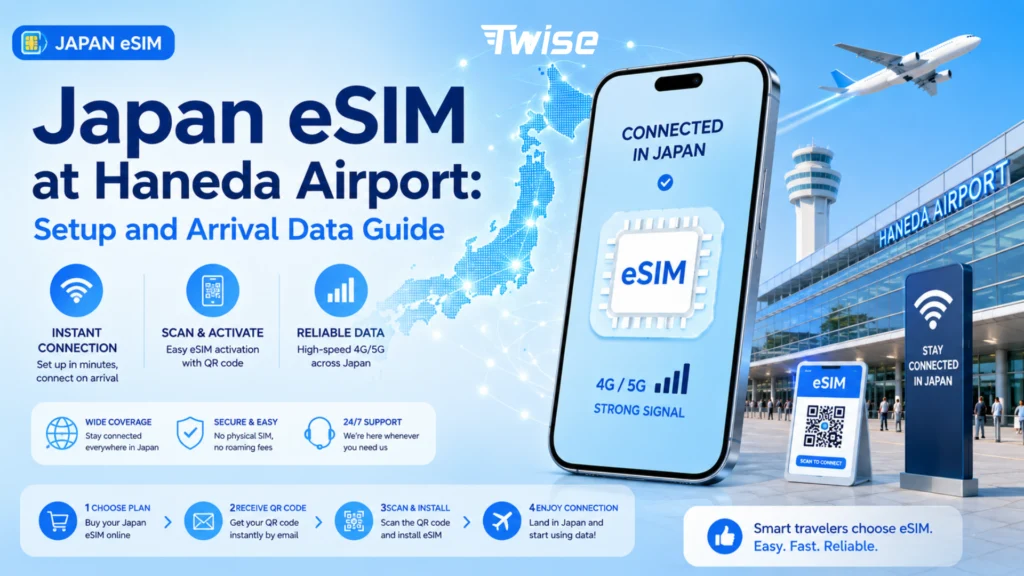
You’ve just landed at HND — here’s what to actually do with your phone before heading into Tokyo. Get Japan eSIM at Haneda Airport?
- eSIM already installed? Configure and test it before you leave the arrivals area.
- No eSIM yet, but your phone supports one? Use Haneda’s Wi-Fi to buy an online option or check the airport’s SIM services.
- Phone doesn’t support eSIM? Compare a physical prepaid SIM, pocket Wi-Fi, or home roaming instead.
Haneda provides free Wi-Fi through the HANEDA-FREE-WIFI network across all three terminals, though coverage and signal strength can vary by area — useful to know as your fallback while you sort out mobile data.
Your Haneda Arrival Data Plan: What to Do Before Leaving the Airport
Follow this sequence right after clearing immigration and customs, while you’re still inside the terminal:
- Connect to Haneda Wi-Fi if needed — join HANEDA-FREE-WIFI to check installation instructions, contact support, or complete an online eSIM purchase.
- Turn on your Japan eSIM line according to your specific plan’s activation rules — not every eSIM activates the same way, so follow your provider’s instructions rather than assuming.
- Select the eSIM for cellular data and manage your home line’s roaming carefully so you don’t accidentally rack up home-carrier charges.
- Configure data roaming if your eSIM requires it — many travel eSIMs need roaming enabled on the travel line specifically, but check your exact provider’s setup guide first.
- Test the connection before heading to the train — open Maps or another lightweight app while still inside Haneda, so any issue gets fixed here rather than mid-transfer.
Why Getting Online at Haneda Quickly Matters

Haneda’s location gives international arrivals one of the fastest airport-to-city transfers in Japan, which is exactly why testing your connection early pays off.
Haneda to Shinagawa or Hamamatsucho: the airport connects directly to the Keikyu Line and Tokyo Monorail, so you can begin your onward journey almost immediately after reaching the public arrivals area — there’s little buffer time to sort out connectivity mid-transit.
Finding the correct train and transfer: working data lets you check live routes, platforms, and transfer points instead of relying on static signage alone.
The last mile from the station to your hotel: this is often where connectivity matters most — walking directions, station exit selection, and hotel messages, especially for first-time visitors navigating unfamiliar stations.
This gives Haneda a distinct user journey from Narita: Haneda is land → activate → test → train → city, while Narita is land → identify terminal options → choose SIM/eSIM/Wi-Fi → longer onward journey.
Which Haneda Terminal Will International Travelers Arrive At?
Terminal 3 handles most international arrivals and has the main connectivity facilities — a Mobile Center and an AnyFone JAPAN store in the 2F Arrival Lobby, generally open from early morning into the late evening (verify exact hours before your trip, as they can change).
Terminal 2 also handles international passengers on certain routes — it has a J WiFi & Mobile x Global WiFi counter in the international arrival lobby, generally operating from around 6:00 AM to 11:00 PM. Don’t assume all international flights land at T3; check your specific airline and terminal.
Terminal 1 is mainly a domestic consideration for most international visitors, though Haneda’s official directory does list prepaid SIM vending machines here too — worth knowing if you happen to pass through T1 during a domestic connection.
Can You Buy an eSIM at Haneda Airport?
Airport SIM service doesn’t always mean eSIM. Haneda’s official directory mostly labels its offerings as SIM sales, mobile rental, and Wi-Fi rental — not every counter or vending machine specifically issues a digital eSIM QR code, so don’t assume one does.
You can still buy an online eSIM after landing. If your phone is compatible and you’re on airport Wi-Fi, you can purchase and install a digital travel eSIM without relying on whatever physical stock happens to be available at your terminal.
When an airport counter still makes sense: if you want installation help, aren’t sure your device is compatible, or specifically need a physical SIM, a staffed Haneda counter remains a reasonable choice.
Japan eSIM Not Working at Haneda? Check This Before You Leave
A short, practical troubleshooting sequence to run through while you’re still inside the terminal:
- Confirm the correct cellular data line. If your phone is still set to use the home SIM for data, the travel eSIM won’t connect the way you expect.
- Check data roaming on the travel eSIM against the specific instructions provided with your plan — settings vary by provider.
- Toggle airplane mode or restart the phone as a simple first reconnection step after enabling the eSIM.
- Check APN or network selection only if your provider specifically instructs it — some eSIMs configure automatically, and changing settings unnecessarily can cause more problems than it solves.
- Don’t delete the eSIM as your first fix. Some QR profiles have reinstallation restrictions, so contact support or follow the provider’s troubleshooting steps before removing the line.
- Stay on Haneda Wi-Fi until it’s resolved — HANEDA-FREE-WIFI gives you a fallback while you review instructions or reach out to support.
Haneda eSIM vs. Airport SIM vs. Pocket Wi-Fi vs. Roaming
| Option | Ready before HND arrival | Extra hardware | Keep home SIM | In-person setup | Multi-country use | Best for |
| Twise Japan eSIM | Yes | No | Yes, on compatible dual-SIM phones | Remote support | Available with regional plans | Travelers wanting data ready before leaving HND |
| Haneda physical SIM | No unless pre-arranged | SIM card | Requires SIM management | Available at staffed sellers | Usually product-dependent | Non-eSIM phones / in-person buyers |
| Pocket Wi-Fi | Usually needs pickup/setup | Router | Yes | Airport rental support | Rental-dependent | Families or multiple devices |
| Home roaming | Usually already available | No | Yes | Home-carrier support | Carrier-dependent | Travelers prioritizing minimal setup |
An eSIM has the strongest advantage when arrival speed and keeping your primary SIM installed both matter. Physical SIM and Wi-Fi rental remain reasonable choices depending on your device or sharing needs — Haneda officially offers both, including options in the T3 arrivals area.
Want eligible no-KYC setup, instant QR delivery, and dual-SIM convenience before your flight lands at HND?
Compare Twise Japan eSIM options
Should You Prepare Your Japan eSIM Before Flying to Haneda?
Prepare before departure if you already know you need data — this gives you time to verify device compatibility and save your QR/instructions while you still have reliable home Wi-Fi.
Wait for Haneda if you need in-person help — the airport’s mobile/SIM facilities remain useful for uncertain device compatibility or genuine physical-SIM needs.
Purchase early, activate according to the plan rules. Purchase, installation, and activation are separate events — follow the exact instructions for your chosen plan. (For a full breakdown of this process, see our guide on when to buy a Japan eSIM: purchase, install and activate.)
Haneda Arrival Scenarios: Which Connectivity Option Fits You?
- Solo traveler heading straight into Tokyo: a pre-installed eSIM is the most convenient option when your priority is moving directly from arrivals to the train or monorail.
- Family sharing several devices: pocket Wi-Fi can still be practical if the group stays together and needs one shared connection.
- Traveler with an older or locked phone: check device compatibility before relying on eSIM — a physical alternative may be required.
- Late-night international arrival: don’t rely solely on a staffed counter. Wi-Fi/pocket-router rental counters at T2/T3 tend to run into the late evening, but SIM sales counters can close much earlier — check both separately rather than assuming one schedule covers everything.
- Japan is the first stop of a multi-country trip: a regional eSIM maintains data continuity as you continue to Korea, Taiwan, or another covered destination — this is the strongest case for Twise‘s multi-country coverage.
Before Leaving Haneda: Test These Travel Essentials
- Open your route to the hotel and confirm live navigation works before entering the Keikyu Line or Tokyo Monorail system.
- Check hotel or booking messages — make sure email, LINE, WhatsApp, or your booking platform loads over mobile data.
- Save an offline backup of your hotel address and key reservation details locally, even after mobile data is confirmed working.
Prepare a Twise Japan eSIM for Haneda Arrival
Check eSIM and carrier-lock compatibility — confirm your exact phone model supports eSIM and can accept another carrier before you pay.
Choose Japan-only or regional coverage — Japan-specific service fits a Japan-only itinerary, while regional coverage makes more sense when Haneda is the first stop of a longer trip.
Receive the QR and prepare on Wi-Fi — digital delivery means you can install ahead of time; follow the exact installation and activation instructions for your selected plan.
Want your phone ready before the Haneda-to-Tokyo transfer? Compare Twise Japan eSIM options with no-KYC activation on eligible plans, instant QR delivery, and dual-SIM support on compatible phones.
Get Connected Before You Leave Haneda
- eSIM already installed → configure and test it at HND before starting the Tokyo transfer.
- No eSIM but your phone supports one → Haneda Wi-Fi gives you a fallback for buying one online.
- Need hands-on support or can’t use eSIM → consider a Haneda physical SIM or Wi-Fi rental service.
- Continuing outside Japan → compare regional coverage rather than buying another country-specific product later.

FAQ About Japan eSIM at Haneda Airport
Haneda has SIM and mobile-connectivity sellers, but verify whether a specific seller actually provisions eSIM rather than assuming every airport SIM service does.
Yes — HANEDA-FREE-WIFI is the official free network available across Terminals 1, 2 and 3, subject to local coverage limitations.
Yes, if your phone is compatible — airport internet can be enough to purchase and install a digital plan after landing, subject to that provider’s installation requirements.
It depends on your plan’s activation trigger. Follow your provider’s specific instructions rather than assuming installation automatically means the plan is active.
Verify the selected cellular-data line, check your travel eSIM’s roaming instructions, toggle airplane mode or restart, and stay on Haneda Wi-Fi while contacting support if the issue continues.
More useful tips for your journey to Japan
